


"Prepare a Form" signature request defaults to "request e-signature"
We use Adobe to send signature requests to our customers. To do this, we set up the PDF and use the "Prepare a form" tool and check mark the box that says "This document requires signatures". See screenshot below.
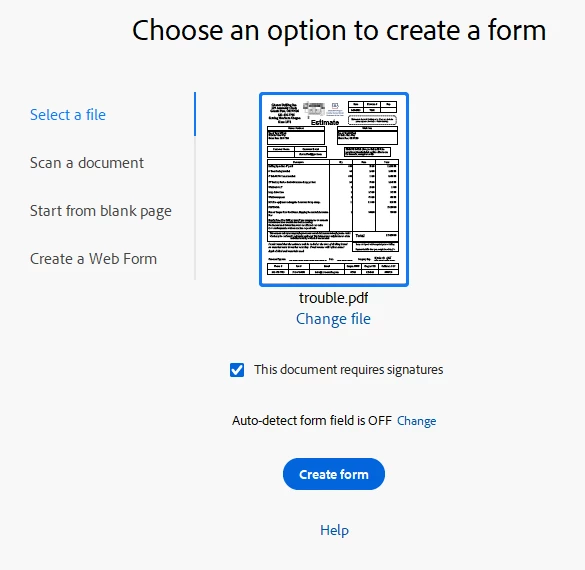
Recently, while creating documents to send for signatures, I have had some issues after creating the signature request boxes on the document. Typically, I will use the prepare a form tool and as above select that the document requires signatures. Then, I will use the "e-signature field", "initials field", and "date field" in the multiple places in the document that I need signed. Adobe then opens up the correct email box in order to send this document to the customer with an option to add message and complete the sending. See Below:
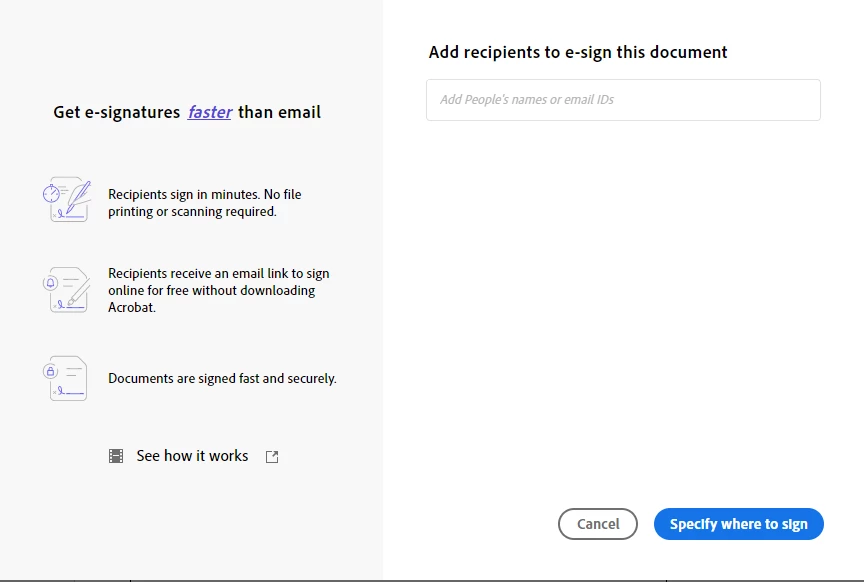
However, lately it defaults to a separate way to send an e-signature request. I can only assume this may be how it is formatted when using the "request an e-signature" but am not sure as I don't use that tool. Instead, it requests to add recipients and is a completely different request. See screenshot below:
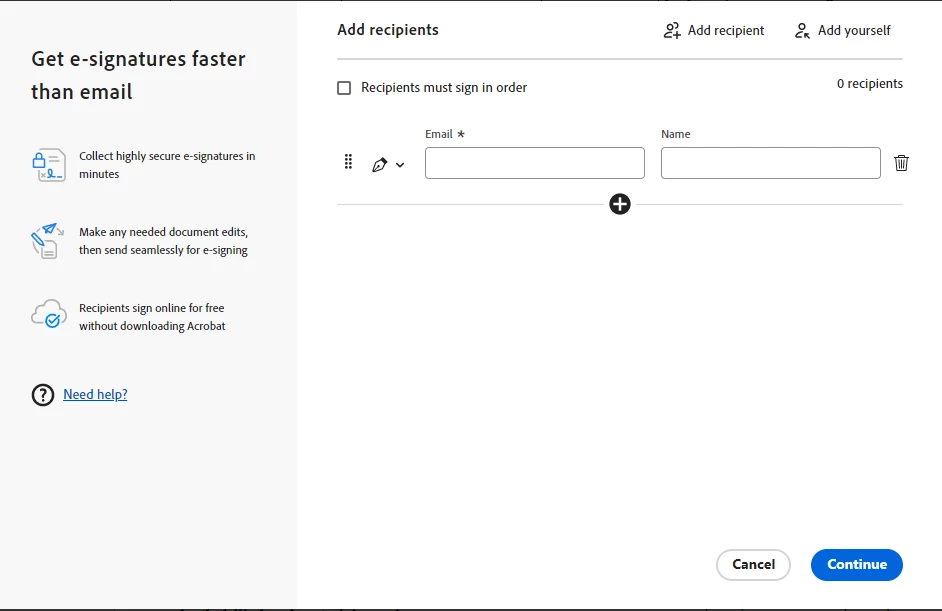
This add recipient change has changed the remaining screens and I have in some cases been completely unable to send a document.
I've checked my preferences to make sure they are set the way they are supposed to and everything appears to be correct. The only thing that occasionally resolves this issue is to sign out and sign back in, and then 50% of the time the prepare a form tool and sending process works as it should for the first document, but then it goes back to the incorrect way. I did accidentally select "Request an e-signature" recently but didn't use the tool to send a document. This issue has occurred since selecting that tool once. I've been able to use the prepare a form tool correctly up until then.
I have signed out/signed in multiple times, uninstalled/reinstalled, double checked preferences, checked Adobe with other users who have no issue. I have logged into another Adobe account on the same computer and the issue has not happened with the other account.
Thanks.
 AdChoices