Answered
Relocate tool bars
I recently download the Adobe Acrobat Pro 2024 Classic. I would like to put my tool bar on top instaed of on the left of my screen, however I don't see any option to do this. How do I accomplish this?

I recently download the Adobe Acrobat Pro 2024 Classic. I would like to put my tool bar on top instaed of on the left of my screen, however I don't see any option to do this. How do I accomplish this?
Hi Don,
Try this:
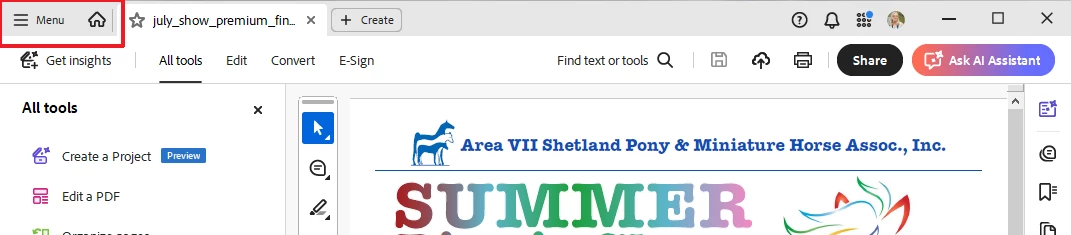
1. Go to the "hamburger menu" in the upper left corner
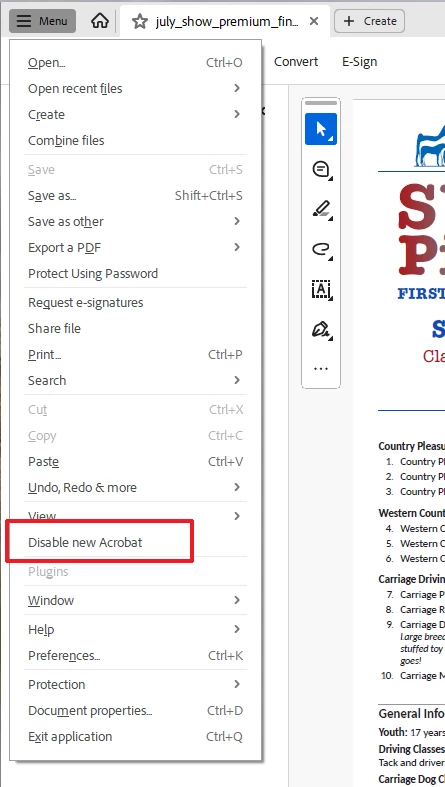
2. Scroll down to "Disable New Acrobat" and click on it.
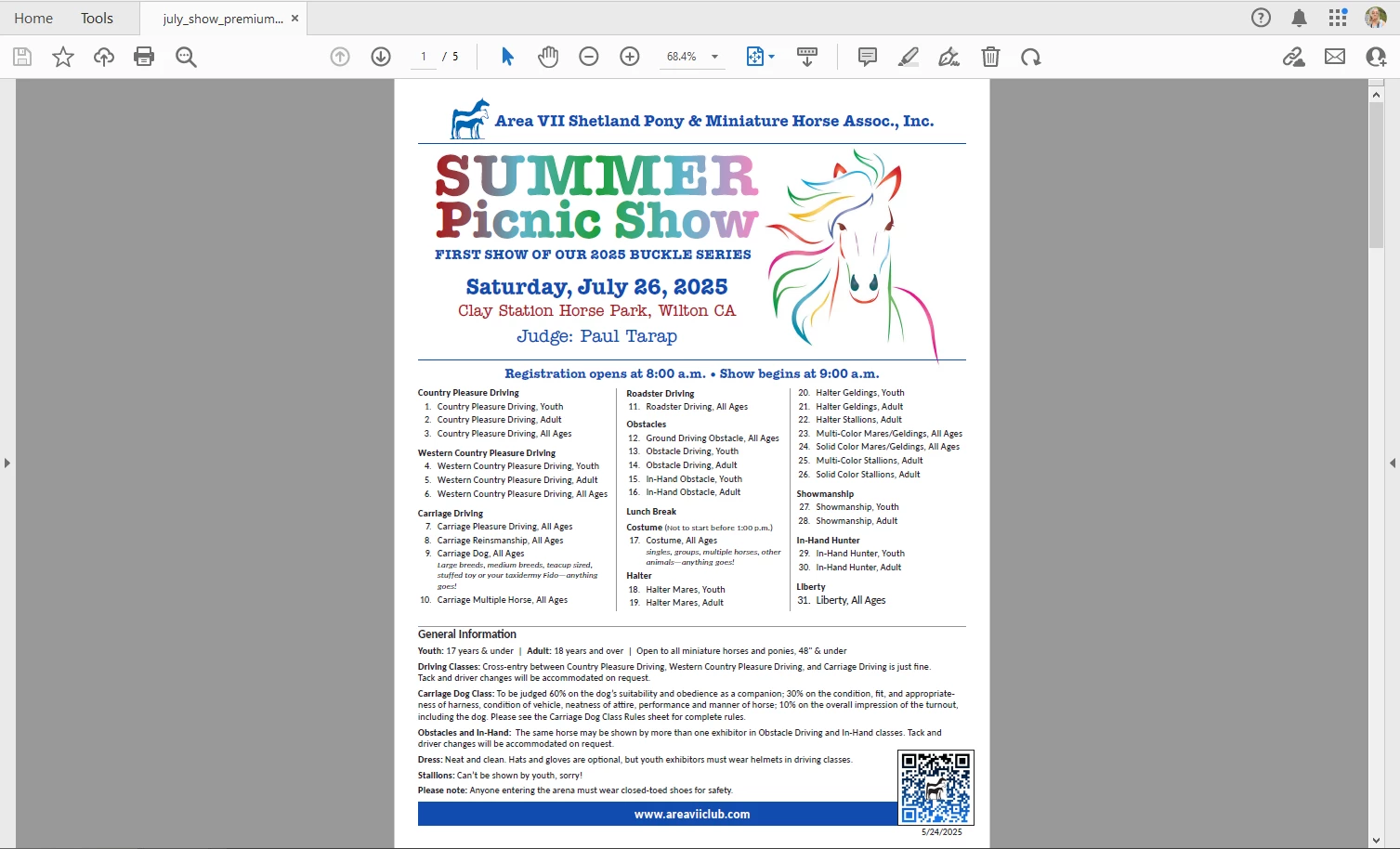
3. You'll get a message telling you to restart Acrobat. Do it.
4. When Acrobat restarts it will look more like your Acrobat DC screen shot.
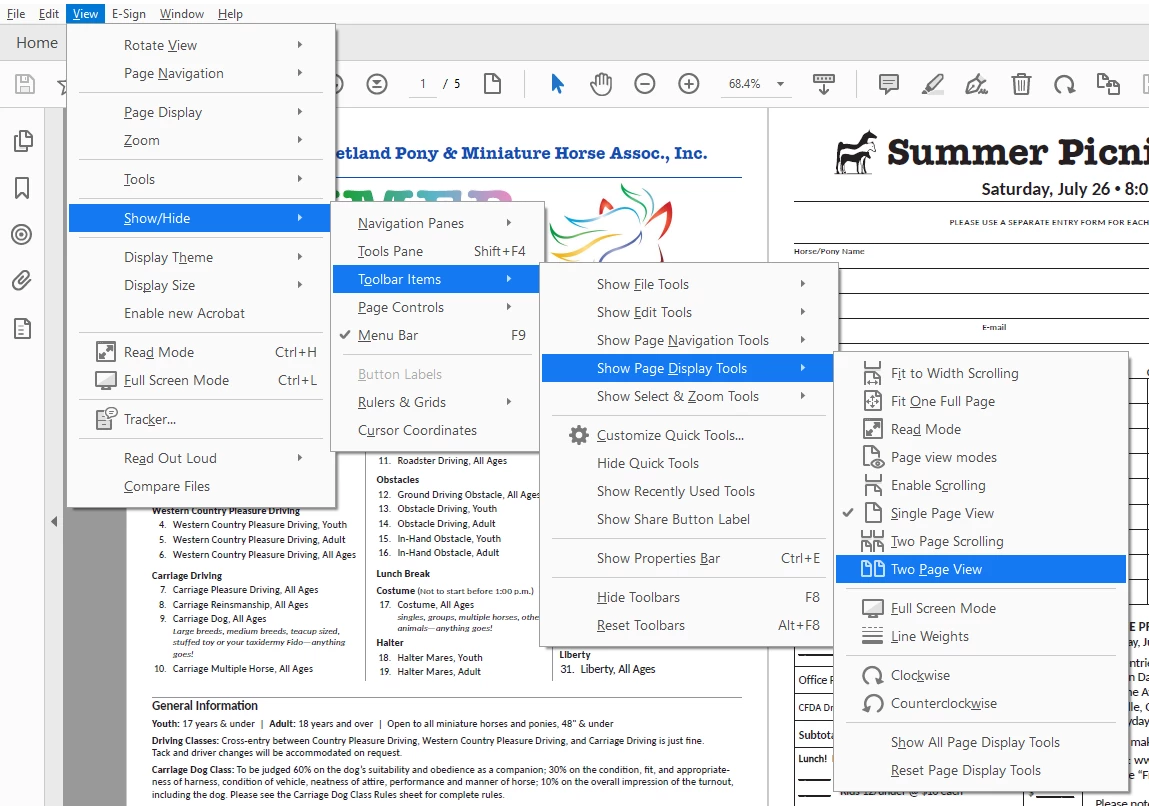
5. Now you'll need to tweak your toolbar to get it the way you like it. Go to View > Show/Hide > Toolbar Items and look through the submenus. If you want to add something to the toolbar, click on it to add a checkmark. For example, you might want "Two Page View" as well as "Single Page View" in your toolbar. I certainly do!
5. You can add any tool to your toolbar: View > Show/Hide > Toolbar Items > Customize Quick Tools
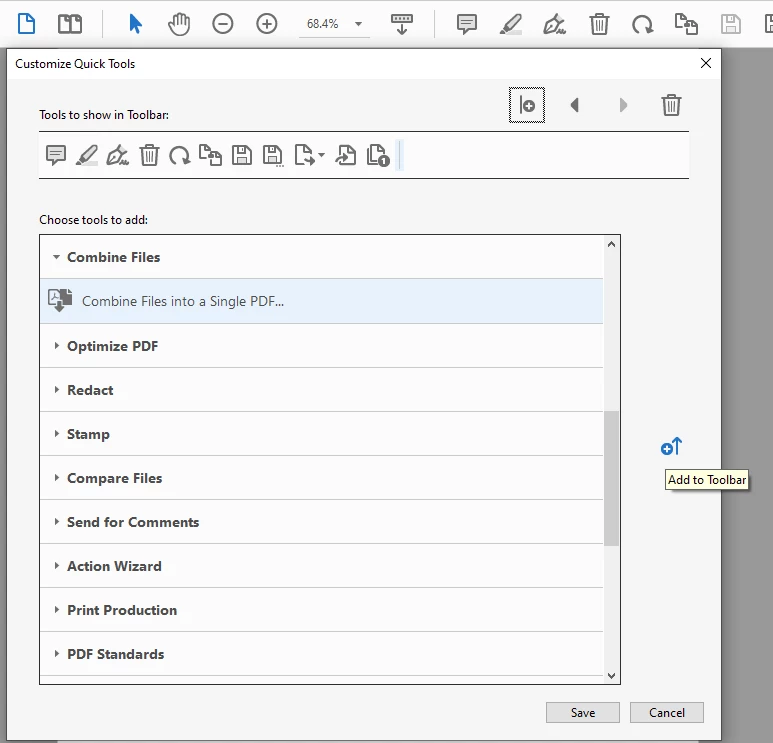
These are the tools I added to my Quick Tools Toolbar

I hope this helps!
Already have an account? Login
Enter your E-mail address. We'll send you an e-mail with instructions to reset your password.
 AdChoices