


Remove crop from all images / Select all images in document
So I have this problem - institution that provided PDF had someone who doesn't really know how to edit PDF add watermark to their PDFs. Now problem is (Image 1) that images are cropped too much and there is line or two missing.
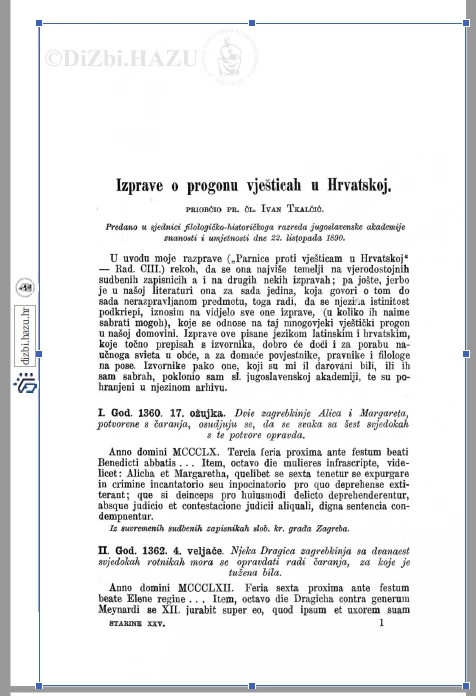
I managed to go around it with Preflight and "Resize to custom size" to get more white space. But my next problem is that I need to go page-by-page and manually select every image and press "Remove crop" (Image 2) to get result I want (Image 3). CRTL+A doesn't work since it only select all elements on one page.
Is there any way to SELECT EVERYTHING on ALL PAGES, and simply right click and press "Remove crop" that will apply for all pages. My document is hundreds of pages long, and going manually would take ages.
Also, I tried setting page crop to zero, but that didn't help since it is not pages itself that are cropped, but Images on them.
I also tried export all images, hoping that Acrobat would maybe export uncropped images, so I would just need to recreate document from images, but exported images are also cropped so that solution didn't work.
Thanks!
Image 1: Cropped page
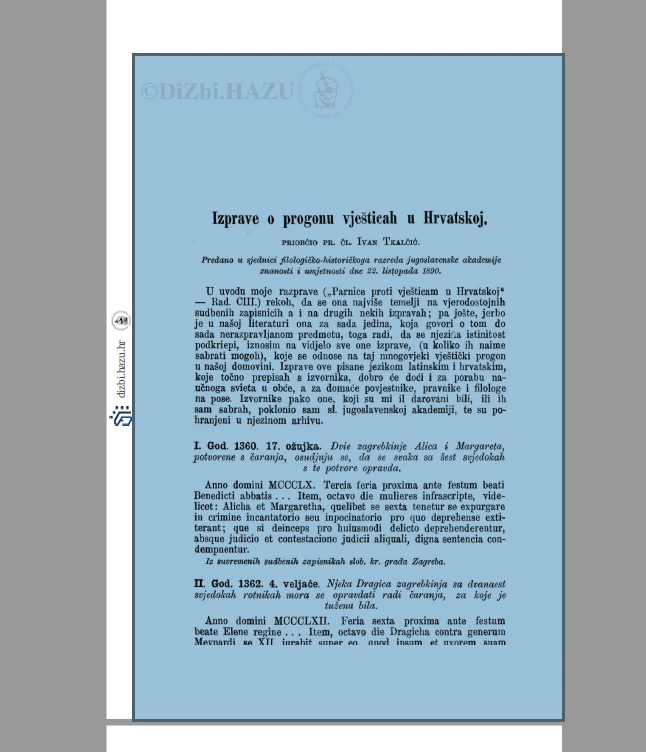
Image 2: Remove crop
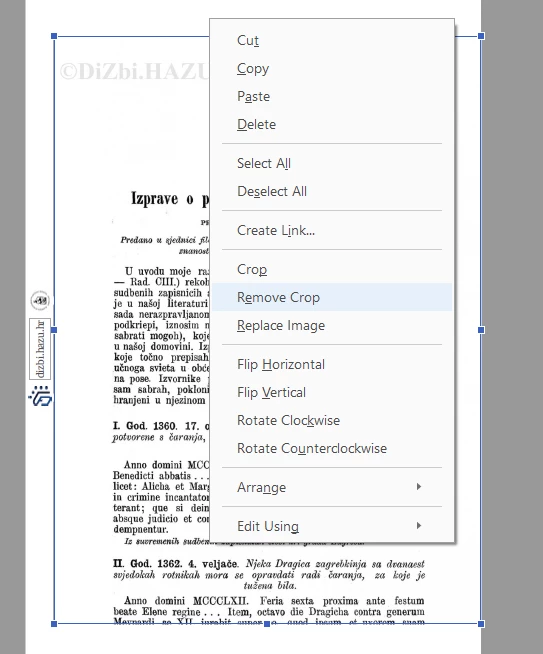
Image 3: How pages should look like
 AdChoices