



Saher Naji
Inspiring
July 10, 2022
Answered

Removing linebreaks from a textfield
  • July 10, 2022
  • 1 reply
  • 5292 views

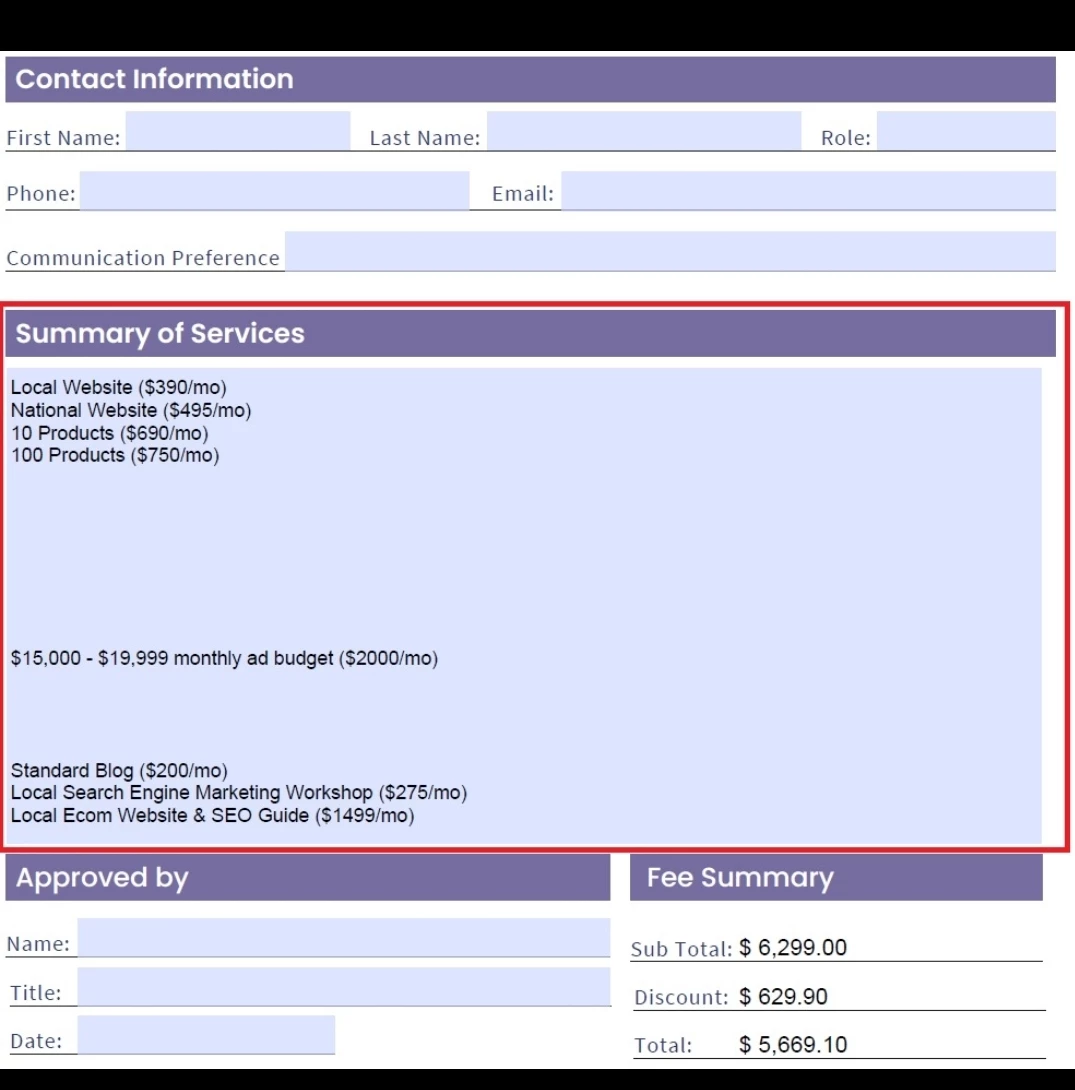
This field (Summary of Services) generated from many textfields. I mean I can't access to delete the empty lines manually.

So if there is a code or a way I can delete these empty lines this will be great.

Ans this is the script I used:


// Get the field values, as strings

var s1 = getField("Hob.1").valueAsString;

var s2 = getField("Hob.2").valueAsString;

var s3 = getField("Hob.3").valueAsString;

var s4 = getField("Hob.4").valueAsString;

var s5 = getField("Hob.5").valueAsString;

var s6 = getField("Hob.6").valueAsString;

var s7 = getField("Hob.7").valueAsString;

var s8 = getField("Hob.8").valueAsString;

var s9 = getField("Hob.9").valueAsString;

var s10 = getField("Hob.10").valueAsString;

var s11 = getField("Hob.11").valueAsString;

var s12 = getField("Hob.12").valueAsString;

var s13 = getField("Hob.13").valueAsString;

var s14 = getField("Hob.14").valueAsString;

var s15 = getField("Hob.15").valueAsString;

var s16 = getField("Hob.16").valueAsString;

var s17 = getField("Hob.17").valueAsString;

var s18 = getField("Hob.18").valueAsString;

var s19 = getField("Hob.19").valueAsString;

var s20 = getField("Hob.20").valueAsString;


// Combine values, separated by a space


event.value = s1+ "\n" + s2+ "\n" +s3+ "\n" +s4+ "\n" +s5+ "\n" +s6+ "\n" +s7+ "\n" +s8+ "\n" +s9+ "\n" +s10+ "\n" +s11+ "\n" +s12+ "\n" +s13+ "\n" +s14+ "\n" +s15+ "\n" +s16+ "\n" +s17+ "\n" +s18+ "\n" +s19+ "\n" + s20;


The line breaks happened because of some empty fields.


Thank you
This topic has been closed for replies.
Correct answer try67

Hello,

I hope you are doing well,

I tried hundredws of ways to fix it but I couldn't

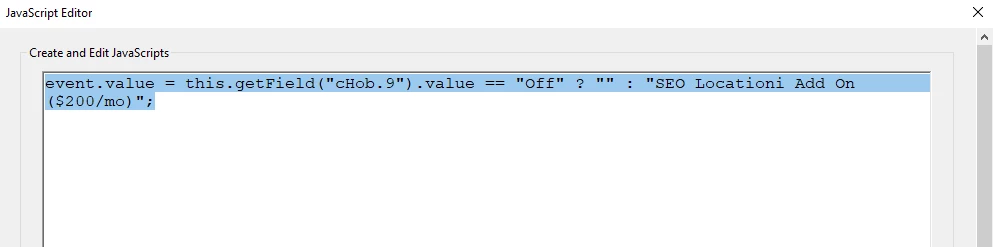
I only need to change the code here in Hob.9 and Hob.10, to give me the quantity without adding new fields.

every thing is working well, from Hob.1 to Hob.21, but I need to change the code little bit in Hob.9 and Hob.10 to recognize the quanitity

Take a look at the attached file please, I checked all of the checkboxes, except 9 and 10


Best Regards

Tnanks in advance


In Hob.9, for example, use this code:


// Get the field values, as strings
var z1 = getField("qHob.9").valueAsString;
var z2 = getField("Q_Hob_9").valueAsString;
// Combine values, separated by a space, if not empty
if (z1=="" || z2=="") event.value = "";
else event.value = z1 + "   " + z2+ "X";


1 reply

try67
Braniac
July 11, 2022

Add this at the end of your code:


event.value = event.value.replace(/\n+/g, "\n");

Saher Naji
Inspiring
July 11, 2022

Thank you very much, it's working

Could we add another code to number the lines?

for exampel: 

1. Local Website ($390/mo)
2. National Website ($495/mo)
3. 10 Products ($690/mo)
4. 100 Products ($750/mo)

Saher Naji
Inspiring
July 11, 2022

The same question, I would love to fix the 'Summary of Services' textfield to auto number the list, and remove the prefix line preak before the first line.

I shared to document, to not waste your time, and help me with the required code, I don't have enought knowledge in JavaScripts

Thanks again 


@try67 


Thanks Thanks Thanks

working very well, I just did minor edit

Best,