Participating Frequently
April 27, 2022
Answered

Repaginating Numbers in a PDF after converting from Powerpoint?

  • April 27, 2022
  • 2 replies
  • 4923 views

Hi


I have a power point document which I have converted to PDF (50 Pages)


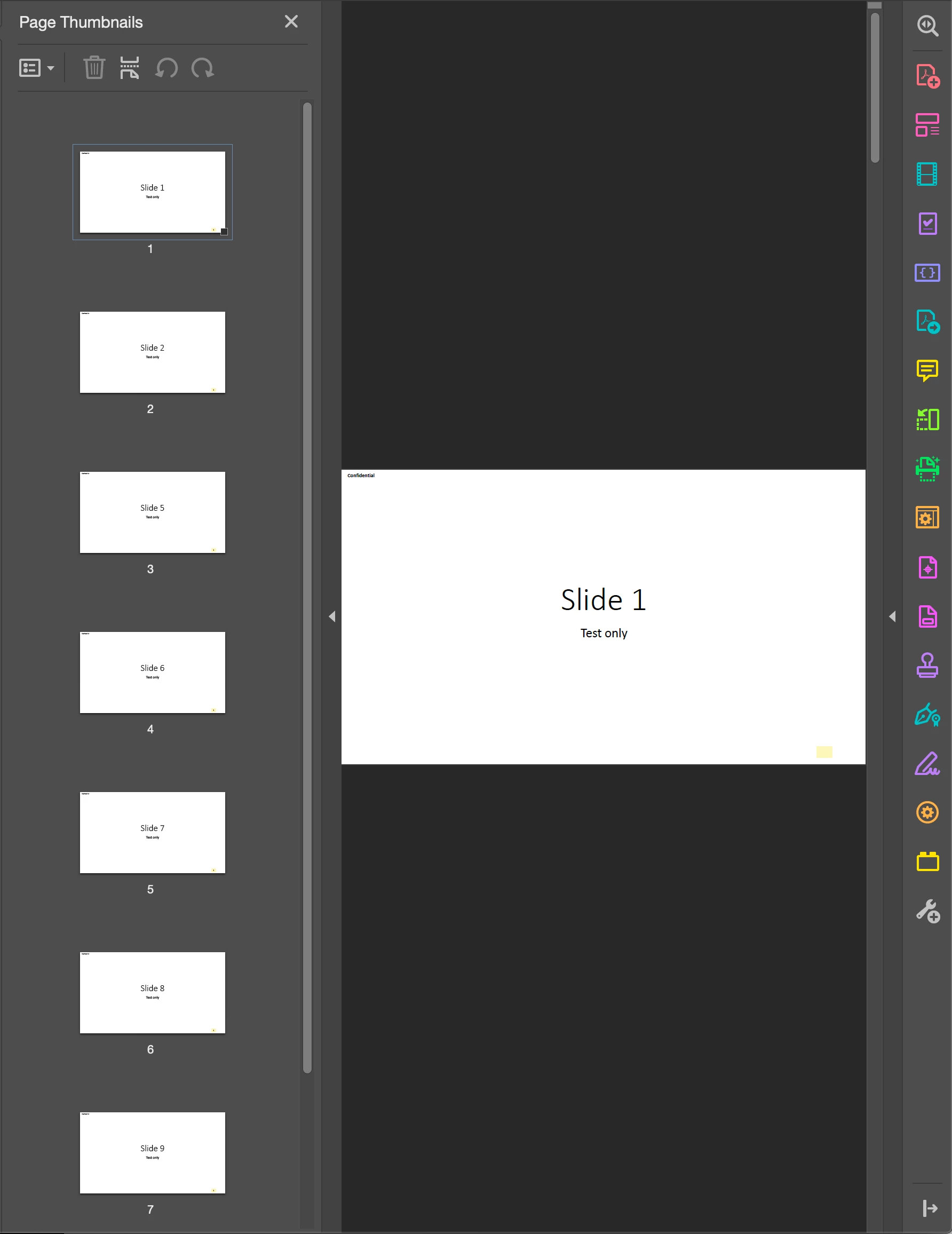
Within the PDF I delete pages 4 and 5 out leaving a total of (48 Pages)..  I've looked and I can't repaginate the PDF.  I have to manually update the pages 1 on 1 from where I deleted (starting at slide #4).  Sometimes the powerpoint presentation is 150 pages long.  Any idea how to resolve this repagination issue within a PDF from a converted powerpoint?  It should take a snap to do but I can't figure it out.


Thanks for your help....
 

This topic has been closed for replies.
Correct answer bebarth

Amal

I can go in and edit the page number on the bottom right manually.  My question is if I have a PDF that's 200 pages.  I delete pages 3 and 4 from the PDF,  I have to manually update each page # on the right,  I was wondering if there was a way to have it automatically have ADOBE renumber the patches which is the question I'm trying to answer.  To update 197 pages one by one manually takes a good 30 - 40 mins so I wanted to know if ADOBE has a way to get around this.


Hi,

It is not possible to modify the Acrobat text, but here is a tip you can do:

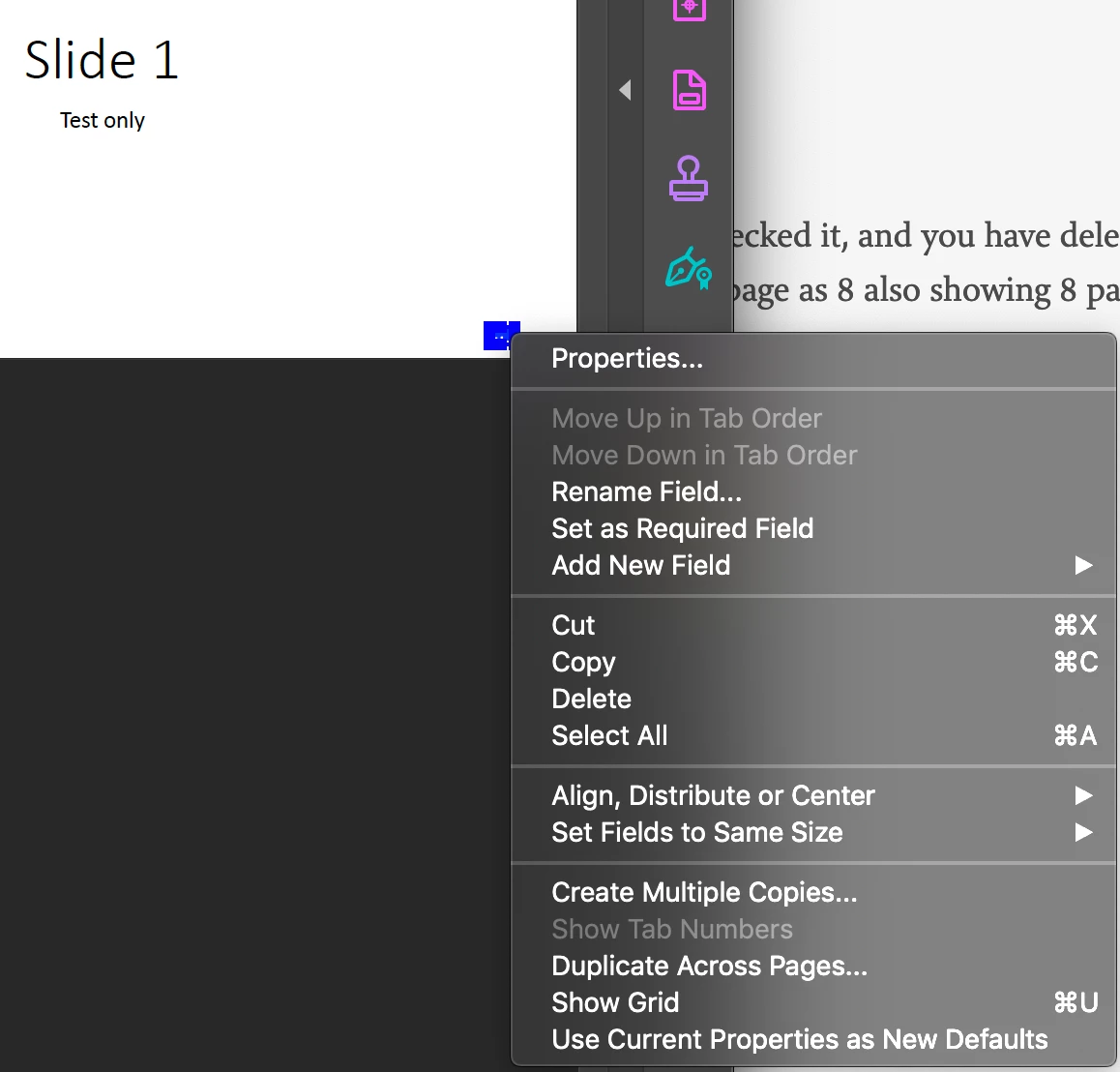
Create a "thePage" field on the first page under the page number (here I did it in yellow to show you).

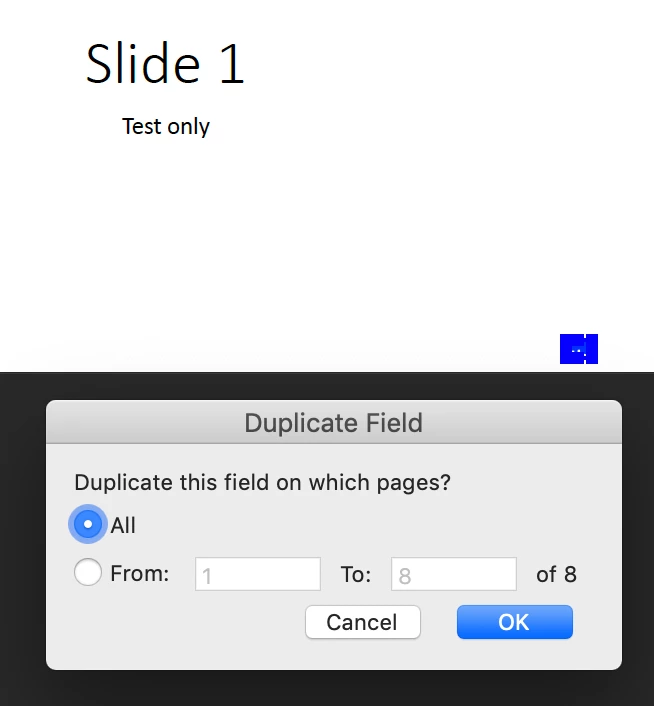
Then you duplicate this field across all pages.

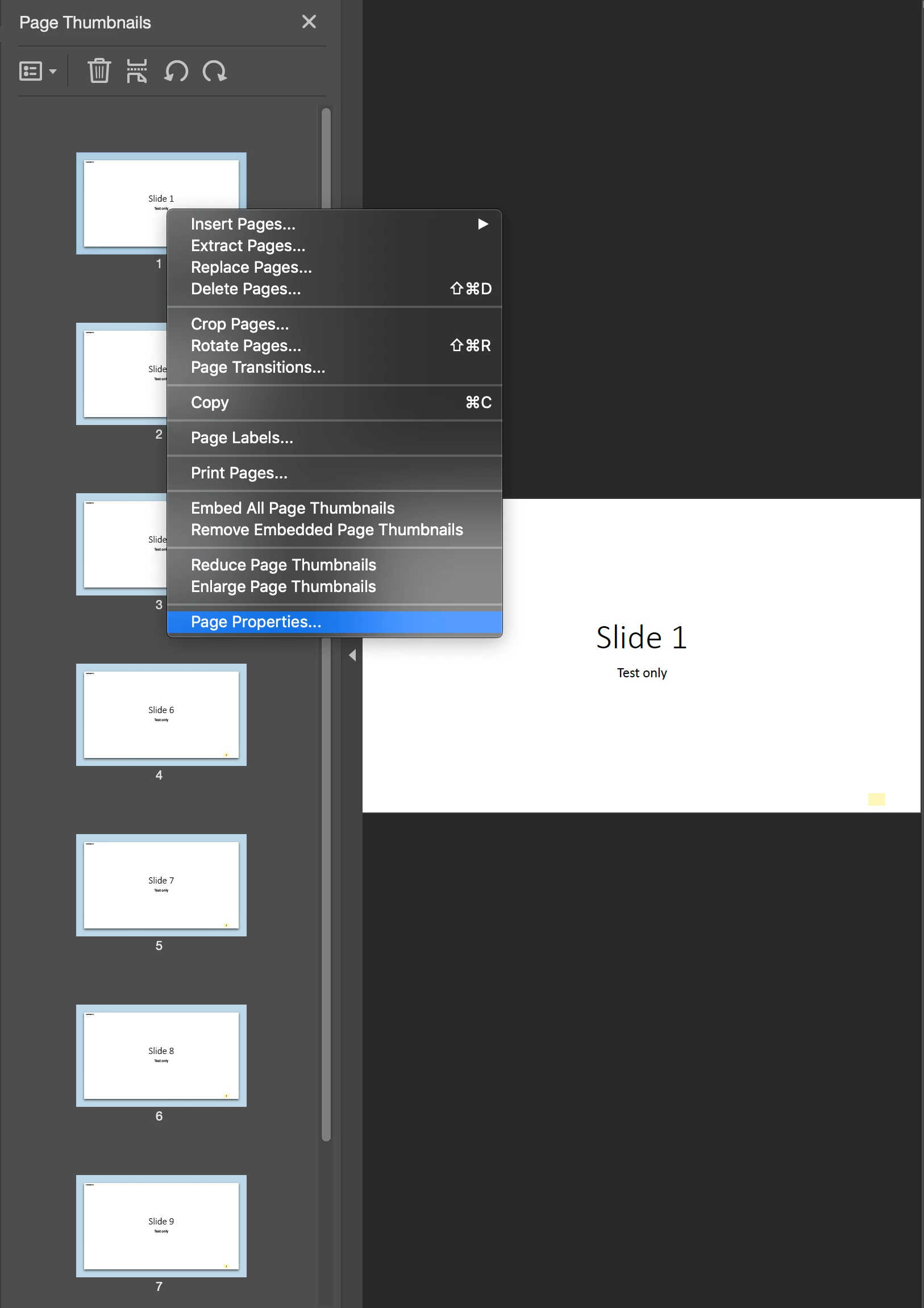
You select all thumbnails on the left and right-click "Page Properties...".

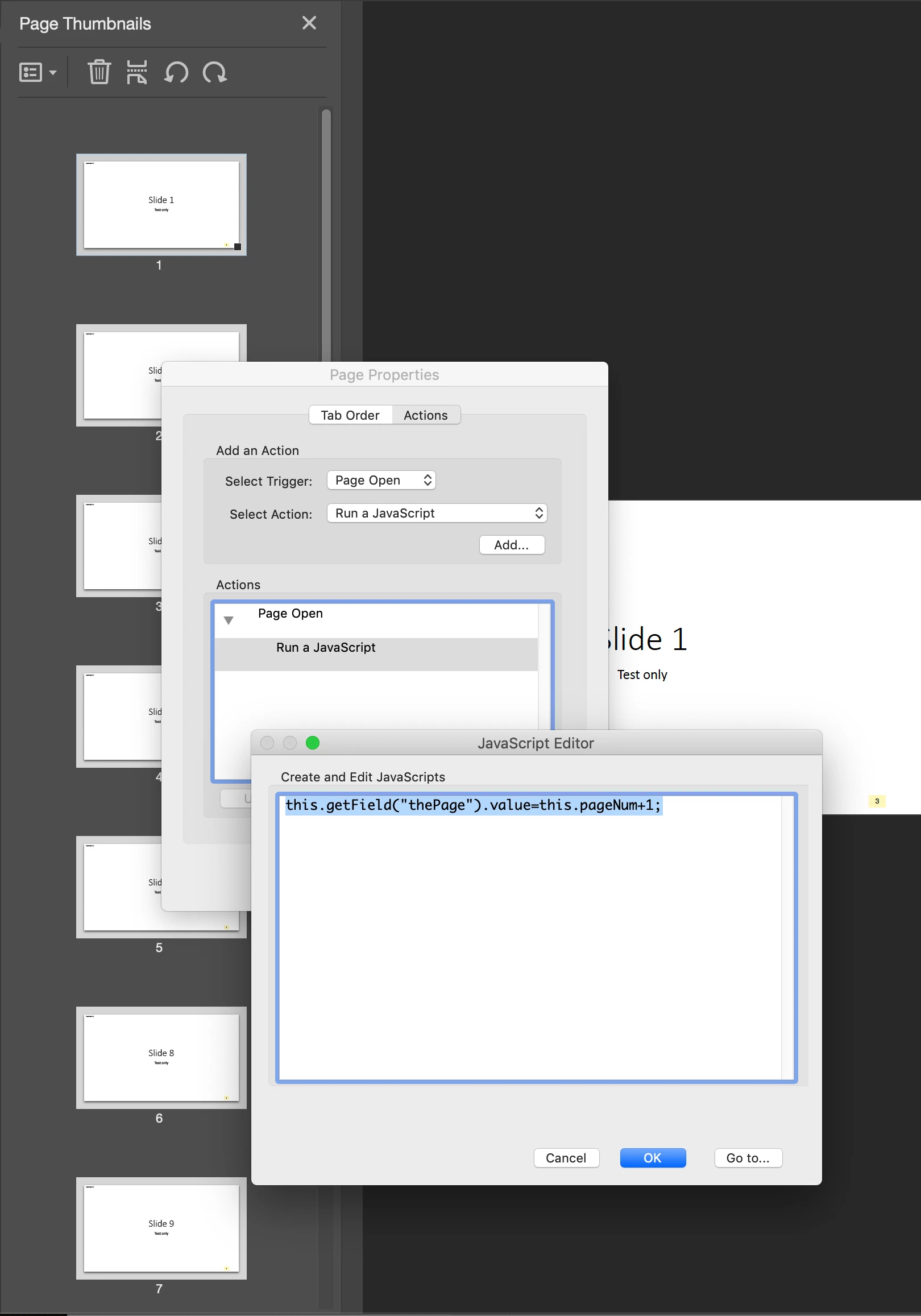
and you type

this.getField("thePage").value=this.pageNum+1;

as "Run a JavaScript" action for Page Open.

Now this will give you the real page even if you delete some page!

Make a test with my example attached...

@+

2 replies

Dave__M
Community Expert
May 6, 2022

Have you explored the Page Labels feature?  You may be able to select all pages from your Pages Panel, right-click and choose Page Labels.  From there, Initiate a new page ordering scheme that starts at pg 1 and counts upward from there.  Not sure if this will address your issue, but might be worth a try.

My best,

Dave

Amal.
Community Manager
Community Manager
April 28, 2022

Hi Brian,


Hope you are doing well and sorry to hear that.


Please go through the help page https://helpx.adobe.com/acrobat/using/manipulating-deleting-renumbering-pdf-pages.html and see if that works for you.


Regards

Amal

Participating Frequently
April 28, 2022
Hi Amal

Yes I tried the repaging through the document you posted, it still
doesn't work. The powerpoint document also has embedded pdfs into it
also.. not sure if that's causing an issue too...
Participating Frequently
May 6, 2022

Hi Amal


I can't share the original file but will create an example for you and post it... I'll let you know when its ready.


Hi Amal


I created a simple 10 page powerpoint slide

I then saved it as a PDF file


I deleted two slides from the PDF and I'm just trying to figure out how to renumber the PDF so that it renumbers as 8 pages.


Thanks for your help.. documents attached..