meg314
New Participant
July 7, 2020
Answered

Round image field in acrobat

  • July 7, 2020
  • 4 replies
  • 12440 views

Is there a way to create a round field that will import images? I have tried exporting a round image field from Indesign however it doesn't translate through. I am not seeing any options like this in the properties.
Correct answer bebarth

Hi,

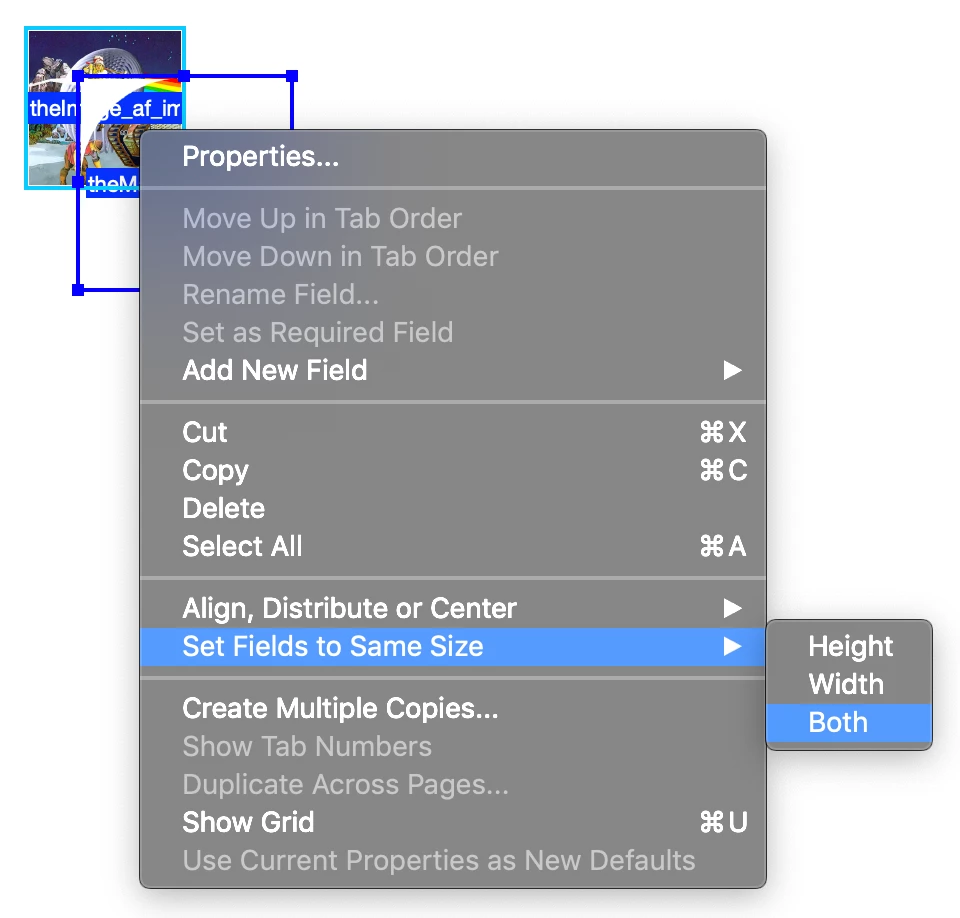
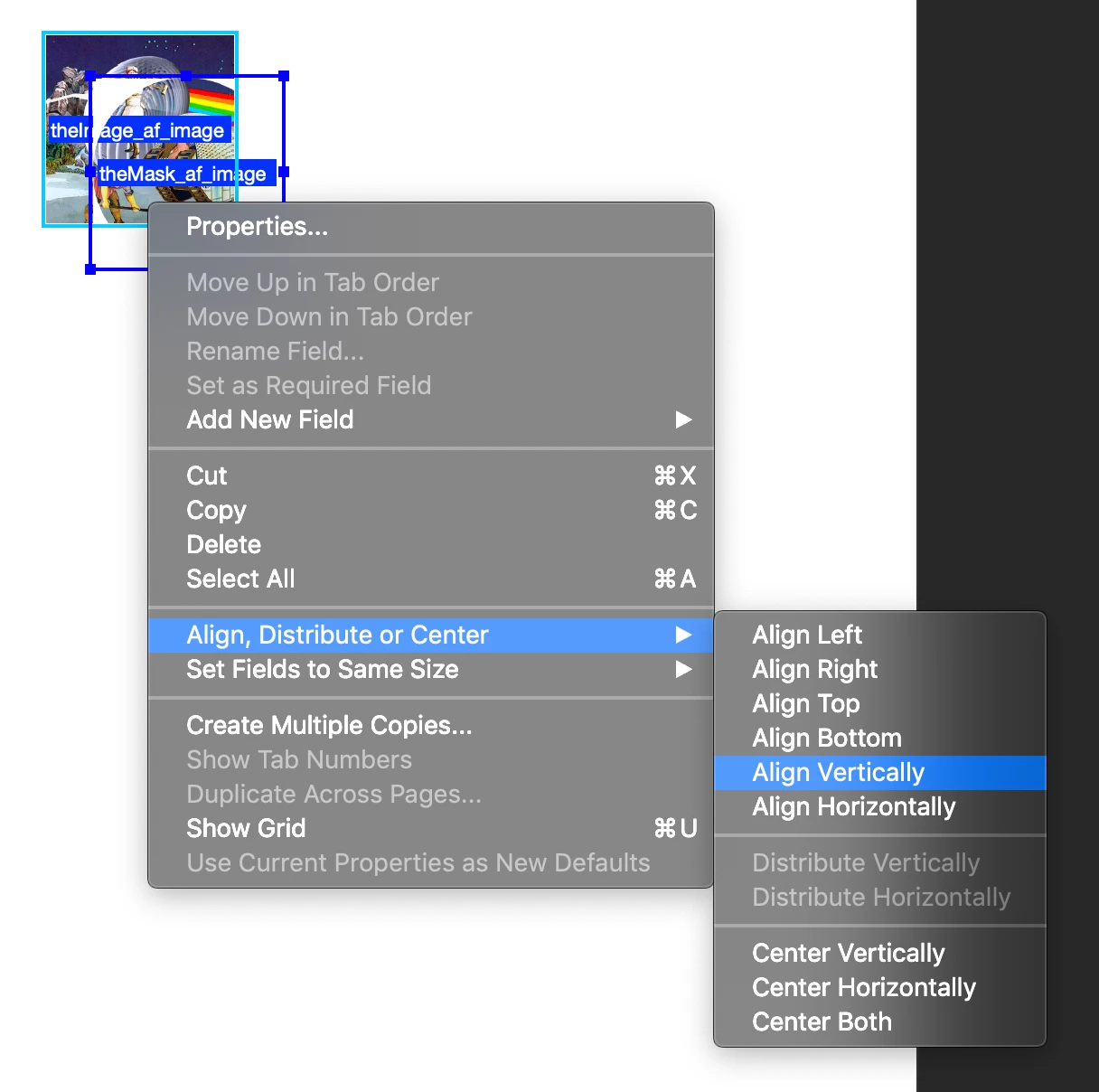
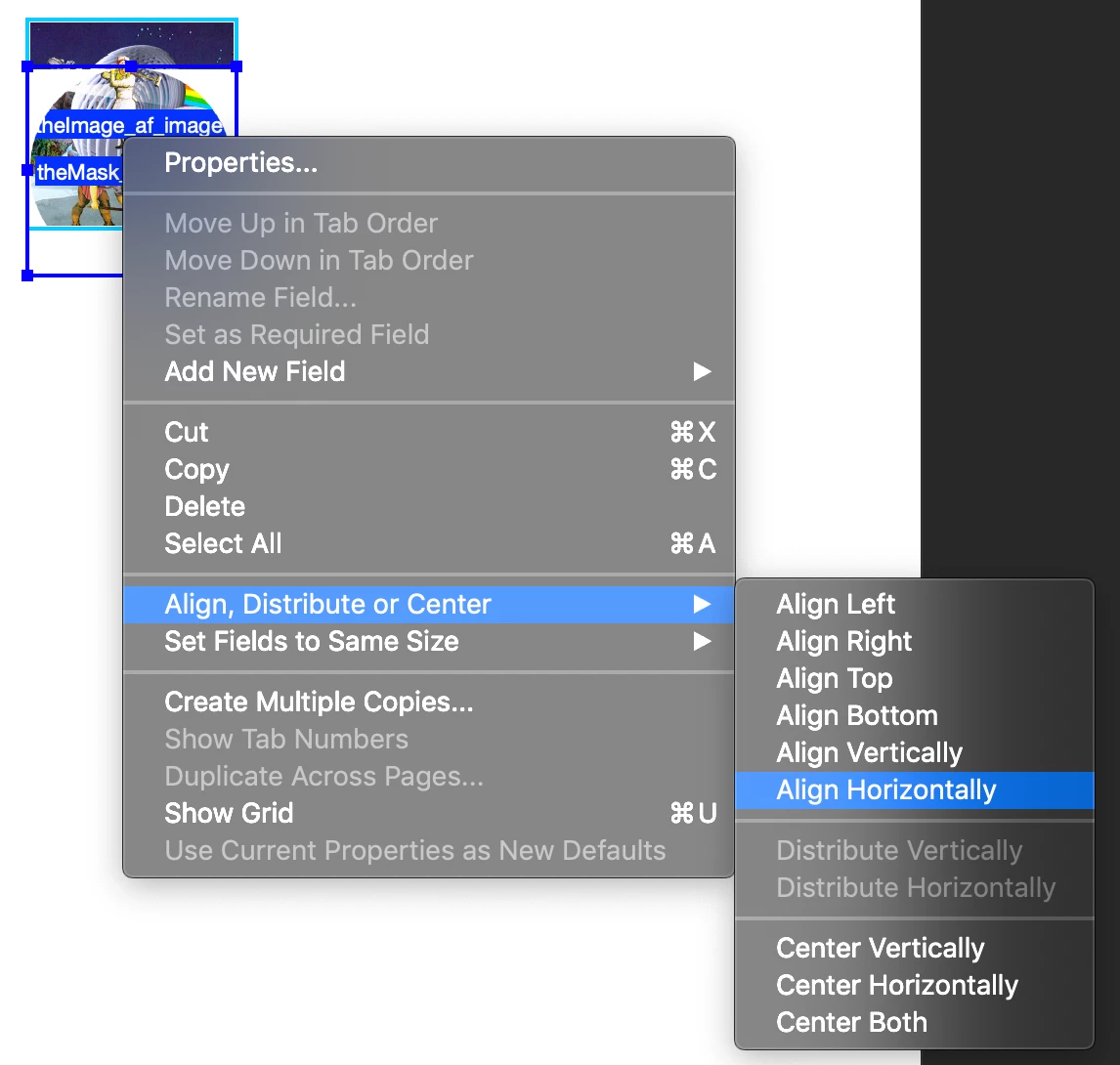
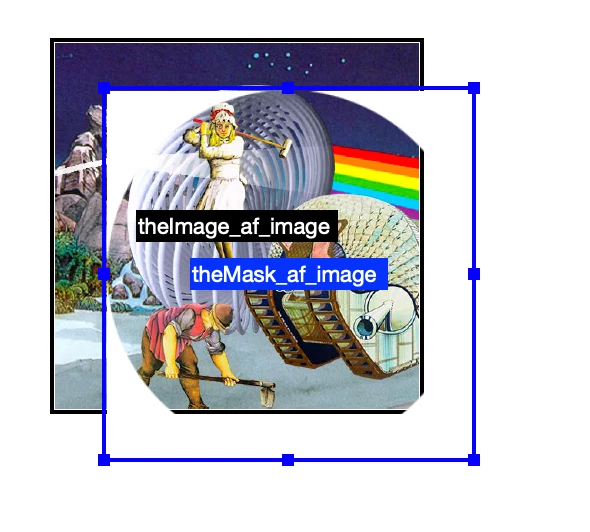
Of course! You firstly import your both image and mask into 2 image fields. The mask field must be over the image one.

then here is the step by step process in images...
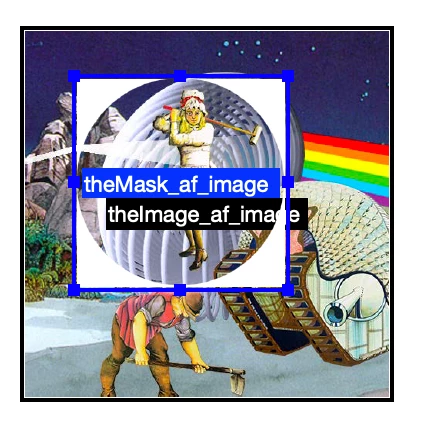
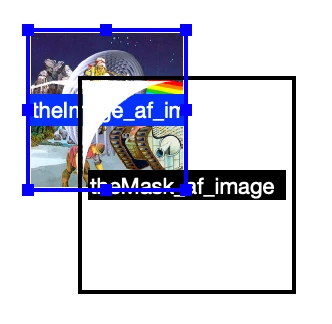
The mask and the images are now at the same size and same position.

@+

4 replies

New Participant
September 29, 2025

You need to adjust the javascript code on the action tab to:

-this.getField("textFieldName").value = "New Value";-

Joel Geraci
Adobe Expert
July 8, 2020

You'll need two buttons that perfectly overlap. The bottom button face will hold your image and will be set to read-only. The top button face will be a white square with a big hole in the middle creating a mask. The click action for the top button will import an image into the bottom button. 


I've posted an example here.

New Participant
December 26, 2022

Is there anyway to get a step by step of this process? I not exactly sure how to do it properly. 

Community Manager
January 24, 2025

I tried doing this but the masked image is covering the upload image form field and it doesnt allow the end user to upload an image. How can I add the masked image without having this problem?


Hi, 

Try editing an image with Adobe Express's new feature: https://adobe.ly/40uKLmX;
Let us know if that solves your problem.

Note: This feature is currently available with the latest version of Acrobat Pro DC and is available if you have New Acrobat enabled.


Let us know if you have further questions.


~Tariq

Amal.
Community Manager
Community Manager
July 7, 2020

Hi Meg


We are sorry for the trouble. As described, you want to insert a round image field in the PDF.


The option to insert the round image field is yet not available. You may please use the Adobe wish form Feature Request/Bug Report Form to submit your request with the engineering team.


Regards

Amal

try67
Adobe Expert
July 7, 2020

Unless the PDF ISO specifications for interactive elements are dramatically changed, this will never be possible.

try67
Adobe Expert
July 7, 2020

No. Fields in a PDF file will always have a rectangular shape.