


Answered
Searching for words and then Auto-highlighting (yellow) in Acrobat DC
Hi,
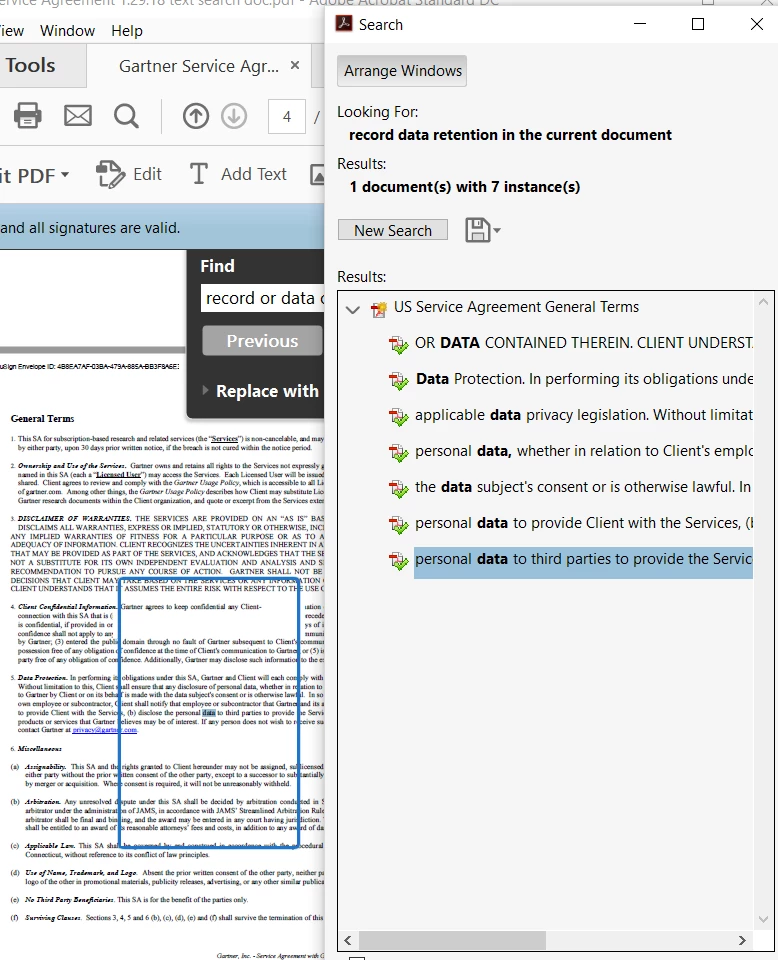
I am able to search a document for multiple words with the Find Option; however, I cannot figure out how to have the 'found words' auto-highlighted in yellow "within" the document.
I am aware of how to see the results below in the attached screen shot where the 'found words' are listed. You can then click on those to go directly to that page, but my ultimate goal is to be able to send the document to a recipient with the words highlighted. Does anyone know if that is possible in Acrobat DC?
Thank you for any suggestions!
 AdChoices