New Participant
January 18, 2022
Answered

selection tool and pan around the document

  • January 18, 2022
  • 1 reply
  • 5355 views

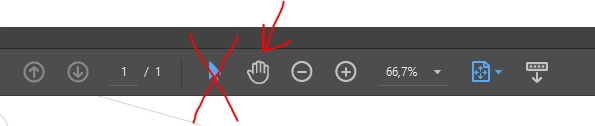
hi there! every time I open a document the "arrow - tool" (selection tool for text and images) is selected. I select the "hand-tool" (click to pan around the document). When I switch between two documents or I start a new one, the arrow is chosen again.

How can I change this adjustment? I want the hand automatically selected....

Thanks a lot!


This topic has been closed for replies.
Correct answer Verena22707536q2i8

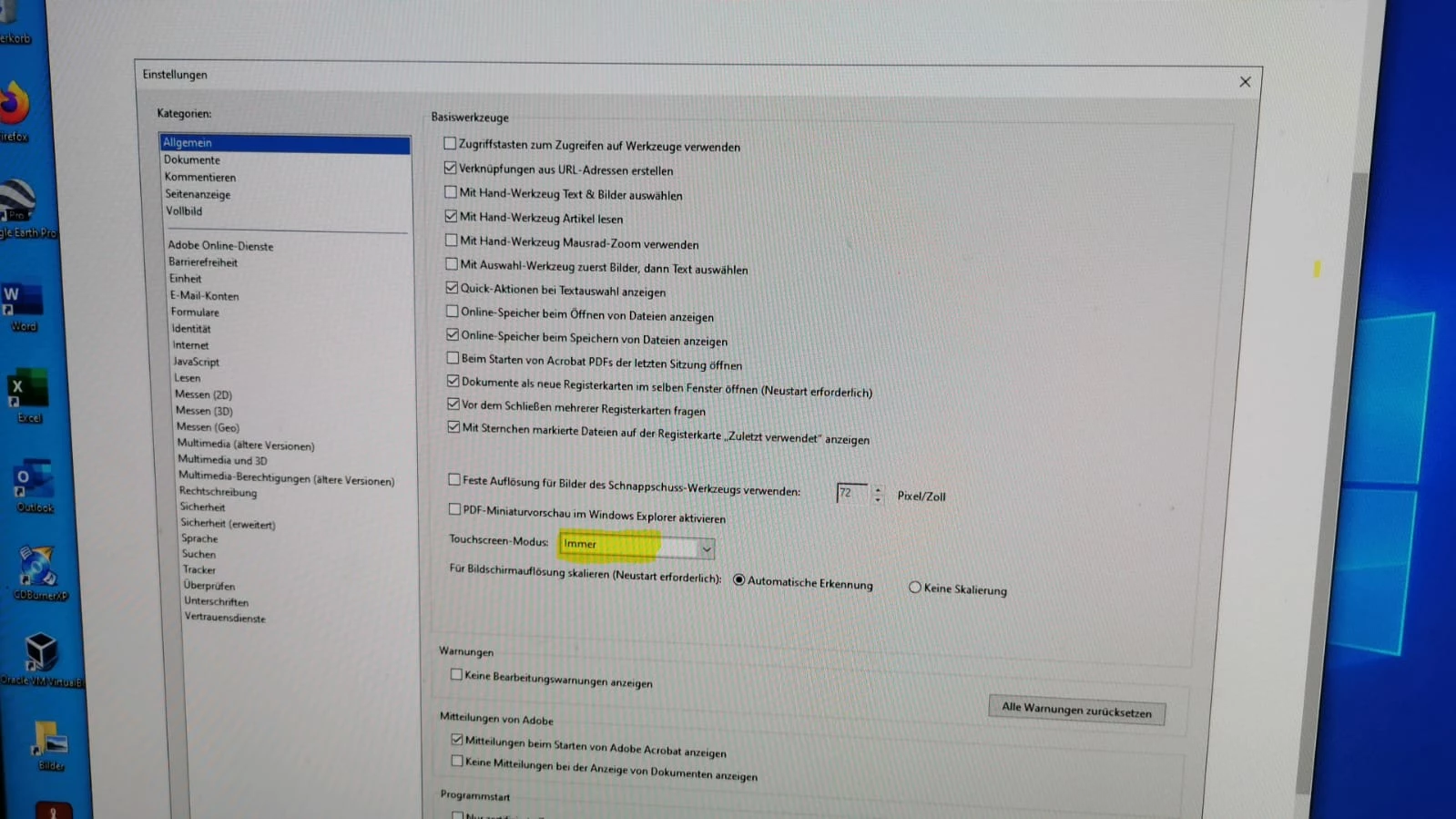
I did it! You have to select "always" in the touchscreenmode.

1 reply

Dave__M
Participating Frequently
January 18, 2022

Giver this a try:

You can make the hand tool the default option by trying:

  • Look under Preferences> Acessibility.
  • Uncheck "Always display the keyboard selection.
  • Then select the Hand Tool.
  • Close the program.
  • The Hand tool will now be default.

I hope it works for you.

My best,

Dave

New Participant
January 18, 2022

Thx for answering my question. I tried it out, but unfortunalety it doesn't work at all in the way, I wish....

Verena22707536q2i8AuthorCorrect answer
New Participant
January 18, 2022

I did it! You have to select "always" in the touchscreenmode.