


danielw42205661
Known Participant
August 5, 2022
질문

Settings dont stay saved

  • August 5, 2022
  • 1 답변
  • 614 조회

I'm having trouble with Acrobat in that I'll change the settings to how I want, but some seem to revert back, which is really annoying. 


For example, I like to check comments after I've actioned them, so (with no documents open) I check the "Show checkbox in comment note" option. It'll be fine for a while but the next day it's reverted back to being unchecked. 
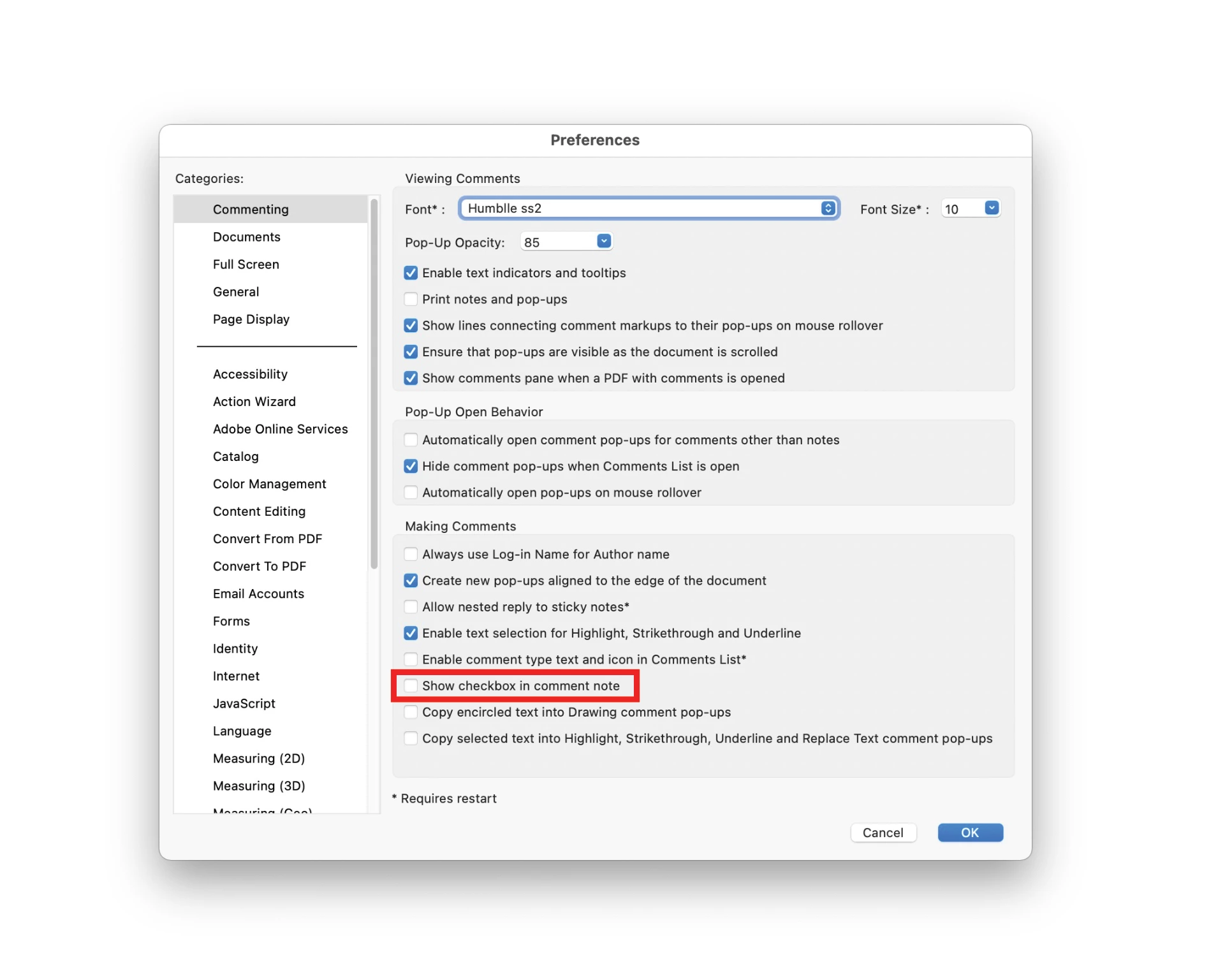


I thought the setting in documents "Restore last view settings when reopening documents" might have either needed to be on or off, and I have tested with both but regardless some settings I've set up still get reverted. 


Another example is me changing the theme to light or dark, but even that reverts back and doesn't stay to have I've set it as.


Anyone know why this might be happening?


이 주제는 답변이 닫혔습니다.

1 답변

AkanchhaS8194121
Legend
August 5, 2022

Hi

Hope you are doing well and sorry to hear about your frustrating experience.

We appreciate that you took out some time to try and test a couple of possibilities that might have been causing trouble here.


As described in the screenshot above, that preferences dialog box is getting unchecked automatically. We'd like you to check a few more troubleshooting steps suggested below:


  1. Please ensure you have the recent version 22.001.20169 of Acrobat installed. Go to Help > Check for updates and reboot the computer once (you must save all the work before restarting) To download the patch manually, more information about this release is here: Release Notes | Adobe Acrobat, Reader 
  2. Everytime you make changes in the preferences settings, you must click on OK. and to apply the changes, close and reopen Acrobat once. (Requires restart)
  3.  If it's on the latest version then try resetting the preferences setting once. 


Let us know the result.


Thanks,

Akanchha

danielw42205661
Known Participant
August 6, 2022

@AkanchhaS8194121 Thanks for your response.


I do have the latest version. I even uninstalled and reinstalled it thinking that might have fixed it, but the problem persisted.


Yes I click ok once I change the settings. I have gone through those steps from your link in point 3 but it hasn't fixed it unfortunately.