nicoleg072001
Known Participant
April 18, 2017
Answered

Should I use radio buttons or check boxes?

  • April 18, 2017
  • 2 replies
  • 6028 views

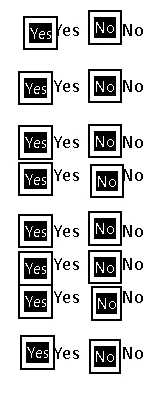
I'm using Acrobat Standard 9 and have a list of 10 questions that need either a "yes" or "no" answer.  Right now, both boxes will check and stay checked - I would like only "yes" OR "no" to be checked.  If the client changes an answer, I want the first check to disappear.  They are set up as radio buttons at this time.  Do I need to change them over to check boxes or is there a setting that will work keeping them as radio buttons?

Thank you!

[Moved from the Lounge (which is where you can "connect with your peers" from across all of Adobe's products for conversations that don't directly relate to help and support) to a product-specific support forum - moderator]
This topic has been closed for replies.
Correct answer try67

Sorry for the delay, I haven't been able to get back to this project.

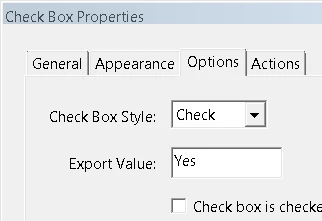
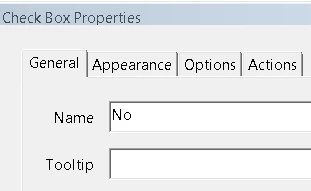
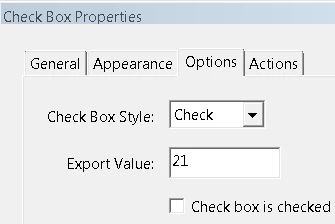
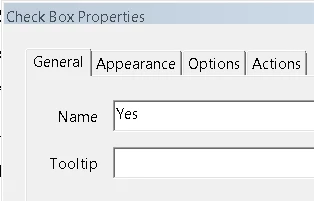
Ok, I have them all switched over to check boxes.  The "Yes" column has a group name of "Yes" and export values of "Yes, Yes1, Yes2", etc.  The "No" column has the name of "No" and export values of "21 through 28".  So all export values on each check box are different and the group/field names are the same.  However, when I test, only one "Yes" check box will stayed checked and only one "No" will stay checked.  They also let me check both on the same question. 


Read my reply again. Each set needs to have the same field name, but different ​export values​.

2 replies

try67
Community Expert
April 18, 2017

The main question is: Do you want the user to be able to unselect all items in the group, once they've made a selection?

If the answer is no then you can use radio-buttons. If the answer is yes go with check-boxes. I prefer check-boxes, generally speaking, as they don't "lock" the user into a selection they can't back out of, if they wanted to.

nicoleg072001
Known Participant
April 20, 2017

Thank you!  Is there an easy way to edit a radio button to change it into a check box?  Is there a way to change the entire group at once?  Also, I have made sure that the field names of all of the radio buttons in the group are the same and that each export value are different.  But this way, the answer can be checked as no and yes at the same time.  Is there a way to make the answer be only one choice? They can all be yes or all be no, that's not the issue. I just don't want both checked on any one question.  Thank you so much for your help!!

Inspiring
April 20, 2017

If you can select both Yes and No simultaneously, then the field names of those two radio buttons are not the same.

Inspiring
April 18, 2017

You can use either, just make sure that the field names of all of the radio buttons or check boxes in the group are the same and that each export value (aka button value for radio buttons) are different.

nicoleg072001
Known Participant
April 26, 2017

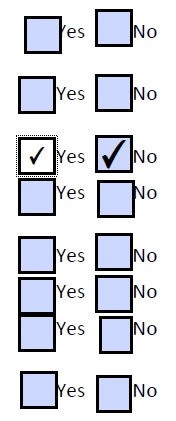
I've removed the radio buttons and turned each one into a check box.  They all have the same name and different export values.  I can check or uncheck both yes and no boxes, however, the issue now is that the entire row of answers are check marked when I mark one box and the entire row goes away when unchecked.  What am I missing in order for the client to answer each question independently, please?

Thank you very much!

try67
Community Expert
April 26, 2017

Each group needs to have a unique name.