


Robb Nemo
Inspiring
December 3, 2021
Answered

Show a Next button only when all checkboxes are ticked

  • December 3, 2021
  • 2 replies
  • 883 views

I have a form which uses a "Button1" to create a certificate from a template when clicked. This all works well but I want the Button to only become visible when all of the checkboxes on the first page are checked.

To test the function I have just three checkboxes at the moment, "SHEFCB", "1LTCB" and "BWOCB", but ultimately there will be about 20 checkboxes. At the moment I'm using the following script which works-ish in that as soon as any of the checkboxes is clicked it unhides the button, but I need the button to show only when all checkboxes are ticked and hidden if any one of them is left unchecked:

var bReady = true; 
if(this.getField("SHEFCB").value.length == 0)   bReady = false; 
else if(this.getField("1LTCB").value.length == 0)   bReady = false; 
else if(this.getField("BWOCB").value.length == 0)   bReady = false; 

if(bReady)   this.getField("Button1").display = display.visible; 
else   this.getField("Button1").display = display.hidden;

any ideas?
This topic has been closed for replies.
Correct answer JR Boulay

var nTotal = 0;
// assuming that they are named "checkbox1" to "checkbox20"
for (var i=1; i<21; i++) {
if (this.getField("checkbox" + i).value != "Off") {nTotal += 1;}
}
if (nTotal == 20) {this.getField("Button1").display = display.visible;}
else {this.getField("Button1").display = display.hidden;}


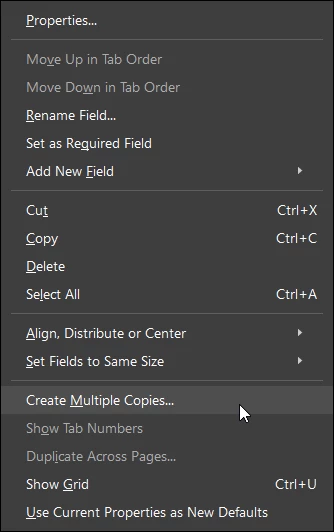
If you're using the "Create Multiple Copies" feature beware that:

- the count starts at zero 

- you must not forget the dot in the name : if (this.getField("checkbox." + i).value


2 replies

JR Boulay
JR BoulayCorrect answer
Community Expert
December 3, 2021

var nTotal = 0;
// assuming that they are named "checkbox1" to "checkbox20"
for (var i=1; i<21; i++) {
if (this.getField("checkbox" + i).value != "Off") {nTotal += 1;}
}
if (nTotal == 20) {this.getField("Button1").display = display.visible;}
else {this.getField("Button1").display = display.hidden;}


If you're using the "Create Multiple Copies" feature beware that:

- the count starts at zero 

- you must not forget the dot in the name : if (this.getField("checkbox." + i).value


Acrobate du PDF, InDesigner et Photoshopographe
Robb Nemo
Robb NemoAuthor
Inspiring
December 3, 2021

Spot on again, thank you for all of your assistance 🙂

JR Boulay
Community Expert
December 3, 2021

You should use something like this:


var nTotal = 0;
if (this.getField("SHEFCB").value != "Off") {nTotal += 1;}
if (this.getField("1LTCB").value != "Off") {nTotal += 1;}
if (this.getField("BWOCB").value != "Off") {nTotal += 1;}
// etc

if (nTotal == 20) {this.getField("Button1").display = display.visible;}
else {this.getField("Button1").display = display.hidden;}


Note that the script would be simpler and shorter if the fields used logical naming:

Ckeckbox1

Ckeckbox2

Ckeckbox3

etc.

Acrobate du PDF, InDesigner et Photoshopographe
Robb Nemo
Robb NemoAuthor
Inspiring
December 3, 2021

Thank you yet again JR Boulay, that worked a treat when I finally remembered to adjust the "nTotal" value 🙂

Very much appreciated again