There is no option to do this because this is not a design behavior nor an irritating user User Interface(UX) flaw of the Adobe Acrobat software, but only Microsoft Windows operating system.
Every other program like Adobe Acrobat, such as Microsft Office (except for web browsers), will annoyingly display in the same way like Adobe Acrobat is showing in the task bar.
In addition, Adobe Acrobat is not a web browser.
The feature that we all have been longing for is called Tabbed Browsing, which is exclusive of web browsing programs (which require an Internet connection).
We've been confusing design behaviors that are entirely different.
If we dig a little more about how computer programs are designed to interact with a specific operating system, it all becomes obvious.
That said, and contrary to the misconstrued popular beliefs in these support forums, Not because we can open and group several PDFs documents in their own individual tabs inside of a single Adobe Acrobat window working space it means that this is "Tabbed Browsing".
While convenient, the experience of opening several PDFs inside of one Adobe Acrobat window, the same is not true for Microsoft Office programs (or any other software intended to run locally in a computer).
Note, that the equivalent to Adobe Acrobat tabs Preference, in Microsoft Office would be clicking on "View" ==>> "Switch Windows".
EMPHASIS ON Switch Windows not tabs; meaning that multiple instances of the MS Office program(s) will containerized every opened document on its own separate windowed process.
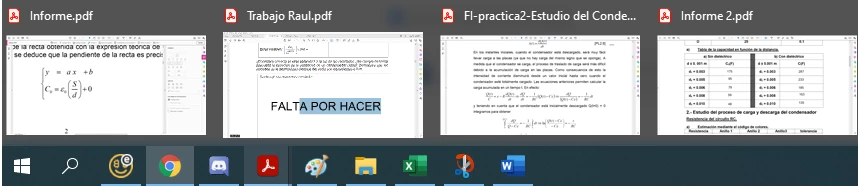
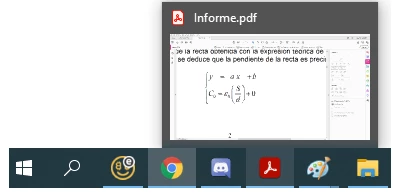
Let's try, for instance, opening Notepad.exe or Microsoft Outlook, three or more times; and then hover the mouse pointer over its icon on the task bar... what do you see?
Can you tab-browse that program like you would with Microsft Edge, Mozzilla Firefox or Google Chrome web browsers?
And can you see the mutliple annoying thumbnail previews for those two programs too?
You'll soon realize that Each document (or instance of the program), they all will be opened (and handled by the operating system not the program that is running locally on that operating system) as individual tasks.
Therefore the opened programs will be displayed in its own container window when you hover the mouse pointer over the corresponding icon in the taskbar.



 AdChoices