Exit
  • Global community
    • Language:
      • Deutsch
      • English
      • Español
      • Français
      • Português
  • 日本語コミュニティ
  • 한국 커뮤니티
0

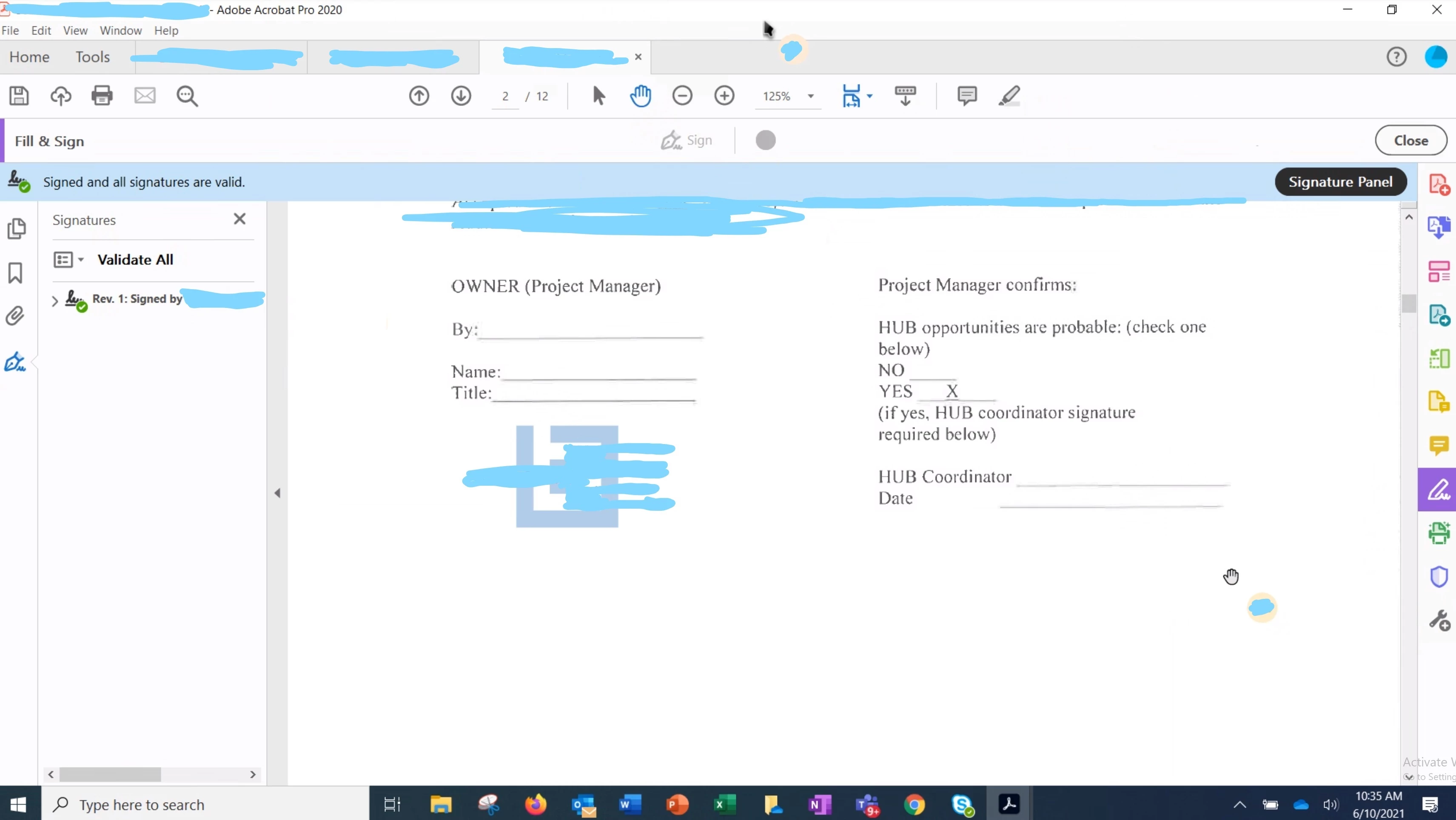
Sign button is grayed out.

New Here ,
Jun 10, 2021 Jun 10, 2021

Hello, I've never used Adobe before and a user of mine is having an issue signing a document. As you can see. The button I assume is used to sign coduemnts is grayed out. Can you assist me with this issue?Screenshot (92)_LI.jpg
TOPICS
Edit and convert PDFs
589
Translate
Report
Community guidelines
Be kind and respectful, give credit to the original source of content, and search for duplicates before posting. Learn more
community guidelines
Adobe Employee ,
Jun 10, 2021 Jun 10, 2021

Hi there


Hope you are doing well and sorry for the trouble. As described the sign button is greyed out and the user is unable to sign the PDF.


Is this a behavior with this particular PDF file or with all the PDFs that he tries to sign? Please try with a different PDF file and check.


As we can see in the screenshot you have shared, this PDF file is already digitally signed by another person. Occasionally, you or the signer may choose to lock the document after signing. In this case, the document becomes read-only and no further changes are allowed; even a signature can’t be added in the document. The Lock document after signing option is useful if you’re the last signer or the only one signer. 


Untitled.png


For more information please check out the help page - https://helpx.adobe.com/acrobat/kb/edit-signed-PDF.html


Hope this information will help


Regards

Amal

Translate
Report
Community guidelines
Be kind and respectful, give credit to the original source of content, and search for duplicates before posting. Learn more
community guidelines
New Here ,
Jun 11, 2021 Jun 11, 2021
LATEST

It's with all the PDFs.


Sorry, like I said I've never used Adobe Pro and I can't play around with it because it was never licensed to me. 


Do you mind givng me a few ideas that I can try and a step by step guide? I'd really appreciate it.

Translate
Report
Community guidelines
Be kind and respectful, give credit to the original source of content, and search for duplicates before posting. Learn more
community guidelines
