



maggie1962
Participant
April 1, 2020
Question

Signature falls "behind the Text Input field

  • April 1, 2020
  • 4 replies
  • 10387 views

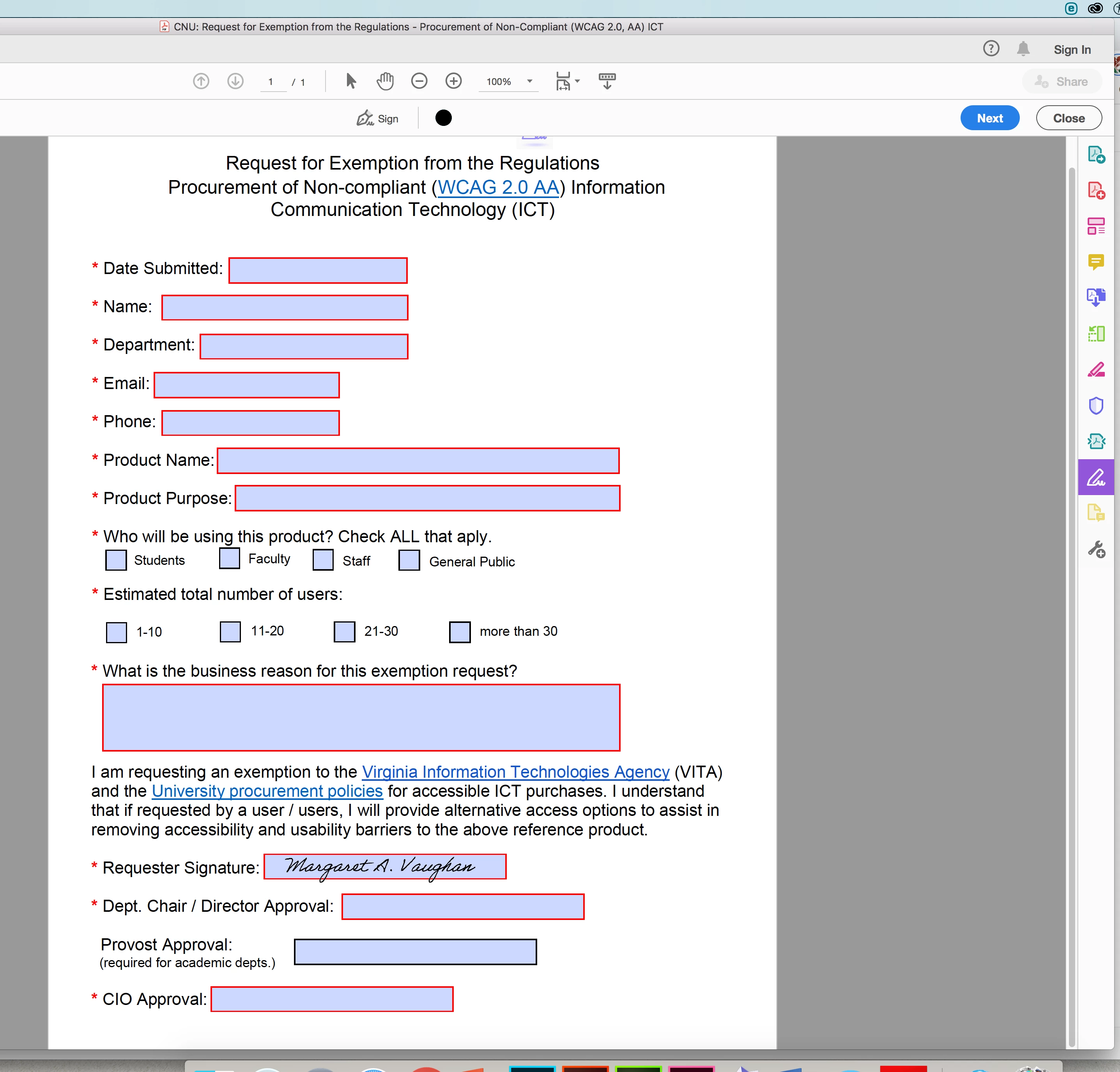
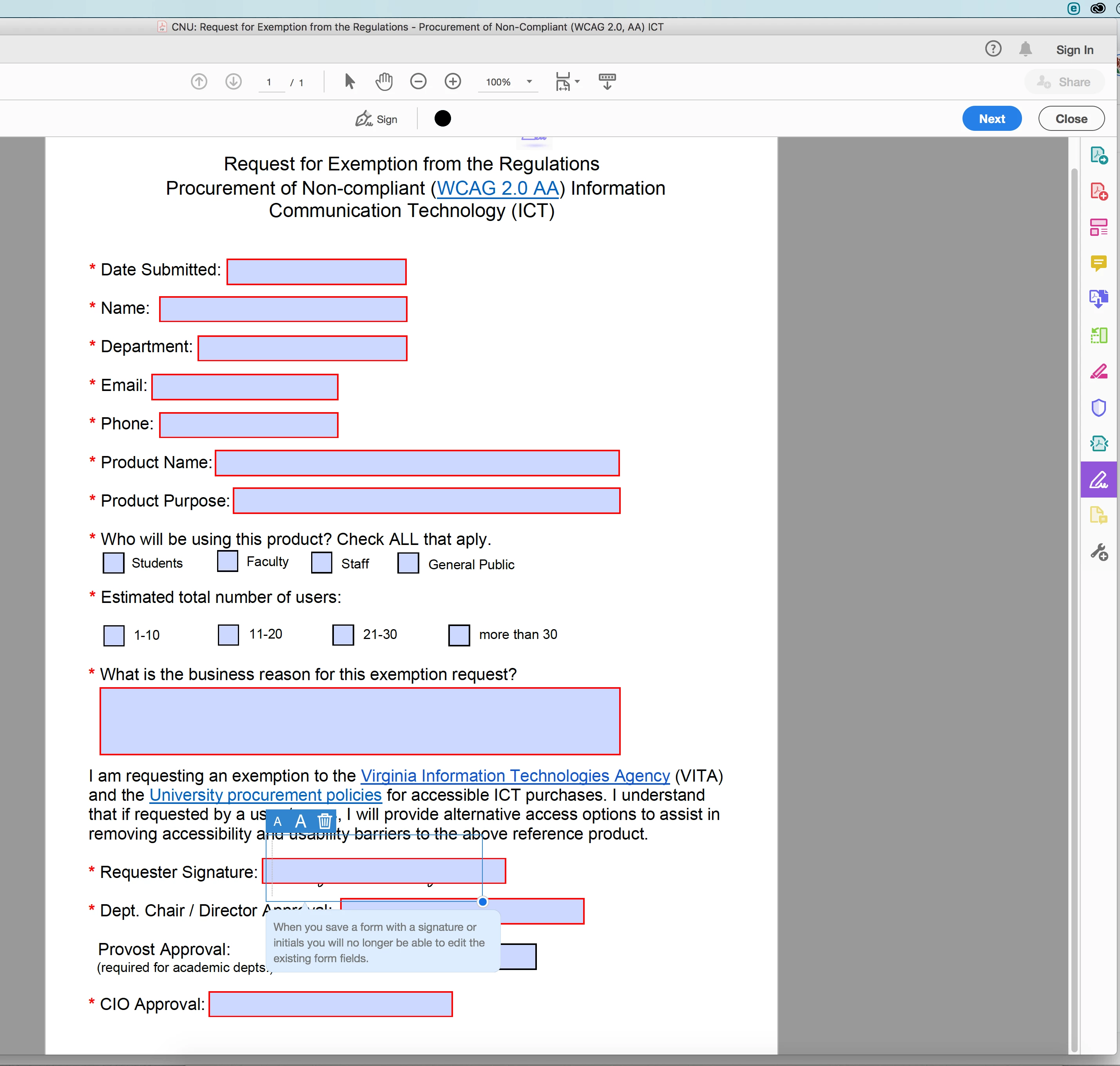
I have a fillable form that requires signatures. During testing with my signature, I found that the signature will not "sit inside" of the text box, but falls behind it....behavior reminds me of layers with signature layer need to be "brought to front."

I have tried both signature inputs as a Text Input field and a Signature Input field and the results are the same.

See screenshots. The first one is where I want to place my signature, the second is what happens when I try to do that.
Help!

4 replies

Participant
October 31, 2025

Same issue here. It looks like it cannot be done in Acrobat. We must look at some alternative

Participating Frequently
July 15, 2024

Hi, I'm having this same issue at the moment, was this solved?

Thanks!

Participant
August 2, 2024

Me too! I hope someone can help.

@mj
Community Expert
Community Expert
December 9, 2020

Hi @maggie1962 ,


I see that you have a text input field on top of the signature field.


Delete the text field by clicking on the bin icon.


That should give you the result you want


Good luck

mj

Participant
February 24, 2021

thank you, but that only works if you actually have access to edit the form itself. If this is a form you received from someone else, just to fill it out and sign, then it is not possible for you to remove fields. I can put the signature beside the signature field, but that's a bit awkward. Is there no way to put the signature 'on top' of the text field?


try67
Community Expert
Community Expert
February 24, 2021

No. Creating overlapping fields is a bad idea.

Participant
December 9, 2020

HI I'm having the same issue. Wondering if this was solved for you @maggie1962 ??