Hello Gary and thanks a lot for taking the time to reply. 
I have one big question for you in regards to how the scans were done: What was the resolution of the original scans and what format were the documents saved as. This can have considerable dynamics as to how things will appear in both original and subsequent digital copies. It's been my experience that many people default to saving scans into JPG format. If you did that, and I do not know if you did or not, than that is a bad place to start. Plus, when saving a PDF, one can set the amount of compression during the saving process to reduce the size of the document (from little to a lot of compression). |
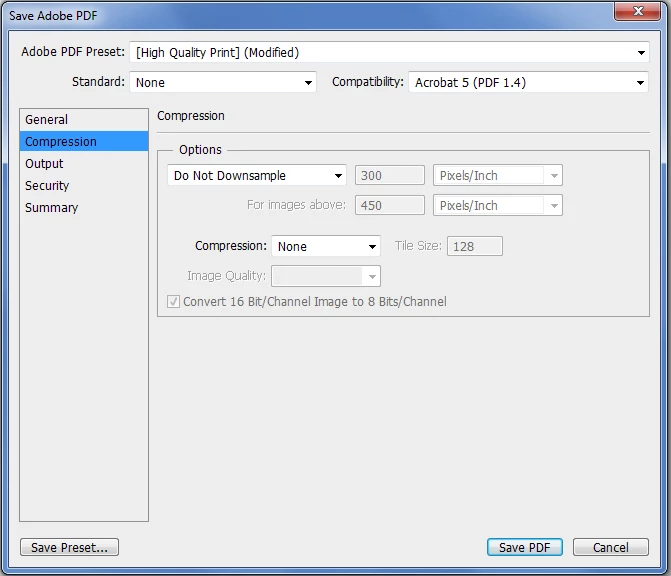
Yes, I did the book scanning myself. I was scanning each page in 300 DPI and then saved each one separately through Photoshop CS6 in PDF format. Here are the compression settings that I used:
Unfortunately Adobe dumbed down their interface here so you do not really know the dynamics of what's taking place here but if you mouse-over the three options you can at least see "sort of" what's taking place here. In the Combine Files window, if you click on the gear icon you can see the three options. You can see which one you need to correct if you feel you need it. But keep in mind, if you do not SEE any visible difference between your original scanned documents and the combined document, there's no real need to do this. 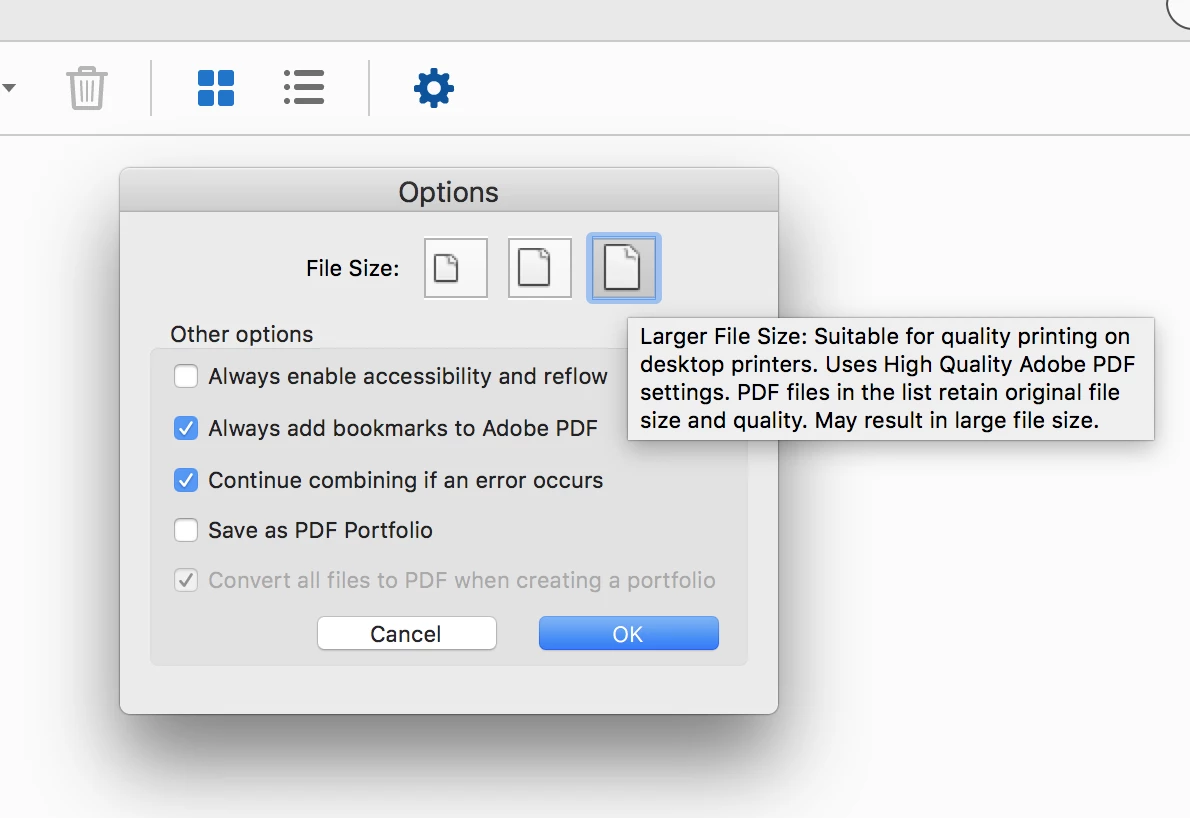
|
Right on, I noticed that and performed again the combination process after selecting the third option called "Larger File Size". However, even then the size of the single file was only about 15 MB larger than before when the second option was selected. It still didn't even come close to the total size of the separate PDF files.
Hi Tommy,
Thank you for mentioning you created the PDFs from Photoshop, that may explain everything. Creating PDFs from Photoshop (for reasons that I do not know or understand) tend to be a bit bloated. Thus, it's probable that Acrobat removed some of this bloating during the collection process.
FWIW, when I am scanning documents that I wish to eventually turn into PDFs, I scan them as TIF documents and then let Acrobat convert those into PDFs. The storage size of TIF scanned documents is huge but once converted into PDFs via Acrobat are very small.
But the big important question is: is the quality of the PDFs any different from the individual PDFs than the full collection? If not than Try67's comment is the correct one in that there was simply some source components that were efficiently used.
It should not in any way affect the quality of the final PDF. Unless the final document is not as good as the proto-PDFs, you should be good to go.



 AdChoices