Thanks for the screen captures, @Zoe5FCE.
Your entire tag structure of the TOC is way off, and many tags are missing — TOCI, Reference, Link, Link-OBJR — as well as the required nesting. That's probably what's triggering the annotations error in the Acrobat checker.
I created a test file from InDesign ver 18.2.1.455 / Windows (2023) and everything exported correctly to the PDF. Full tags are there and it passes the Acrobat checker without any annotation errors.
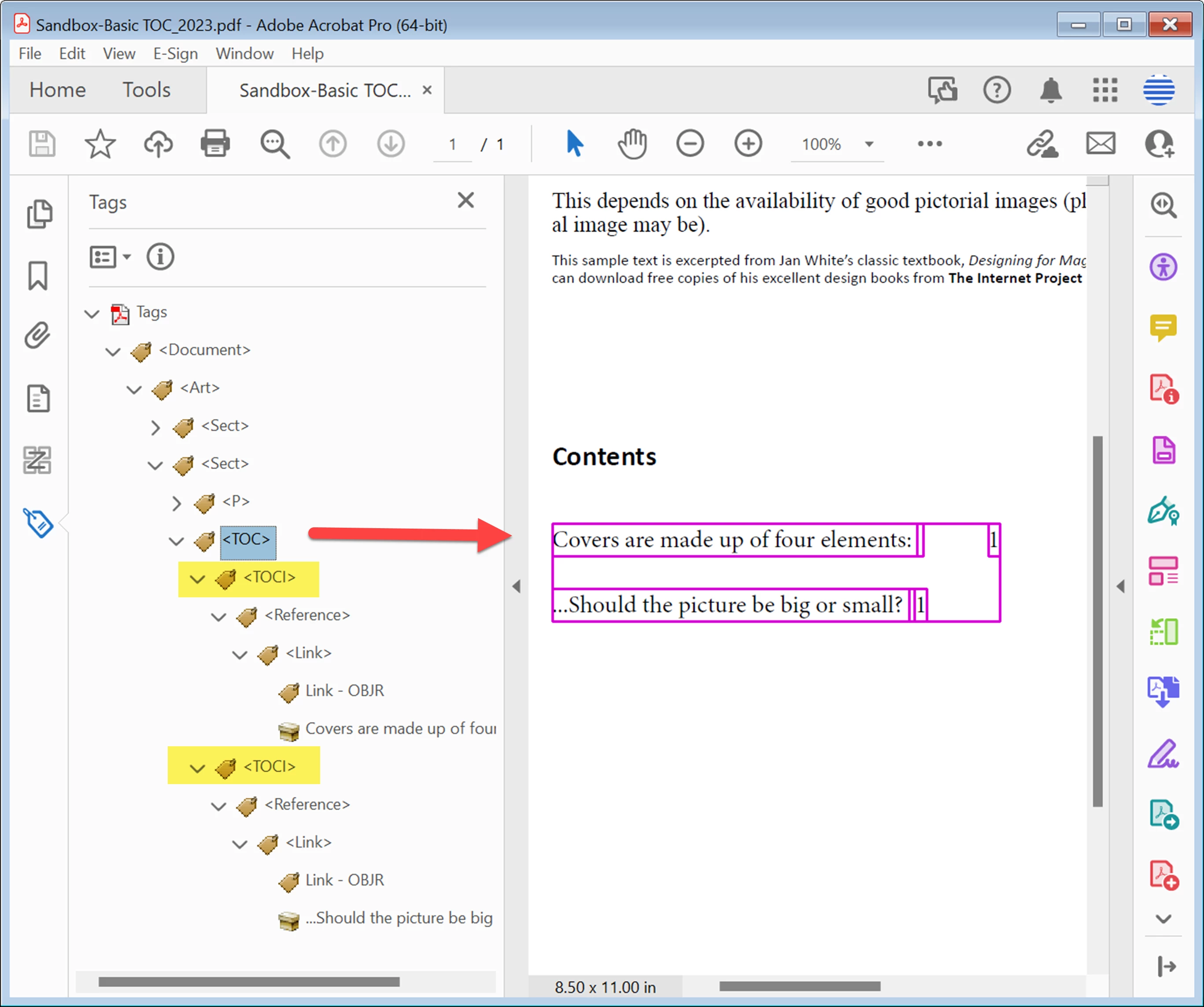
First, can you give us your operating system, version and build number of Adobe InDesign, and version/build of Acrobat?
Second, let's review how to make a TOC. It looks like you know how to do this, but I'm writing it here for everyone else's benefit who stumbles on this discussion in the future. And there's a chance you might find one or two tweaks that fixes the problem, too.
1. Create a well formed INDD layout that uses paragraph styles to a) format the text, and b) designate the tags for the exported PDF. For TOCs, we're focusing mainly on headings and any other text that you'll want to include in the TOC. Note: the Export Tags setting in the style itself does not have anything to do with the TOC tags in the PDF.
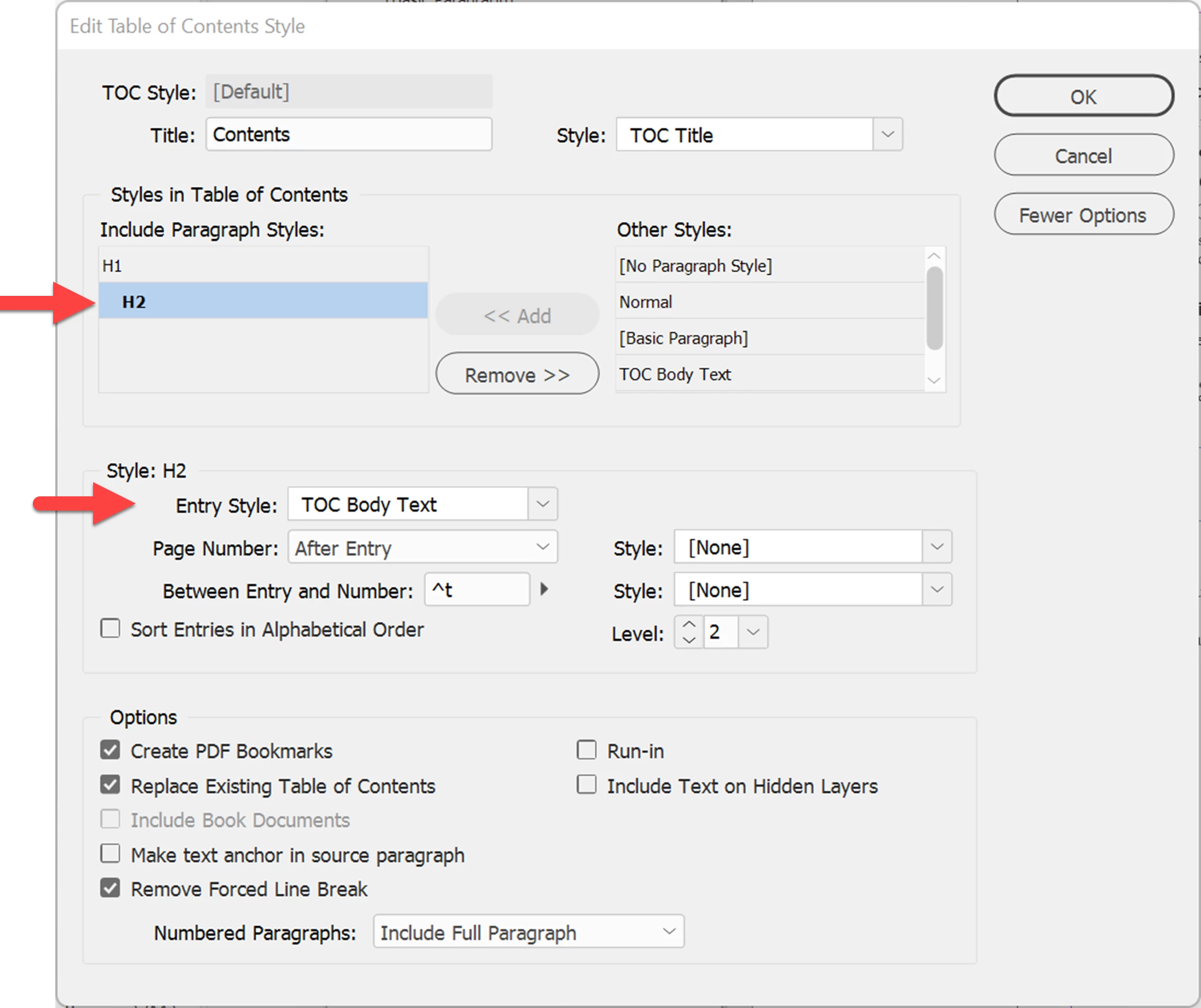
2. Define a new TOC Style. Think of this as a recipe or script for InDesign to generate the TOC itself, grabbing the heading text and its page number. Layout / TOC Style.
a) At the top of the dialogue box, select the layout's paragraph styles that you want to appear in the TOC.
b) Select each item and complete the advanced settings in the lower half of the dialogue, including the new paragraph style to apply to each TOC entry. In the example below, the H2 "pick up" will apply the TOC Body Text style to the entries in the TOC.
3. Use the TOC Style and generate the TOC. Layout / Table of Contents.
4. Adjust the TOC Body Text formatting style. Choose font, size, tab stop, leader, leading/spacing, and other formatting controls. Set the Export Tag to Automatic so that the correct complex TOCI tag structure is created. Setting the export tag to anything other than Automatic can cause tag problems in the PDF.
5. Export to Interactive PDF.
Let us know how your trial PDF comes out, and your system software.
—Bevi
showed it to a colleague (a former student of yours). She pointed out I forgot to add the TOC to the articles panel! - a real rookie move. Thanks for your time Bevi. I'm hoping to take one of your remediation courses this summer.

 AdChoices