


Text Aligment Issues in Text Box
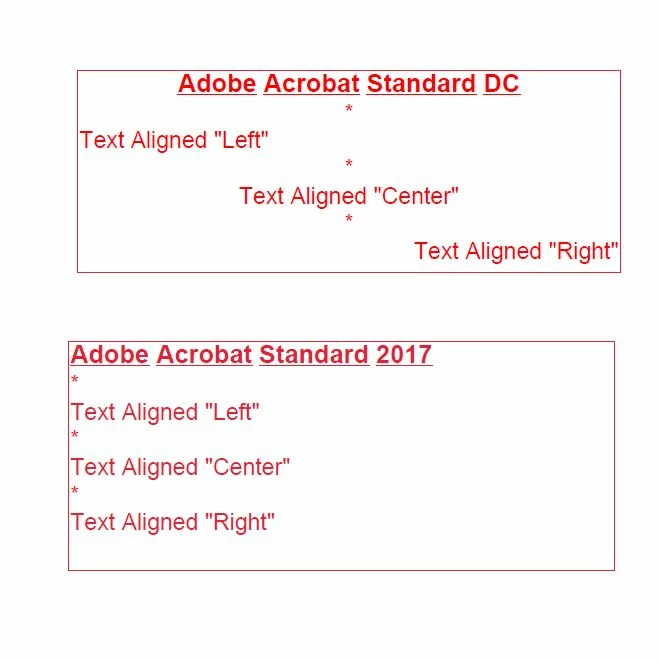
I have attached a JPG which shows the alignment
issue I am experiencing with Adobe Acrobat Standard 2017. These issues do not
exist in Adobe Acrobat Standard DC or earlier versions.
The top text box was created using Adobe Acrobat Standard DC.
Each line of text can be aligned individual. I.e. “Center”,
“Left” or “Right”
The bottom text box was created using Adobe Acrobat Standard
2017.
Each line of text can NOTbe aligned individual. All lines have to be aligned the same,
either, “Center”, “Left” or “Right”
Another annoying issue is with the newer text property box
that will pop up automatically when editing text within the text box.
1 – it positions itself in the upper right corner of the
document you’re working on. Covering the item your editing. Unlike the older text property, Control “E”,
the newer text property cannot be repositioned.
2- The standard color pallette of the new text property do Not match the older Control “E”
 AdChoices