


Text wrapping not occurring in multiline text field with CRLF chars
I've scoured this forum and google trying to resolve a data formatting issue in a multiline text field.
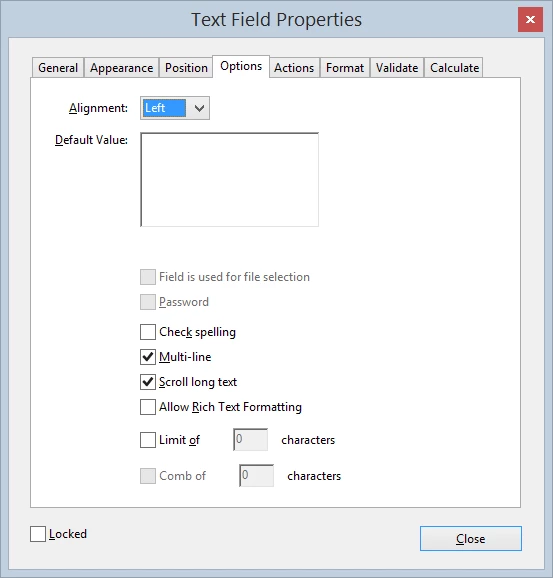
I have an editable PDF document with multiple multiline text fields all with the same settings (see pic "multiline text field settings.png" below)
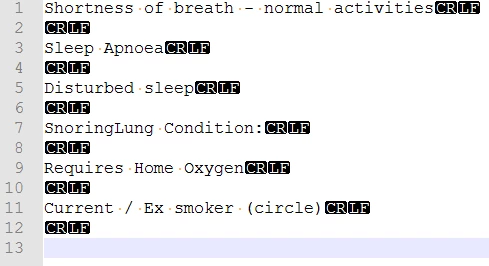
An example data used to populate one of these form fields plus the actual data whereby I know the "\r\n" is being translated into "CRLF" (proved using Notepad++).
| multiline text field settings.png | Sample input | Data In Form Field |
|---|---|---|
 | Shortness of breath - normal activities\n\nSleep Apnoea\r\nDisturbed sleep\r\nSnoringLung Condition:\r\nRequires Home Oxygen\r\nCurrent / Ex smoker (circle)\r\n |
|
What I'm seeing in the populated document vs what I want to see is shown in the table below. The screengrabs are from the same document, one where it's just been generated in the browser, the second where it's generated in the browser but I've clicked in and away from the field, and the third after saving the document locally. What I want is to consistently have what is presented in the middle image without having to click into the form field. Also upon saving it should not revert back to the single line non-wrapped output.
Just Generated in browser | 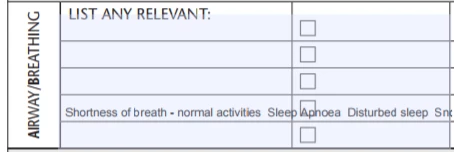 |
Click in & Out of field whilst still viewing in browser ** target display ** | 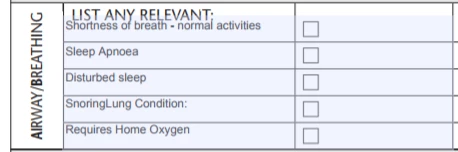 |
Post file-save viewing viewing in Adobe Reader | 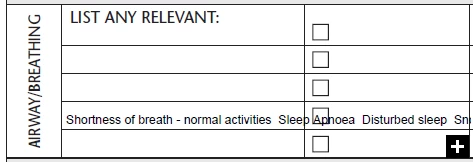 |
I've spent half a day so far scouring for answers, recreating the form fields, changing the field settings on/off, changing font type and size.
And I know when I manually enter data into this field (ie via Adobe Acrobat Pro or Adobe Reader) the correct behaviour occurs. It's only when I'm programmatically populating that I get this issue.
I've even taking this very form that's been filled in, changed the settings so the correct behaviour is displayed, cleared the content, and used that as my new baseline form to populate, but alas no change.
Using: Win 8, Adobe Acrobat XI Pro
 AdChoices