


This Feature is not included - Error
Hi,
So I use Acrobat daily for work as part of an Adobe for teams license. On Monday of this week, it is now Wednesday, everything was working perfectly. Yesterday I started having an error that keeps me from editing anything in Acrobat.
When I open Acrobat DC, and then open a document and hit the edit button, I get an error that says:
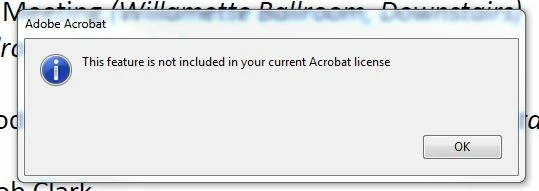
"This feature is not included in your current Adobe license."
I click OK to get out of that, and maybe a minute later, a second message pops up that says:
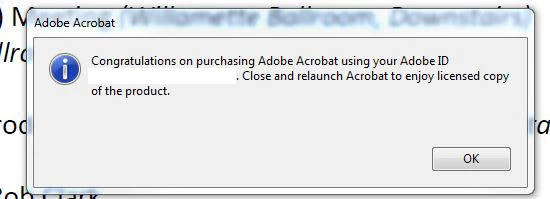
"Congratulations on purchasing Adobe Acrobat by using your Adobe ID XXXXXX@XXXXXXX.com. Close and relaunch Acrobat to enjoy licensed copy of the product." (That's not my spelling error, that's verbatim what the message says.)
So, then I close Acrobat and relaunch it, open a document, hit the edit button and the "This feature is not included..." message pops up again. I click out of that and a minute later the "Congratulations..." message pops up again. It is an endless loop back and forth regardless of how many times I restart the program.
I sat on the phone waiting for customer support for more than an hour this afternoon and am writing this as I am in the queue for Customer Support over Chat, but that's been...I don't know how long, but the "Thanks for your patience...we'll be with you shortly" message has popped up 27 times so far...and 28 just now, and those are all a few minutes apart. Hopefully, someone here can help me get back to work.
All of the other Adobe Suite programs are working flawlessly; I've been working in Illustrator, Photoshop, and Premiere all day without issue and only Acrobat is having problems.
So far I have:
- Made sure I'm in Acrobat DC and not Acrobat Reader DC
- Restarted Acrobat DC
- Restarted my machine...multiple times
- Signed out of Creative Cloud, closed all Adobe programs, and logged back in...at least 3 times
- Uninstalled and Reinstalled Acrobat DC
- Checked our billing to make sure we are all paid up...and we are
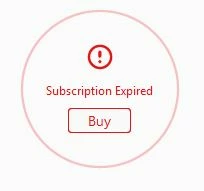
I've seen a few reports of people uninstalling and reinstalling the entire suite without the problem being resolved so I'm hoping to avoid that. In some help docs and forums posts people say to click on an Activate button in the bottom left, but all I see is a red circle that says our subscription is expired, but again, we're current in our billing.
So, what else haven't I tried that might fix this problem?
 AdChoices