Participating Frequently
September 22, 2024
Answered

TIFFs zu PDF

  • September 22, 2024
  • 1 reply
  • 946 views

Hallo zusammen,

wie kann ich TIFF-Dateien zu einer druckfertigen PDF-Datei ohne Qualitätsverlust aus dem Acorbat speichern? Alle Versuche über "Zusammenführen" und "Speichern als Sonstiges" - Druckfertige PDF (PDF/X) sind fehlgeschlagen. Die Tiffs werden konvertiert und ich erhalte hässliche Artefakte um die Texte herum. Ich gehe davon aus, dass die Konvertierung während des "Zusammenführens" passiert? Aber davor kann ich ja keine PDF speichern. 

Bin dankbar für jeden Tipp.

VG
 

This topic has been closed for replies.
Correct answer divyasin

Hi @Namako2014 ,


Thank you for sharing the issue and apologies for inconvenience caused. 


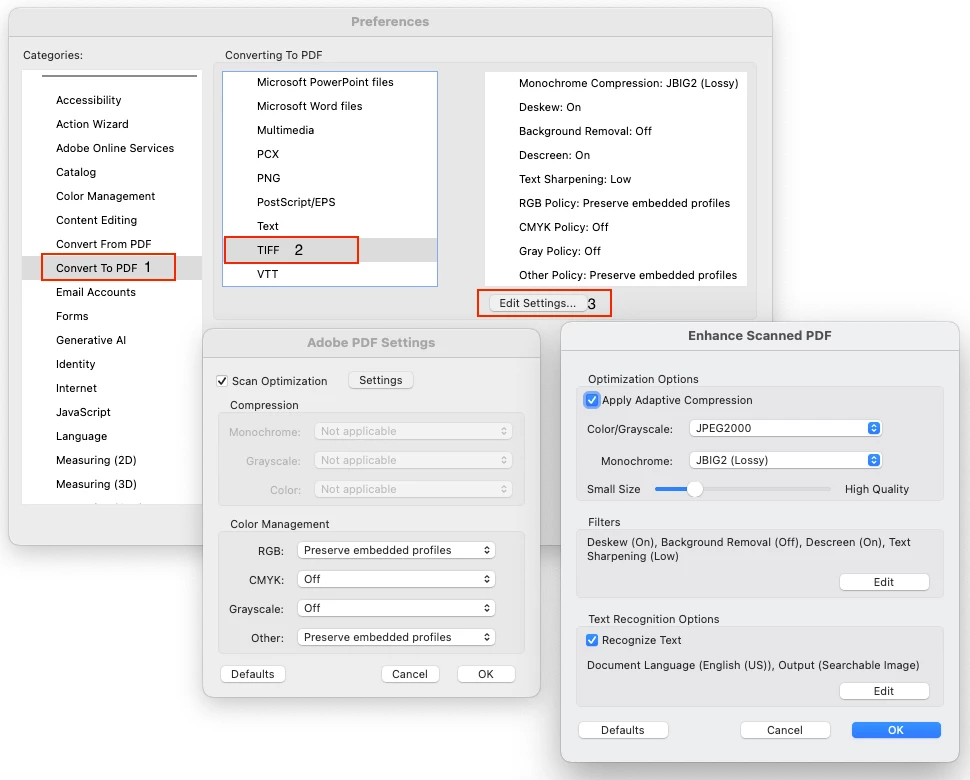
If you are facing any quality issues in your TIFF converted to PDF , can you try changing the default settings from Prefences for TIFF conversion and then combines all files into single PDF.

Go to Preferences in Acrobat (Shortcuts: cmd + K on Mac and Ctrl + K on Win)

  1. Go to Convert To PDF option in categories.
  2. Select the desired format (TIFF in this case)
  3. Go to Edit Settings and change the settings for desired quality. 

You can try turning off text recognition , check the optimization settings and change them as per your desired output.


Please note that increased quality and reduced optimizations can bloat up the file size.


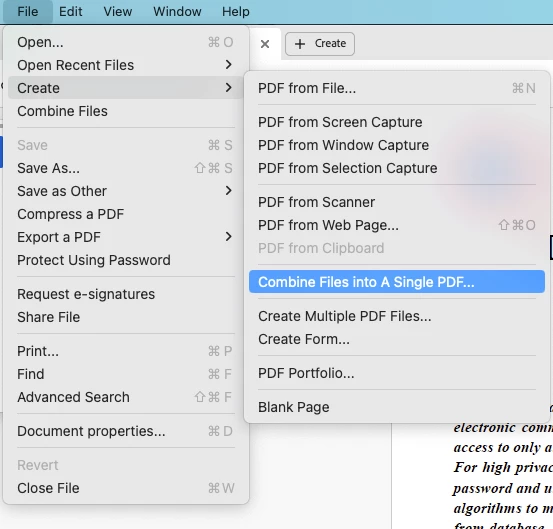
After that you can use Combine Files into Single PDF option of Acrobat to create one single file. 


Let me know if this works for you.


Regards,
Divya Kumar Singh

1 reply

S_S
Community Manager
Community Manager
September 23, 2024

Hi @Namako2014,


Hope you are doing well. Sorry for your experience with Acrobat!


I tried with this workflow: Opened a TIFF file directly on Acrobat-> clicked on Menu-> Save as Other-> Press ready PDF-> Selected the location-> click on settings button-> checked the below checkboxes for correction.


The results were similar to the quality of the original file, with neglible loss of quality. 


Let me know if this works for you.


-Souvik

Participating Frequently
September 24, 2024

Hi Souvik, thanks for reply, but that doesn´t work in my case. I have over 60 tiffs that I have to collect to one PDF to send it to an printing company. Its a small book that want be printet :-). What is the "normal" way for a job like this? Regards 

divyasinCorrect answer
Adobe Employee
September 26, 2024

Hi @Namako2014 ,


Thank you for sharing the issue and apologies for inconvenience caused. 


If you are facing any quality issues in your TIFF converted to PDF , can you try changing the default settings from Prefences for TIFF conversion and then combines all files into single PDF.

Go to Preferences in Acrobat (Shortcuts: cmd + K on Mac and Ctrl + K on Win)

  1. Go to Convert To PDF option in categories.
  2. Select the desired format (TIFF in this case)
  3. Go to Edit Settings and change the settings for desired quality. 

You can try turning off text recognition , check the optimization settings and change them as per your desired output.


Please note that increased quality and reduced optimizations can bloat up the file size.


After that you can use Combine Files into Single PDF option of Acrobat to create one single file. 


Let me know if this works for you.


Regards,
Divya Kumar Singh