


Question
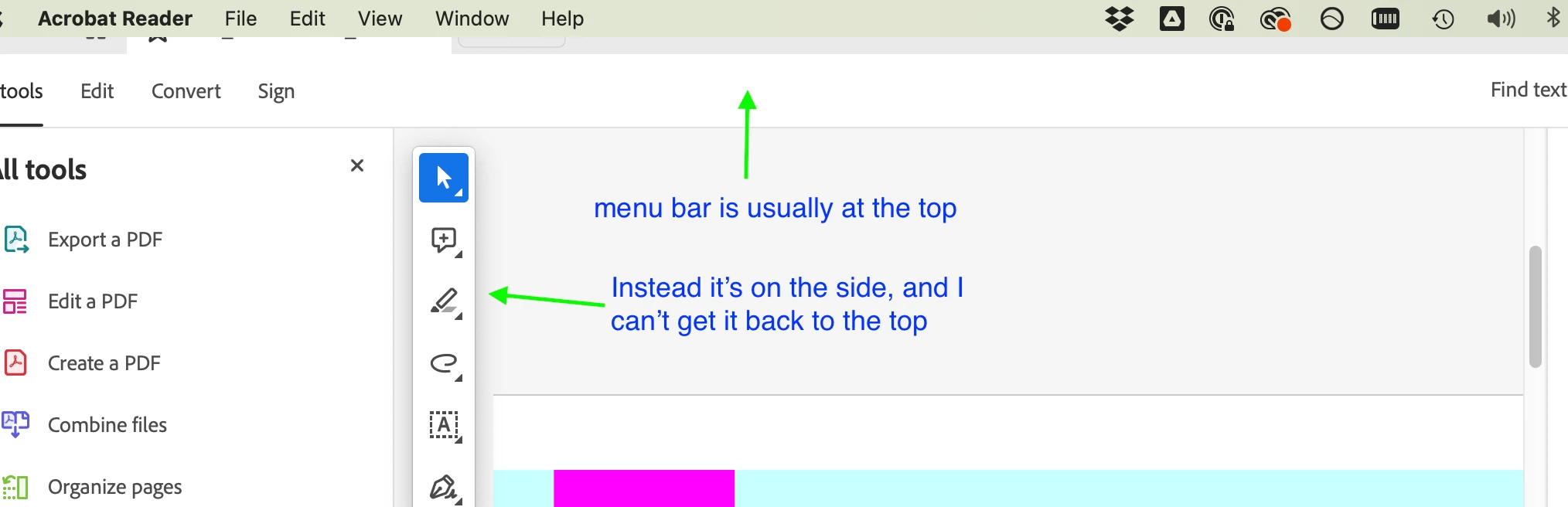
Top menu button on mac now on side (floating) - how do I get it back to the top?
I just noticed this week that the menu bar, that has usually been at the top (see image) is now floating to the side. This is frustrating as it doesn't have all the functionality (e.g. zoom in/out, what page number you are looking at, etc.).
I can find now way in either the preferences or normal view/file menus to move it back to the top.
Does anyone know how to fix this?
Version: 2023.003.20284
Adobe Acrobat Reader for Apple/Mac.
 AdChoices