Participating Frequently
August 14, 2017
Answered

Trouble installing-auto update Acrobat DC continuous update August

  • August 14, 2017
  • 1 reply
  • 3040 views

Hi,

Using Mac: My subscription (CC2017) Acrobat DC continuous doesn't get auto-updated (The new Ruler pref - isn't available)

So i downloaded the August Patch

If i want to install the update manually; the Acrobat DC is grayed out (although i've got R/W permission)

How can i Fix this please?

Best Regards

This topic has been closed for replies.
Correct answer kglad

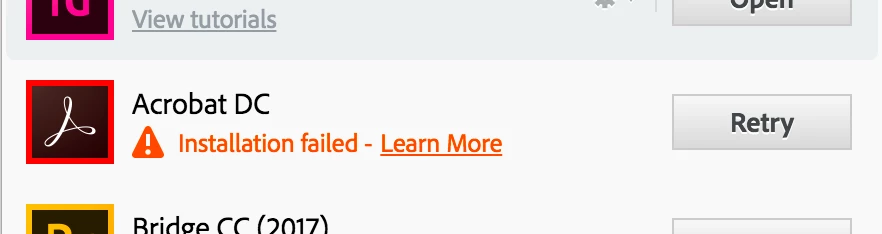
I am also experiencing this exact scenario as you describe. I'm also looking for answers. Also when trying to uninstall and then install via the Creative Cloud app, I get an installation failed" message. When I click the Learn More I get:

Exit Code: 7

Please see specific errors below for troubleshooting. For example, ERROR: DW003, DW006 ...

-------------------------------------- Summary --------------------------------------

- 0 fatal error(s), 2 error(s)

----------- Payload: Adobe Acrobat DC 17.9.20058.0 Acrobat DC/Acrobat DC Installer.pkg_17.009.20058 -----------

ERROR: DW006: Apple Package failed to install successfully.

ERROR: DW003: Third party payload installer /tmp/26047018-6B6B-4774-B90A-B4F27DA96956/Acrobat_DC_Web_WWMUI/Acrobat DC/Acrobat DC Installer.pkg failed with exit code: 1

-------------------------------------------------------------------------------------

https://helpx.adobe.com/creative-suite/kb/error-exit-6-exit-7.html

1 reply

kglad
Community Expert
August 14, 2017

what happens when you start to install the downloaded dmg?

Participating Frequently
August 14, 2017

Thats the one, i've downloaded..... if the DMG is opened; it contains the .pkg package

kglad
Community Expert
August 14, 2017

like i said before; the update starts UNTIL have to pick the Acrobat application Step

(which is grayed out, so the update can't start)


i don't understand what your picking when you double click the pkg file so using a browser that allows popups and cookies,  contact adobe support during pst business hours by clicking here and, when available, click 'still need help', http://helpx.adobe.com/x-productkb/global/service-ccm.html

