


Participant
August 10, 2018
Question

Trying to deskew pages, get text overlaid?

  • August 10, 2018
  • 1 reply
  • 1764 views

Hello!

I'm trying to deskew a scanned document, but it seems that no matter what settings I use, the document ends up having recognized text overlaid on the original image. I've included an example of what I mean here:
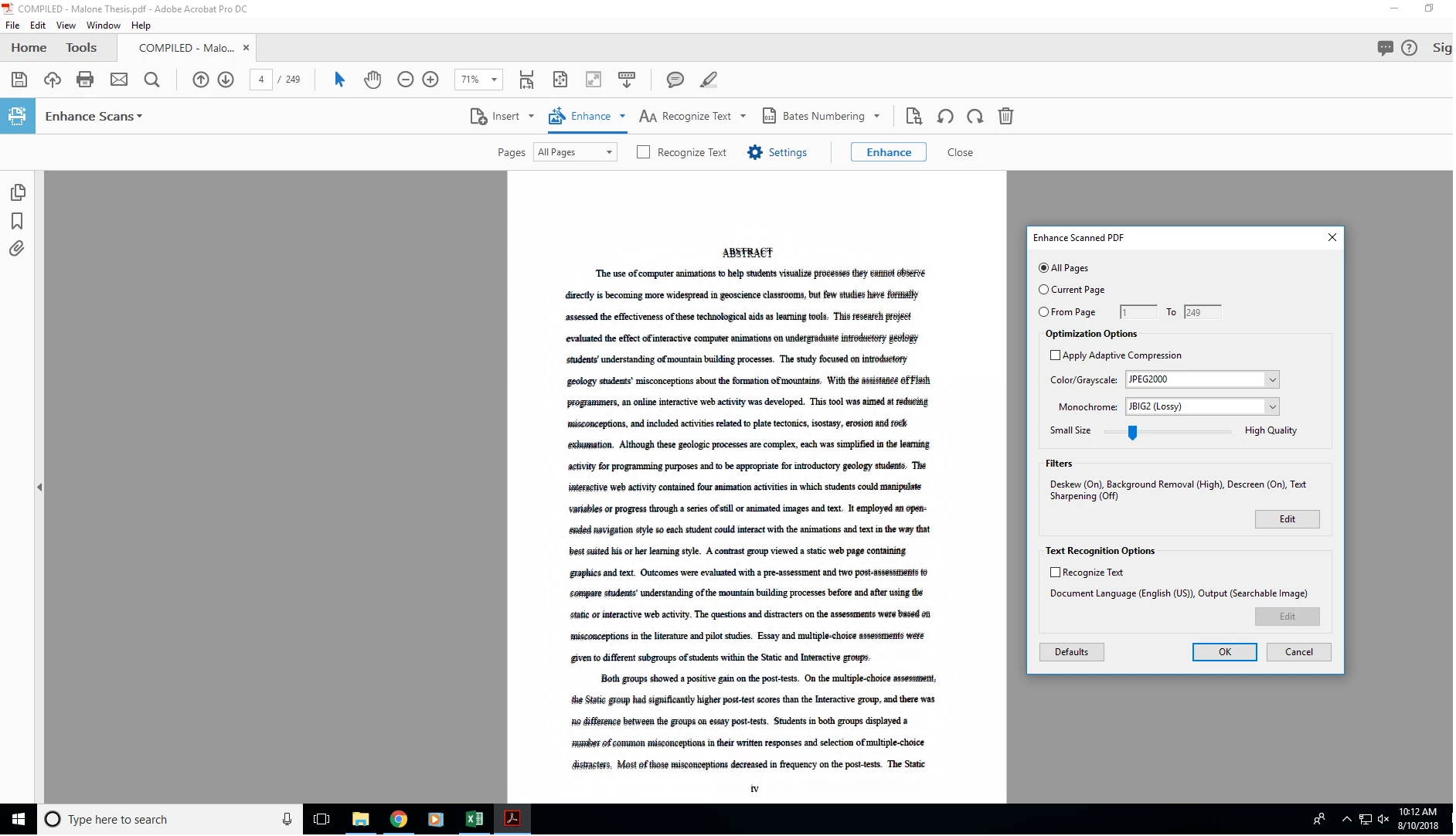
I'm using Adobe Acrobat Pro DC on a Windows 10 system.

Any advice?

This topic has been closed for replies.

1 reply

gary_sc
Community Expert
Community Expert
August 16, 2018

Hi Serenbean,

I'll take a stab at this, I can give you several things to try but since I've never seen this before, I am guessing.

For one thing, on your screenshot of your settings, you show the slider for "low size to high quality" set much lower than I ever do. I have found the actual size difference to be fairly limited ESPECIALLY when the document is all text as your's appears to be.

One other thing to check out, when scanning there is a gear menu for OCR controls as shown here (the button called "Settings":

Next, in these settings is a dropdown with 3 options:

Try each of these three options (you can see what I have set). See if any of these fix that issue.

And lastly, just a curiosity question: when I scan, I generally align the page with the scanner's inner edge. Any variations tend to be extremely minimal. Are you by any chance you might be pushing this any bit?

Participant
August 17, 2018

Hi Gary,

First off, thank you very much for taking the time to respond to my question.

I've tried each of the strategies and had the following results:

     The first two options for 'Recognize Text' seem to run alright, but when I try to deskew after running them I get an error: "This operation is not allowed, since scanning is in progress".

     The third option for 'Recognize Text' gives me the error: "Acrobat could not perform recognition (OCR) on this page because: This page contains renderable text".

I am using a scannx Book ScanCenter 5033 program to capture the text, which OCR's the pages as I scan them. I'm thinking now that something about how the scannx program performs OCR causes the text overlay in Acrobat, as when I remove the OCR aspect of the page (convert to TIFF and back to pdf), then deskew in Acrobat, it fixes my problem.

I'm hesitant to stop using the scannx's OCR service as Acrobat's OCR service causes the words to appear less crisp, no matter how high I set the Enhanced Scan Quality slider or play around with the other options (ex. Text Sharpening). Example:

I understand that this may be a one or the other situation.

And for the last question, I do align the page with the scanner's inner edge every time. Some of the pages of the books I'm scanning were printed measurably slanted. I've been trying all sorts of tricks to try to minimize the slant during the scanning process itself - sometimes it takes ~8-10 minutes to get a good scan - so I was hopeful about being able to "fix it in post", so to speak, so that I could be more productive. I do appreciate you checking in though.

All my best,

Serene

gary_sc
Community Expert
Community Expert
August 17, 2018

OK, NOW I think I know what's going on.

Couple of things: If you are running OCR from your scanner, than there really is no need to run it again from Acrobat.*

One of the things that Acrobat does when it performs OCR is to move the text into its own layer above the body of the page. Any deskewing is done at this point. This is how you are able to edit scanned text, it's important.

*Several years ago I was using a FujiScan bulk scan a friend had loaned me because I had mountains to scan. This also had built-in OCR but the quality of the scans were not very good. It was FAST but not very good. Acrobat scans take much more time but are much more accurate. So, at the end of the day I'd run all of that day's work through Acrobat for the OCR-ing.

Here's a blog I wrote on how to get great quality scans and then run them through acrobat to get great quality OCR.

https://forums.adobe.com/community/creativepipeline/blog/2018/01/22/scanning-clean-search-able-pdfs

Let me know if this helps solve your problem.