


New Participant
September 26, 2024
Question

Unable to Attach Fillable PDF Forms to Email via Javascript

  • September 26, 2024
  • 2 replies
  • 750 views

Hi everyone
I’m new here and not experienced with JavaScript. I’m facing a strange issue with attaching a fillable form, and I’ll try to explain it clearly.

I’ve created a fillable form using JavaScript, and everything works perfectly on my computer as it captures the details, sets the subject based on the form input, and attaches the PDF to an email.
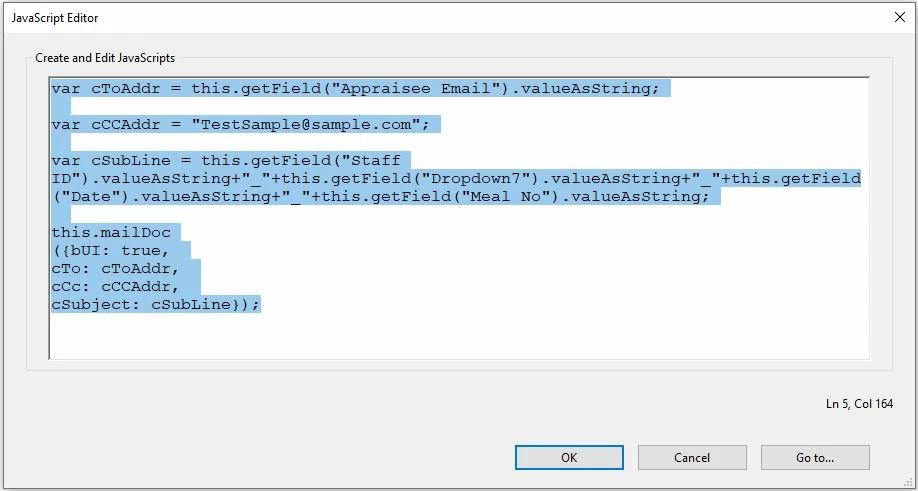

I encountered the problem when I tried to open the form via Vmware Content Locker.


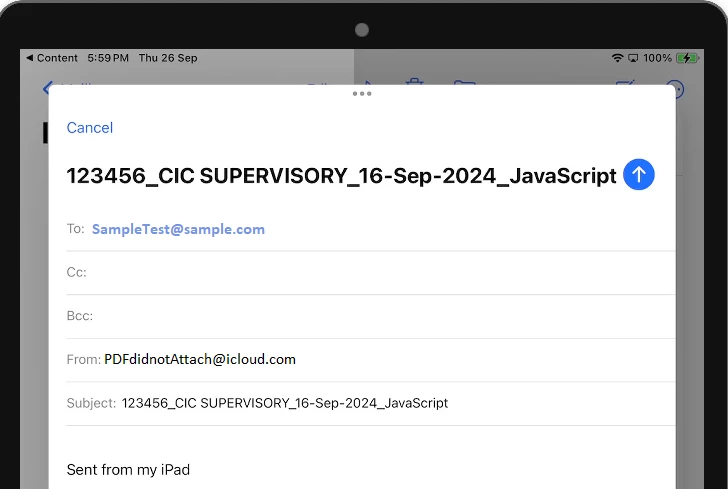
When I click the submit button, the script triggers to open the native mail app, and sets the subject based on the form input, however, it does not attach the PDF file.
 

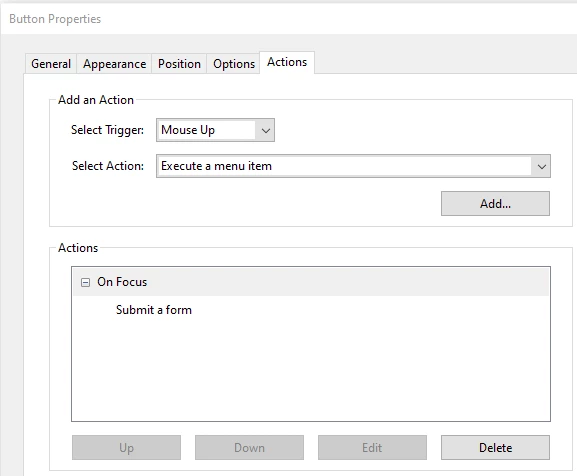
To further test, I created another submit button using the “submit a form” method.

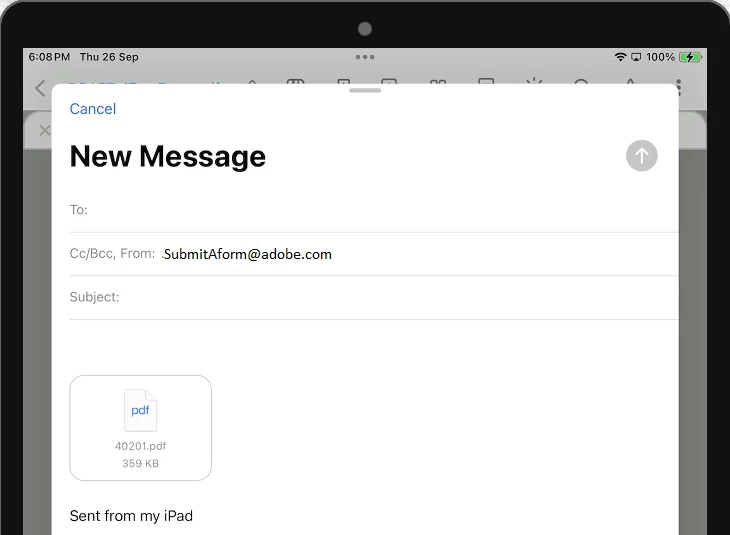
When I tap this submit button, it triggers the mail app and successfully attaches the PDF.


Does anyone know the difference between these two methods of attaching the file to the email?


Also, is there any other way to attach a PDF to an email besides “this.mailDoc”?

Any help or advice would be greatly appreciated, Thank you


This topic has been closed for replies.

2 replies

try67
Community Expert
September 26, 2024

Are you testing it on a mobile device? In which application are you opening the file?

New Participant
September 27, 2024

Hi @try67 , yes, i m opening the PDF using an iPad and from a mobile APP call "Vmware Workspace One - Content"


As mentioned above, I have created 2 submit buttons to test. 


the button with Javascript, is not working fully, as it correctly populates the form input into the email subject, however, it did not attach the PDF to the email


the other button with "Submit a form", successfully attaches the pdf to the email


I’m curious about the differences between the two methods.
Additionally, is there an alternative code to attach a file other than using “this.mailDoc”,
I'm trying to see if using another method will work.

try67
Community Expert
September 27, 2024

The error lies with the application you're using. The mailDoc method must attach the current file to the email. If it doesn't, it means the application is not executing it correctly. However, it's surprising it's executing it at all. Acrobat Reader (for mobile devices), for example, does not run it at all, as with most scripts.

Basically, if you're going to use the file on a mobile device, you can't count on any scripts working.

PDF Automation Station
Community Expert
September 26, 2024

mailDoc emails the current pdf and lets you set the receipient(s) emails, cc, bcc, subject, and body.  Submit a form also has a script, submitForm, apart from setting it up with the user interface.  There are several different types of file types that can be sent, and they can be sent URL that is programmed to accept the files.  They can also be sent to an email address and PDF is one of the file types.  However, you can't set the cc, bcc, subject, or email body.