


Participating Frequently
July 14, 2025
Question

Unable to Combine Modification Applications into One PDF

  • July 14, 2025
  • 2 replies
  • 254 views

I'm trying to combine several modification applications into a single PDF. However, when I use the Combine or Organize tools to add the files, I get the following error message: 
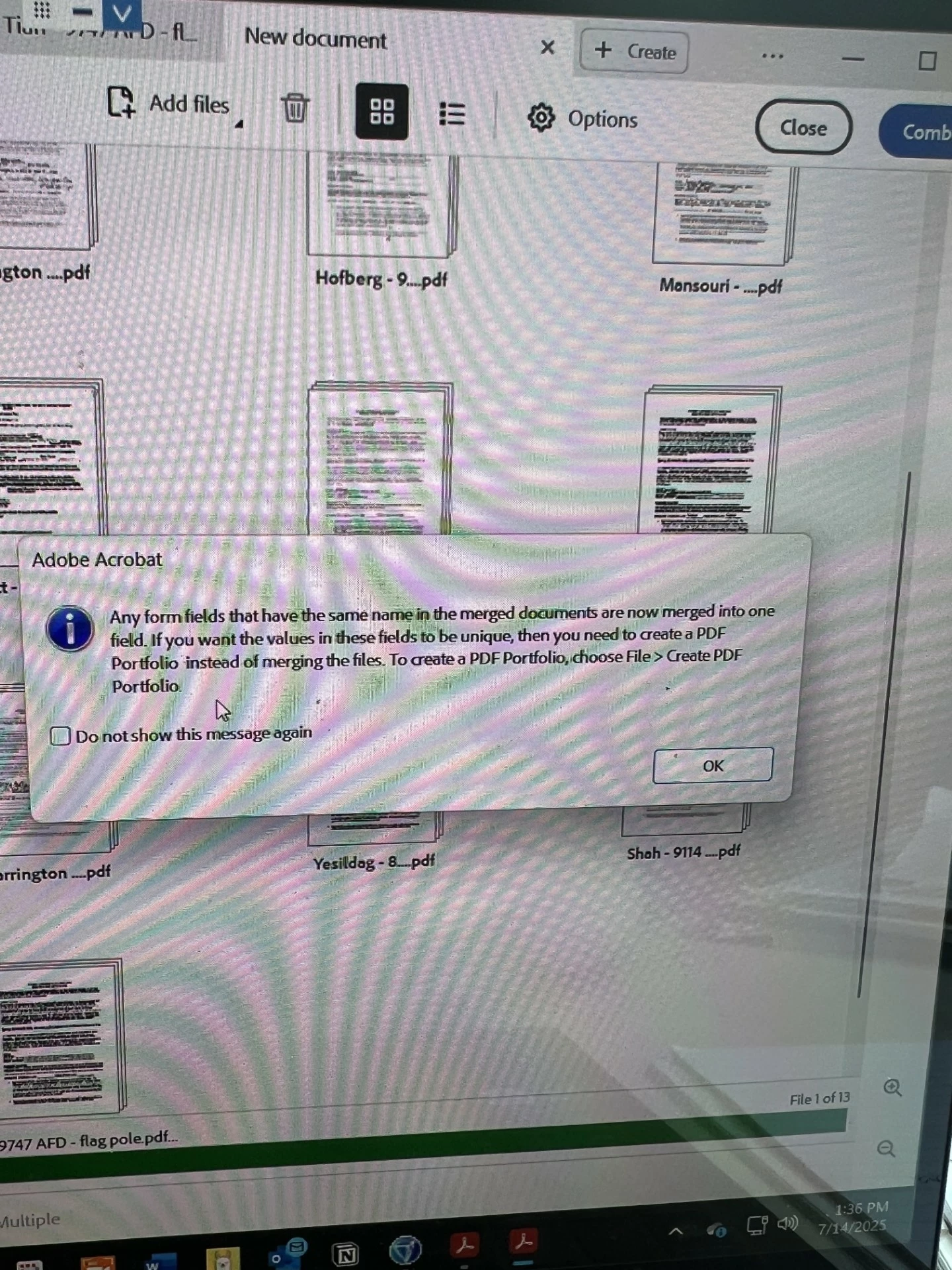
I’ve been able to combine PDFs without any issues in the past. Has something changed recently? Is there a workaround or updated method I should be using?

TIA for your help!

Jenna

P.S. Some of the Modification Applications are fillable forms - they all contain the same form fields. 

2 replies

Bernd Alheit
Community Expert
July 14, 2025

You can combine the files as portfolio.

PDF Automation Station
Community Expert
July 14, 2025

That's not an error message, it's a friendly warning that if form fields have the same name than can't have different values.

JmhnathAuthor
Participating Frequently
July 14, 2025

The end result is that several application cover sheets are either deleted or moved to a different section of the file.

[Private info removed]

try67
Community Expert
July 14, 2025

Don't reply via email. It posts your full contact details to this public forum, which is not allowed, nor a good idea.