


New Participant
April 7, 2025
Answered

Unable to Request e-signatures

  • April 7, 2025
  • 1 reply
  • 3305 views

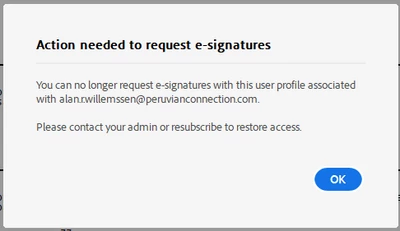
I have a license for Adobe Acrobat but whenever I Request e-signatures I get the error (see below):


Action needed to request e-signatures

You can no longer request e-signatures with this user profile associated with [my email address].

Please contact your admin or resubscribe to restore access.


We just moved from yearly to monthly subscription basis. How can we resolve this?


Correct answer Meenakshi Negi

Hi Alan22755145jcg0,


Thank you for reaching out.


We see that you have multiple team subscriptions under the same account. The Acrobat Sign account shows as active and working fine. If the issue occurred after the subscription changes, you may try signing out of the application. Then, try accessing the service via the Acrobat web account first.

If you're already signed in to the Acrobat web account, sign out and clear the browser's cache and cookies. Then, sign in again and try the request signature feature. 


If the issue still occurs, let us know.


Thanks,

Meenakshi

1 reply

Braniac
April 7, 2025

@Alan22755145jcg0 The change from a yearly to a monthly subscription for Adobe Acrobat is likely the reason you're encountering this "Action needed to request e-signatures" error.  The most probable cause is that the e-signature functionality might be a separate entitlement that needs to be specifically provisioned or re-provisioned under your new monthly subscription. You will need your organization's Adobe administrator to re-enable or re-provision the e-signature feature for your user account (alan.r.willemssen@peruvianconnection.com) within the Adobe Admin Console. 

  • Log in to the Adobe Admin Console 
  • Make sure the user account (alan.r.willemssen@peruvianconnection.com) is correctly associated with the new monthly subscription and that the e-signature services are enabled for your account.
  • Verify that your organization's monthly plan includes Adobe Acrobat Sign (or the e-signature features you were previously using) and that it's assigned to your user.
  • The transition to a new subscription model might require the admin to explicitly enable or re-configure the e-signature capabilities for users.


Meenakshi Negi
Community Manager
Meenakshi NegiCommunity ManagerCorrect answer
Community Manager
April 9, 2025

Hi Alan22755145jcg0,


Thank you for reaching out.


We see that you have multiple team subscriptions under the same account. The Acrobat Sign account shows as active and working fine. If the issue occurred after the subscription changes, you may try signing out of the application. Then, try accessing the service via the Acrobat web account first.

If you're already signed in to the Acrobat web account, sign out and clear the browser's cache and cookies. Then, sign in again and try the request signature feature. 


If the issue still occurs, let us know.


Thanks,

Meenakshi