


Exit
  • Global community
    • Language:
      • Deutsch
      • English
      • Español
      • Français
      • Português
  • 日本語コミュニティ
  • 한국 커뮤니티
0

Urgent:Error while checkout/opening pdf file from Sharepoint Online

New Here ,
Jul 25, 2018 Jul 25, 2018

Hi there,

I am Sharepoint admin and a team of users is facing a very troublesome problem that is impacting their Sharepoint Workflow.  This workflow routes a fillable pdf form to various team members. The pdf file was created using Adobe LiveCycle.

When the user tries to open the file, the error they get is "Adobe Acrobat Reader cannot check out the document due to a network error. Would you like to down load and open a local copy of the document"

Some older versions of this document do not have this issue. I have tried comparing the properties of the 2 docs and cannot see any difference. This is causing the team to manually forward the documents to each other, defeating the very purpose of using collaborative tools like Sharepoint and Adobe.

Here are some details that might help you:

Sharepoint version: Sharepoint Online/Office365

PDF producer: Adobe LiveCyle Designer 11.0

PDF version: 1.7, Adobe Extension Level 8 (Acrobat X)

File size: 1.33 M

PDF viewer: Adobe Pro, Adobe Acrobat Reader DC Version 2018.011.20055
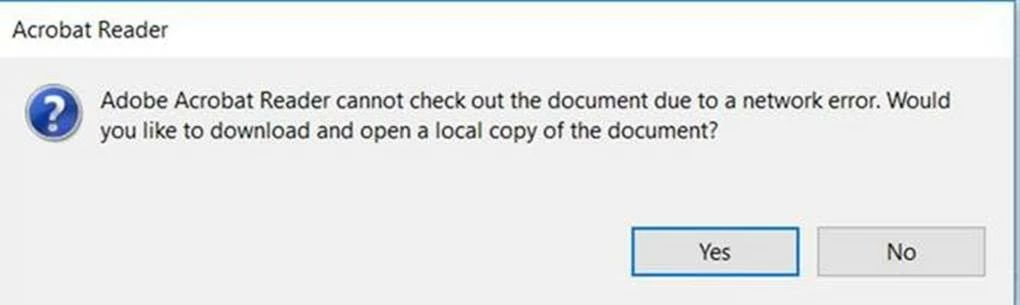
Sharepoint_Adobe_Checkout_error.jpg

Thanks,

Pradeep

2.2K
Translate
Report
Community guidelines
Be kind and respectful, give credit to the original source of content, and search for duplicates before posting. Learn more
community guidelines
New Here ,
Feb 27, 2023 Feb 27, 2023

Was this ever resolved.  Same problem!


Translate
Report
Community guidelines
Be kind and respectful, give credit to the original source of content, and search for duplicates before posting. Learn more
community guidelines
Community Beginner ,
Mar 28, 2023 Mar 28, 2023

Same issue but only starting happening as of last week for our staff, on certain documents.

Translate
Report
Community guidelines
Be kind and respectful, give credit to the original source of content, and search for duplicates before posting. Learn more
community guidelines
New Here ,
Nov 06, 2024 Nov 06, 2024

Same problem here I also sometimes have this message. Any solution?

joanie_9080_0-1730909768964.png


Translate
Report
Community guidelines
Be kind and respectful, give credit to the original source of content, and search for duplicates before posting. Learn more
community guidelines
Adobe Employee ,
Dec 22, 2024 Dec 22, 2024

Hi @joanie_9080,


Hope you are doing well. Sorry for the trouble.


Do you still see this issue? If yes, please share a screen recording video of the event, along with the Acrobat App version, and the Windows OS version to get the investigation expedited.


Look forward to hearing from you.


-Souvik

Translate
Report
Community guidelines
Be kind and respectful, give credit to the original source of content, and search for duplicates before posting. Learn more
community guidelines
New Here ,
Jan 08, 2025 Jan 08, 2025
LATEST

I have run into this issue. I have found out this is only happening when the file has a # in its name. If you remove the # symbol from the name, the check out feature works.

Translate
Report
Community guidelines
Be kind and respectful, give credit to the original source of content, and search for duplicates before posting. Learn more
community guidelines