


New Participant
April 2, 2025
Answered

User-specific error on shared hosting - Attempt to call a method that has not been implemented

  • April 2, 2025
  • 2 replies
  • 1166 views

Hello, I have a customer who shares a server where multiple users are using the same machine. All but one customer are having trouble opening and using Adobe on the computer.

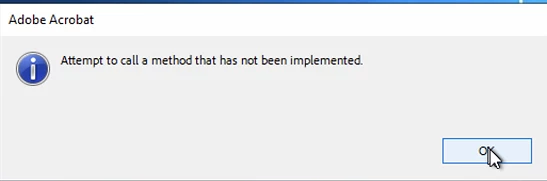
We get these messages when attempting to open Adobe:

"Attempt to call a method that has not been implemented."
 

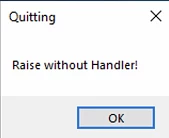
and after, "Raise without handler!"
 

Correct answer creative explorer

@marcus_4552 if it work, then remove the 'weird profile' as well, not to confuse everything in the end too! 

2 replies

New Participant
June 3, 2025

I have the same problem. I uninstalled the creative cloud and all the application, cause i dont want the cloud on this Laptop anymore. So i installed the latest version of the PDF Reader. So far so good and no issues. When i try to open a PDF, and i tried with more than one PDF, it will show the same both reports. 

"Attempt to call a method that has not been implemented" and "Raise without Handler!"


What can i do to use the PDF Reader without an account or to log in? 

AnandSri
Community Manager
Community Manager
June 6, 2025

Hello @creative_Enchantment7058!


I hope you are doing well, and thanks for reaching out.


This issue often arises after using the Adobe Creative Cloud Uninstaller, which may leave behind corrupted or incompatible configuration entries. When you reinstall only the PDF Reader, it may still reference those outdated settings, leading to the errors you're seeing.

Here’s what has worked: 

  1. Open the Registry Editor (regedit.exe). Ensure to take a backup before making any changes. 
  2. Navigate to: HKEY_CURRENT_USER\Software\Adobe
  3. Delete the entire Adobe key.
  4. Restart your computer and try launching Adobe Reader again. This forces Adobe Reader to recreate a fresh configuration on launch, which resolved the issue for several users.

You can also refer to and try the suggestions from these community articles on a similar topic: https://adobe.ly/4kS5h9J

https://adobe.ly/4kS5h9J


If you wish to remove the Acrobat Reader app, please use the Acrobat Cleaner tool to remove the installed app, restart the machine, and install the Acrobat Reader from the direct link

Let us know how it goes.

Thanks,

Anand Sri.

creative explorer
Community Expert
April 3, 2025

@marcus_4552 that really sounds weird.... The first reaction it's a corrupted file ... but I realized you said multiple users are using the same computer, and it's only one person. I would create a new user profile for the affected user to isolate potential profile corruption, and test Adobe within the new profile. If it works, migrate the necessary data. 


m
New Participant
April 3, 2025

@creative explorerThank you for the answer. I’ll try your solution and update the post if it works.

creative explorer
creative explorerCorrect answer
Community Expert
April 3, 2025

@marcus_4552 if it work, then remove the 'weird profile' as well, not to confuse everything in the end too! 

m