



Using Adobe Acrobat Pro DC but can't make text edits without messing up document
I purchased Acrobat Pro so I could copy edit a manuscript that was delivered as a pdf. But the text boxes are wildly unpredictable. Some of them seem to overlap even in mid-sentence and if I delete a character, it changes the formatting of everything around it, overlaying text over other text (and not even the part I edited) or simply not accepting changes at all.
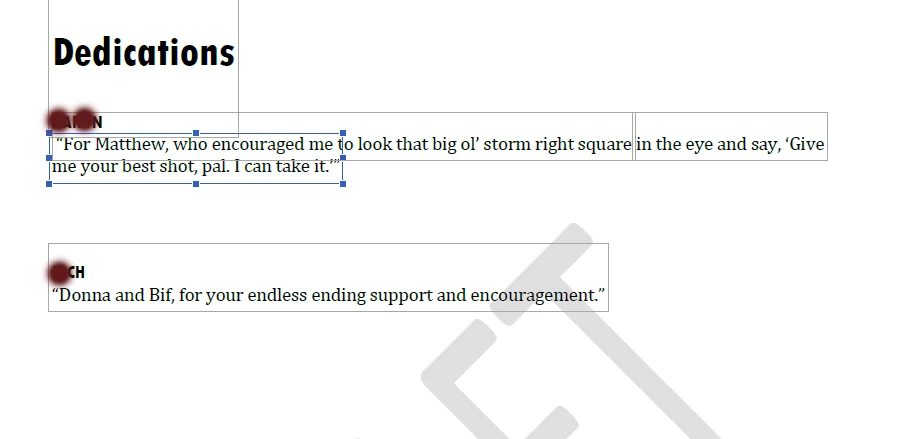
I am not sure what to do. When I convert to Word, it doesn't preserve the font formatting, so that's a whole NEW problem as a copy editor. Here is an example -- see how the text boxes are all messed up even within this small section? If I try moving the cursor around near the word "Matthew," for example, it jumps all over the place between each of the lines ... from THE NAME AT TOP (I covered for privacy reasons. to the first line of text to the second. But the second half of that first line (staring with "in the eye") is easy to edit and in its own box.
Does this mean the document I have is the source of the problem? Is it possible it was not saved properly? I am at a loss. Thanks for any help I can get.
 AdChoices