



Mr. SOTHON
New Participant
June 11, 2023
Question

Validation script on dropdown list field depended on other dropdown list
  • June 11, 2023
  • 1 reply
  • 1301 views

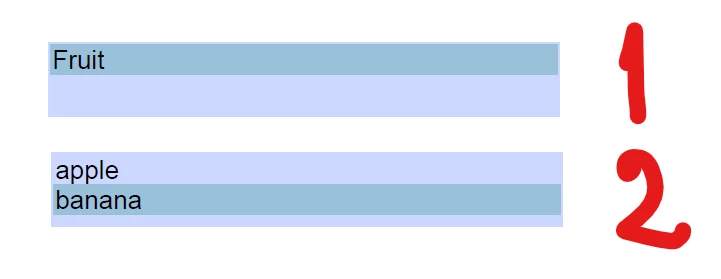
Hi, anyone can help me to make this happen? field#1 dropdown list is group like (Fruit) and field#2 dropdown list is type of fruit. I have many pages kind of fruit and I want to select feild#1 dropdown list it show kind of field #2. I tried many time but it seem error while we select group field#1 again it only go to page.

I tried following code from peoeple here in validation field#2 in Run Custom validation script as following: 

if(event.value == "apple") this.pageNum = 1;
else if(event.value == "banana") this.pageNum = 2;


any Error in above scrip? Or any suggestion beside make validation script?

This topic has been closed for replies.

1 reply

Bernd Alheit
Braniac
June 11, 2023

The script is OK. 

Mr. SOTHON
New Participant
June 11, 2023

Yep the script is running well if dropdown list field#2 is independent. Any idea make this dependency to dropdown list field#1? I tried make it denpendency but seem not working while I tried to click field#1 it going to page all time. In short, I can't select field#1.

Mr. SOTHON
New Participant
June 12, 2023

What script does you use at field#1?


I put dropdown propterties => Format as following code:
/*
LICENSE:
acrojs_dependentList.js by Joel Geraci is licensed under a Creative Commons Attribution 4.0 International License.
 
You are free to:
Share — copy and redistribute the material in any medium or format
Adapt — remix, transform, and build upon the material for any purpose, even commercially.
 
Setup:
For list boxes:  Add this script to the "selection change" script of the master list box.
For combo boxes: Add this script to the "custom format" script of the dropdown box. 
 
IMPORTANT!
Edit the following line to identify the field name of the dependent list box then edit the properties of the dependentListValues JSON object. Property names should correspond to the export values of the list items.
*/
var dependentListBoxFieldName = "article";
var dependentListValues = 
{
"Friuit": [
["Apple"],