



Answered
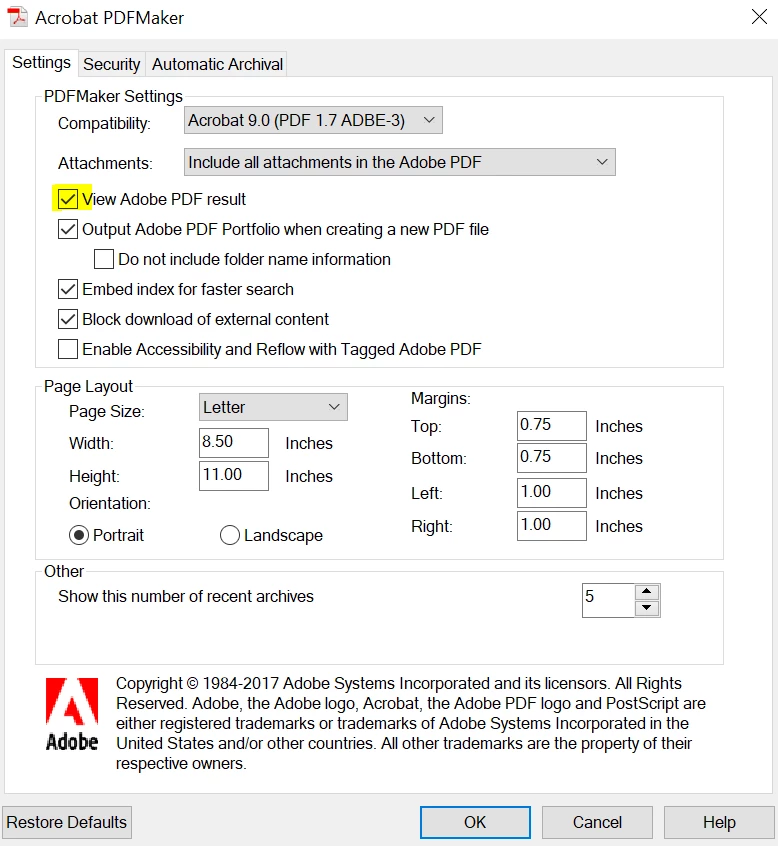
View Result checkbox in Adobe Acrobat PDFMaker add-in for Microsoft Outlook 2013
I am using the Adobe Acrobat PDFMaker add-in with Microsoft Outlook 2013. It works just fine. I click the "Adobe PDF" tab, then the "Convert to Adobe PDF Convert" button and the "Save Adobe PDF as File" pop-up screen appears. I can save a PDF version of the e-mail in any folder that I specify.
However, there is a "View Result" checkbox in the lower left of the Save Adobe PDF as File" pop-up screen that is checked by default. Is it possible to change the default so the box is unchecked? I do not need to see the PDF rendered to the screen every time that I want to save an e-mail so I have to manually uncheck the box. I'd like to eliminate this tedious task.
Thank you.
 AdChoices