Mendelhouse
Participating Frequently
July 14, 2022
Answered

Want JS Form Field Name to Disappear when clicking into text field

  • July 14, 2022
  • 1 reply
  • 3705 views

I followed the instructions on this thread: https://community.adobe.com/t5/acrobat-discussions/pdf-text-field-form-label/m-p/3137258#M7006 where George_Johnson gave great info on how to get form fields to display the tooltip value by default. 


I am using this JS on a free text field:


if (!event.value) {

event.value = event.target.userName;

}


In it's default state (Tool Tip populating inside the text field), it is showing properly, printing properly, and saving properly.  What I please need help with is this: I want the text to disappear when the user clicks into the field to enter their own custom text.  Currently, when you click into the field, the text remains and you have to select it/delete it before typing.  Is this possible?


THANK YOU 
This topic has been closed for replies.
Correct answer Bernd Alheit

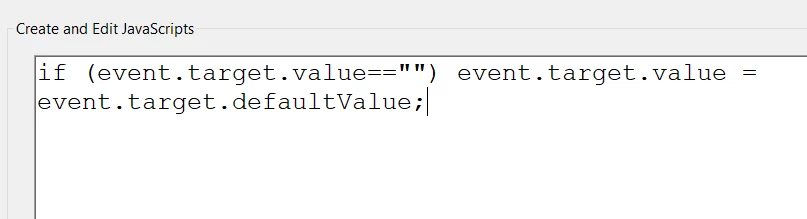
I just cannot get this to work.  Using your suggested code:

if (event.target.value=="") event.target.value = event.target.defaultValue;


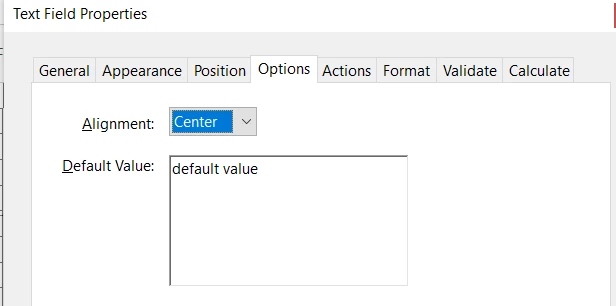
And an onptional "default value":


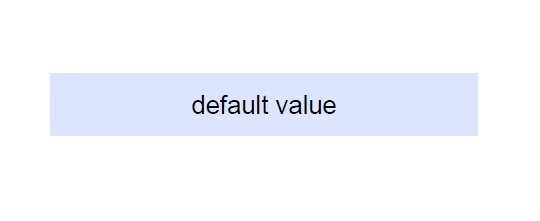
I see this (good):

But when i click into it, it doesn't clear.  The default value remains and I have to delete it all manually before entering what I want. 


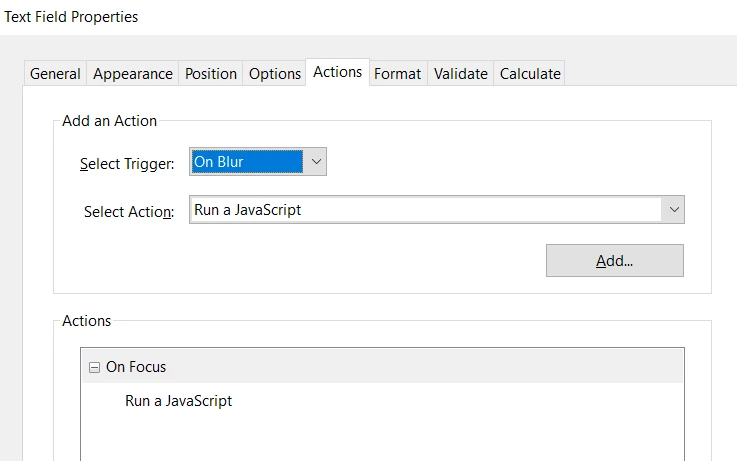
Use the On Blur event.

Read this:

https://answers.acrobatusers.com/Is-add-instructional-text-text-field-disappear-clicked-q195078.aspx 

1 reply

try67
Community Expert
Community Expert
July 14, 2022

As the field's On Focus event enter this code:

event.target.value = "";

try67
Community Expert
Community Expert
July 14, 2022

Keep in mind, though, that this code will also clear any input the user enters into the field, which you might not want to do... To avoid that you can change it to the following:


if (event.target.value == event.target.userName)  event.target.value = "";


Mendelhouse
Participating Frequently
July 14, 2022

Thank you for the response!  This doesn't seem to work for me.  Screenshots below.

Testing on "Job Name" field:

General properties:


JS I have in place to bring the Tool Tip in as the prepopulated text:


Where I put your suggestion:


But when I click into the field, the default text doesn't go away (hard to take a screenshot of this).