


stefenw97465459
Participant
September 20, 2018
Question

what needed to disable bookmark from opening on a pdf file..

  • September 20, 2018
  • 1 reply
  • 4676 views

This is a template which data is imported. and the sent

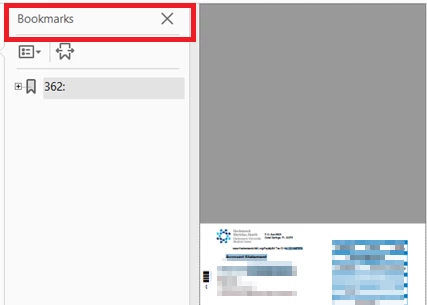
when user open the pdf it's unreadable because bookmark is open and display area is too small to read.

if bookmark is gone, the PDF become readable.
This topic has been closed for replies.

1 reply

Allta Media
Community Expert
Community Expert
September 20, 2018

Under File > Properties, select the Initial View tab. Under the Navigation tab dropdown select 'Page Only".

stefenw97465459
Participant
September 21, 2018

Thank for reply but I need to have the  following options

- bookmark option disable on the reader so if it open a file the bookmark be disable.

- script that will write the bookmark disable option encode then save  ( PowerShell would be great)

too many PDF files to do manually

Allta Media
Community Expert
Community Expert
September 24, 2018

If you have the Pro version, you can run an Action on all your PDF files to set the initial view. You can find an example of this at https://acrobatusers.com/actions-exchange/set-initial-view.