Participant
December 4, 2023
Answered

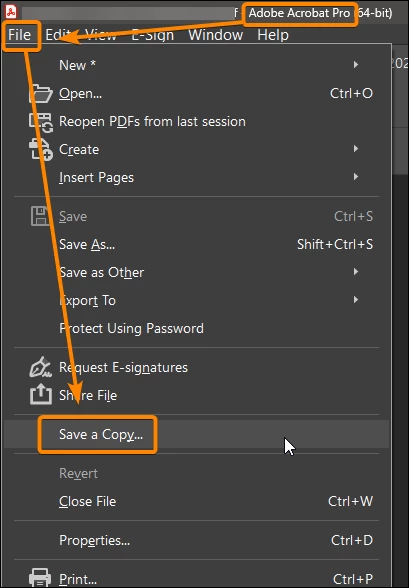
What's the equivalence to the "save as copy" in the new Acrobat interface?

  • December 4, 2023
  • 2 replies
  • 2842 views

I can't find the "Save a copy..." option in the menu anymore. I used to use that feature whenever Acrobat got wrapped around its on axel. Nowadays I cannot remove password prodection anymore. I have to rebuild the fillable forms from scratch which is unnecessarily time consuming. 


The classic message is "You cannot change security on this document because the document is signed or certified". I don't even have a signature field. Once secured it cannot be unsecured and therefor not be updated. 


What is the new workaround?
Correct answer JR Boulay

It's still here.

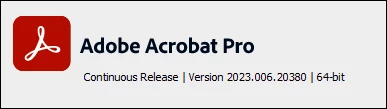
I guess that you need to revert to the old UI.


2 replies

JR Boulay
Community Expert
JR BoulayCommunity ExpertCorrect answer
Community Expert
December 4, 2023

It's still here.

I guess that you need to revert to the old UI.


Acrobate du PDF, InDesigner et Photoshopographe
Participant
December 4, 2023

Thanks for the tip, JR. I did not know I could do that so easily. 

"Menu > Disable new acrobat" brings back the "Save a Copy..." Yay.
Thanks.

Participant
February 21, 2025

Great! Thank you. It worked for me


Bernd Alheit
Community Expert
Community Expert
December 4, 2023

Have you added Reader Extensions to the file?

Participant
December 4, 2023

Yes. I'm in the habit of adding "Save as other > Reader extended PDF > Enable more tools (includes form fill-in & save)" after securing the forms. I can no longer unsecure secured files since the "File > save a copy" feature was removed. The forms nowadays are considered signed and certified the moment they are secured - you don't even have to use them onces. 


I've kept an unlocked version of the files, so I can still make updates, but that backfires sometimes, and we have hundreds of fillable forms without unlocked backups. 


I appreciate your input.

Bernd Alheit
Community Expert
Community Expert
December 4, 2023

Use the old UI.

Not all features are available at the new UI.