


Inspiring
June 20, 2023
Question

Why does Acrobat not OCR some text in chart images?

  • June 20, 2023
  • 1 reply
  • 6360 views

I have about 500 number of chart images that i want to ocr them and extract texts and values but acrobat not OCR some values and texts. 

for example in following about five latest values didn't OCR for me! 
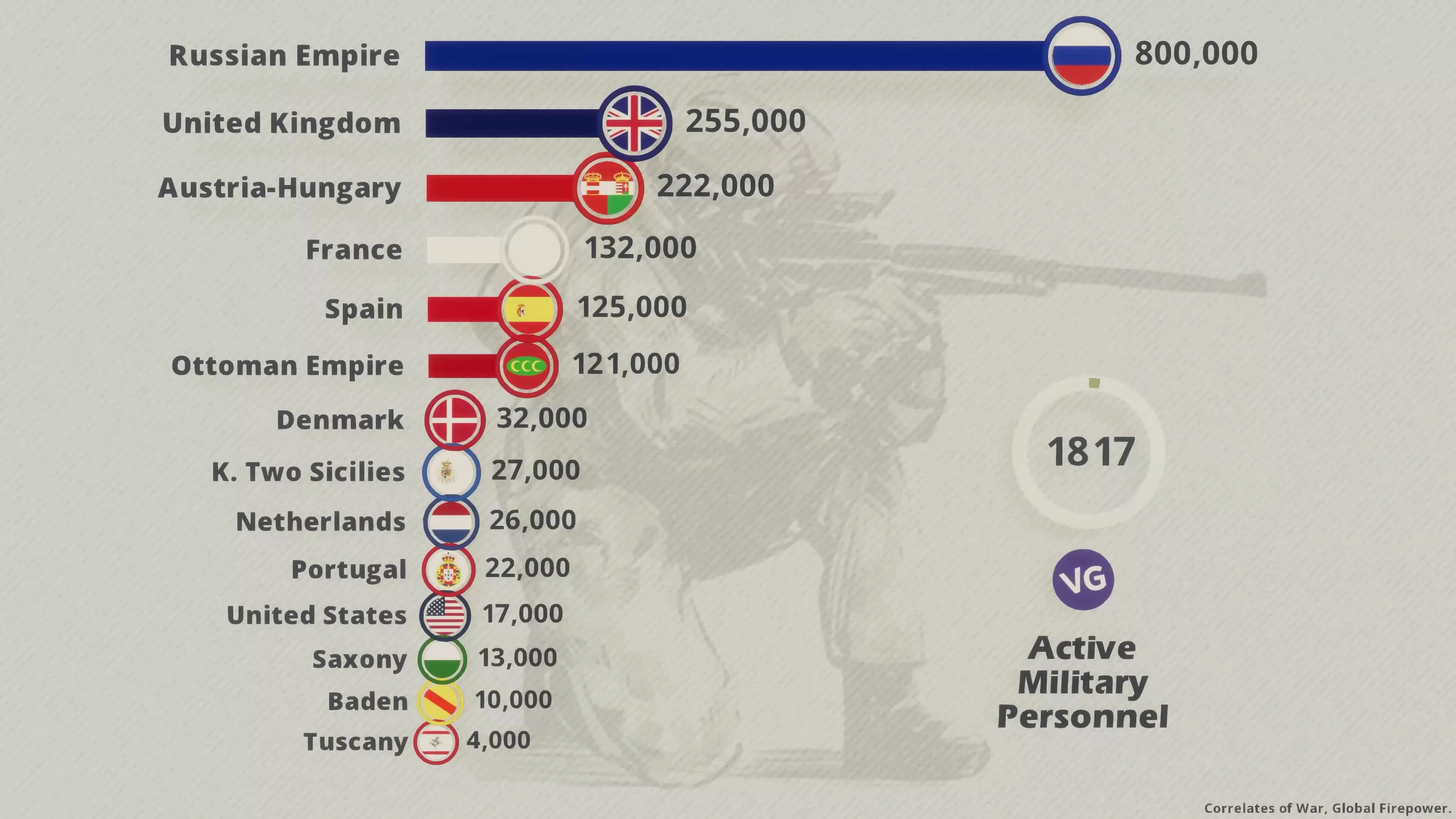
 

how to solve this problem? 

i attach some JPG files here for test 

This topic has been closed for replies.

1 reply

gary_sc
Adobe Expert
June 20, 2023

Hi, @abolfazl29032603daba; thank you for supplying the scans; they clearly show why you were having issues.


The problem is that the background can easily confuse any OCR operation. While they certainly do add to the presentation of the content, they make it very difficult for any OCR to discern what is a letter versus a helmet.


If you made the scans, there was something that you could have done during the scanning process that would have solved your problem. Fortunately, if you have access to ANY image manipulation application (such as Photoshop), the process is easy. In fact, if all of the scans are the same as you provided in your email, it can be done very fast.


What is needed is that you have to remove the background image. This is easily done by using Levels in Photoshop (or similar) application. Please look at the following:

Notice the red arrow in the Histogram*. It is pointing at the lightest possible part. What you need to do is move that white slider over to the left, so the pixels that are now gray shall be considered white. It looks like the following:


And "poof!," the background is gone. Now if you run this through Acrobat, the OCR operation can run with great accuracy. I've attached one result sample file to this email.


Two tips: if you use Photoshop, I'd suggest you create an Action that will automatically set the Levels. Plus, if you also use Bridge, you can set a folder of images up, to convert them to TIF format, and set the (new) Levels (from the Action) for each of the images while you drink your coffee. The reason for the TIF format is that if you bring a TIF image over to Acrobat, it will automatically do the OCR process for you. Other image formats require you to tell Acrobat that you want the OCR process to be done for each image. Thus, you can drag all 500 images over to Acrobat, it will ask you if you want all 500 to be saved as separate files or one large file, then it will work away.


You can read more about the scanning part (it covers the same material as above but in greater detail) in this blog I wrote for Adobe a number of years ago. https://community.adobe.com/t5/adobe-community-professionals/scanning-clean-searchable-pdfs/m-p/4785435?page=1#M89


I hope this helps


*A Histogram displays all of the 256 levels of lightness/darkness values displaying the quantity (in a bar graph format). If the far right is absolute white, you can see that you have a vast majority of shades in the gray area.

Inspiring
June 20, 2023
quote

Hi, @abolfazl29032603daba; thank you for supplying the scans; they clearly show why you were having issues.

By @gary_sc

tnq for reply. i know this but even i refined numbers and texts in chart images using photoshop scripts but still OCR have problem to extract some texts!

gary_sc
Adobe Expert
June 20, 2023

What Photoshop scripts?