



Why is my fillable PDF form's dropdown changing when emailed?
I've created a fillable product order form in Acrobat DC that has a tax calculation performed when the location/tax rate is chosen from a dropdown list. However, when I click the submit button to email the form to Apple Mail, the location/tax rate in the dropdown changes in a strange way in the PDF that ends up attached to my email.
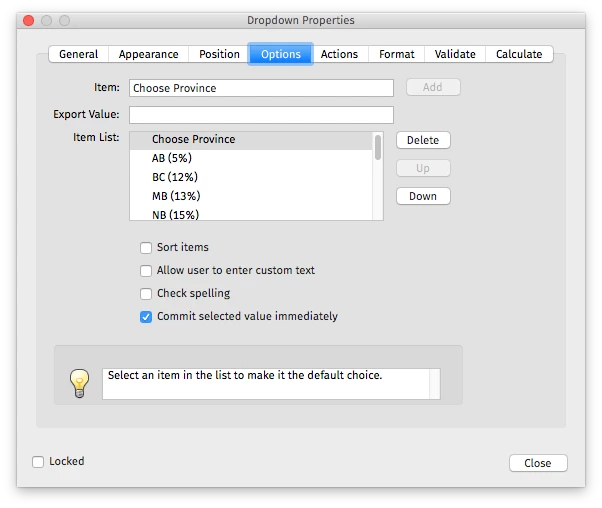
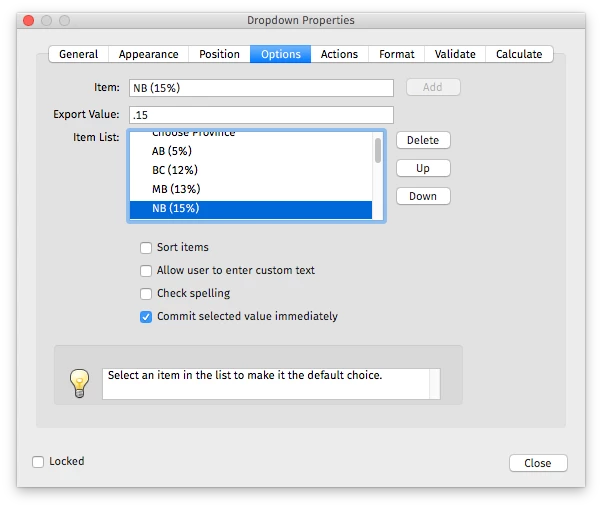
I'm in Canada so the list is of all Canadian provinces and territories and their associated tax rates. I'm outlining them here because the issue relates to the specific values in the Properties Dialog > Options:
Item: Choose Province (this is selected and the default) / Export Value: (blank)
Item: AB (5%) / Export Value: 0.05 (this is multiplied by the subtotal to output the tax amount in dollars)
BC (12%) / .12
MB (13%) / .13
NB (15%) / etc.
NL (15%)
NS (15%)
NT (5%)
NU (5%)
ON (13%)
PE (15%)
QC (14.975%)
SK (10%)
YT (5%)
Through trial and error, I discovered that the rate chosen will only stick if it's unique, otherwise it ends up displaying whichever province / tax rate is highest up in the list that matches the same multiplier, as per:
AB (5%) - fine
BC (12%) - fine
MB (13%) - fine
NB (15%) - fine
NL (15%) - switches to NB (15%)
NS (15%) - switches to NB (15%)
NT (5%) - switches to AB (5%)
NU (5%) - switches to AB (5%)
ON (13%) - fine
PE (15%) - switches to NB (15%)
QC (14.975%) - fine
SK (10%) - fine
YT (5%) - switches to AB (5%)
Here's the dialog where you can see it's listed in the same order. And below the dialog you can see the selection made in Acrobat Reader for PE (15%) and the PDF Acrobat Reader attached to my email with the value switched to NB (15%).
Any idea what's causing this behaviour when the form is submitted as an email attachment and how to avoid this problem? It occurs whether or not I save the PDF in Acrobat Reader prior to clicking the 'Email Form' button.


 AdChoices