


Windows desktop shortcut to Scan to PDF - Solution
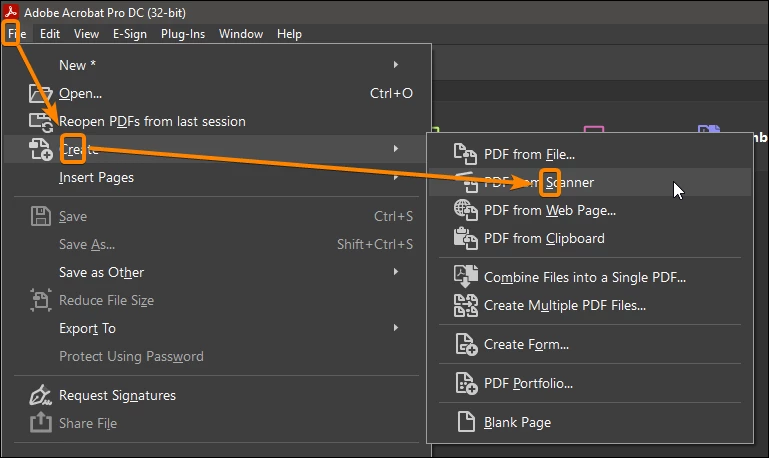
Tired of clicking way too many times through Acrobat just to make a scan? After looking for a way like many others, in the end I figured out the coding myself and replied to an initial post. Here by a new post to have a more recent thread.
SOLUTION:
Create a .vbs file and use the following code below.
It works for me on Windows 7 and with Adobe version 9. If your program path is different that than the x86 folder in this example, just simply correct the path to your own installed version. Not sure about OS or Linux platforms.
NOTE: This is for English version only. When you are using a different language version, change the (ffss) according the File Menu and use of the ALT key + shortkeys marked by an underscore.
Additionally, you can create a dekstop shortcut from the vbs file and from its properties give it a random personal icon to make it more appealing and recognizable.
Good luck
("There is always a way")
CODE:
Dim objShell
Set objShell = WScript.CreateObject( "WScript.Shell" )
objShell.Run("""C:\Program Files (x86)\Adobe\Acrobat 9.0\Acrobat\Acrobat.exe""")
WScript.Sleep 500
objShell.SendKeys "%(ffss)"
WScript.Sleep 100
objShell.SendKeys "~"
 AdChoices