


Known Participant
June 21, 2021
Answered

Word is running into problems with pdfmaker.officeaddin add in.

  • June 21, 2021
  • 5 replies
  • 10155 views

This was asked last year and answered, but we're running into it suddenly.  Here's the original thread for reference: https://community.adobe.com/t5/acrobat/word-is-running-into-problems-with-pdfmaker-officeaddin-add-in/m-p/10921019  


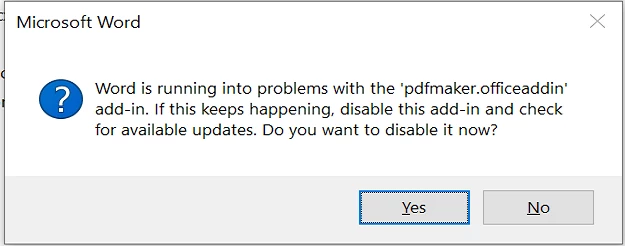
We have several hundred users who are recently claiming issues with Adobe Acrobat DC and Microsoft word.  The issue is that "Word is running into problems with the 'pdfmaker.officeaddin' add-in."


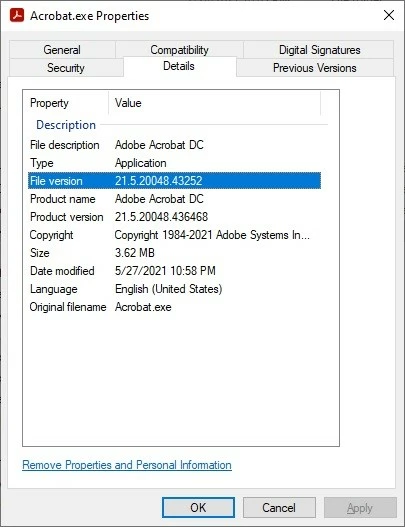
The users reporting this are on Acrobat DC version 21.5.20048.43252, which is the latest we see.


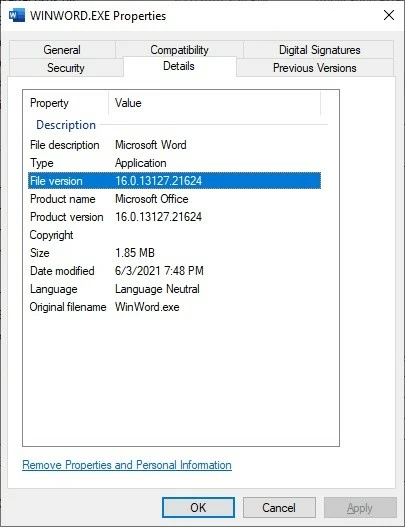
The Word version is the latest from Office Pro Plus, 16.0.13127, build 21624.


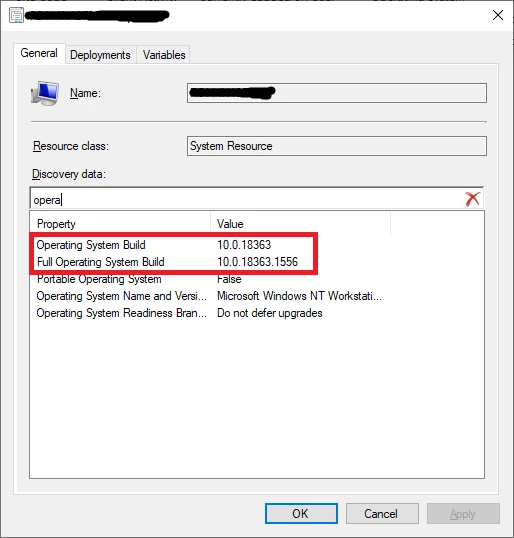
The Windows 10 version is 10.0.18363 build 1556, which is also the latest we see in teh Microsoft website that we can download.
 

What could be going on?


TIA

This topic has been closed for replies.
Correct answer AnandSri

Hi All!


Thanks for your time and for your cooperation on this.


Hope you are doing well.

The fix is available now with the latest update of Acrobat and Reader DC. Please install the latest update from the following link: https://www.adobe.com/devnet-docs/acrobatetk/tools/ReleaseNotesDC/continuous/dccontinuousjunehotfix2... 

Download the setup, run it, reboot the machine (if possible) and check the app functionality. 


To know more about the latest update, you can refer to this article: 21.005.20054 Optional update, June 23, 2021


Let us know if you still experience any issues.


Regards,
Anand Sri.

5 replies

Participating Frequently
December 6, 2021

Same problem. PDFMOfficeAddin is v21.7.20099.61763
Word is v 2111 (Build 14701.20226 Click-to_run) Current Channel

Participating Frequently
December 7, 2021

Running "Repair Installation" in Acrobat seems to have helped (for now).

Participating Frequently
December 7, 2021

The Repair installation "fix" lasted for one PDF. Problem is back.

Participating Frequently
October 1, 2021

Having the same problem... running the latest versions of Office 365 and Adobe Acrobat DC... this is just infuriating.


Never had a problem with it before. Now it crashes all the time. Have tried disabling, re-enabling, updating Microsoft Office 365, Adobe Acrobat DC, have re-run the installer, multiple times, rebooted multiple times.... but it still crashes.


I need this tool to work. I've been paying Adobe for years $55.00/months for the Create Suite for years... this is unacceptable. 

Known Participant
November 14, 2021

I seem to be in the same situation aas JeanClaude. Trying to install the fix recommended by AnandSri on June 23rd, I get the message that some function in Windows has already been upgraded "in another way", so the Adobe fix cannot be installed succesfully. VERY disturbing indeed!

Participant
November 17, 2021

I also tried the fix recommended by AnandSri on 17 Nov 2021 and got a the error shown in the picture uploaded herewith. I have also tried other recommended fixes (like a repair installation of Adobe etc) and nothing seems to work...:-( 


AnandSri
Community Manager
AnandSriCommunity ManagerCorrect answer
Community Manager
June 23, 2021

Hi All!


Thanks for your time and for your cooperation on this.


Hope you are doing well.

The fix is available now with the latest update of Acrobat and Reader DC. Please install the latest update from the following link: https://www.adobe.com/devnet-docs/acrobatetk/tools/ReleaseNotesDC/continuous/dccontinuousjunehotfix2... 

Download the setup, run it, reboot the machine (if possible) and check the app functionality. 


To know more about the latest update, you can refer to this article: 21.005.20054 Optional update, June 23, 2021


Let us know if you still experience any issues.


Regards,
Anand Sri.

muhamad.mustakim
Participant
June 24, 2021

Thanks @AnandSri. It works for me. I can convert documents into PDF as normal now.

AkanchhaS8194121
Legend
June 21, 2021

Hi Tia,


Thank you for reporting this to us. Since this issue is appearing with the latest version of Adobe Acrobat DC and MS Office, we'll discuss this with our product team and let you know the next course of action. 


Thanks,

Akanchha  

Known Participant
June 22, 2021

Excellent, let me know what you find. 

muhamad.mustakim
Participant
June 23, 2021

I'm currently having the same problem as well. I tried to re-install both Office & Adobe however the problem still persists. Will wait for Adobe to provide the solution or update on this.

Known Participant
June 21, 2021

(UPDATE)


One of my analysts found an option to run the "repair tool" for Acrobat DC. He ran it on one user's workstation as well as on his. Both he and the user are still getting the error.