


Tom_Chivers_Goldsmiths
Participant
August 17, 2014
Question

word to pdf? (experiencing a weird formatting fail)

  • August 17, 2014
  • 2 replies
  • 45808 views

Hi, when I use a title style in Word and then convert to pdf, the conversion goes wrong. Now, it's good I can work around this by not using the title style, but in no other way is it good. Here's a screen shot of how the word to pdf conversion fails when I use the word title style:
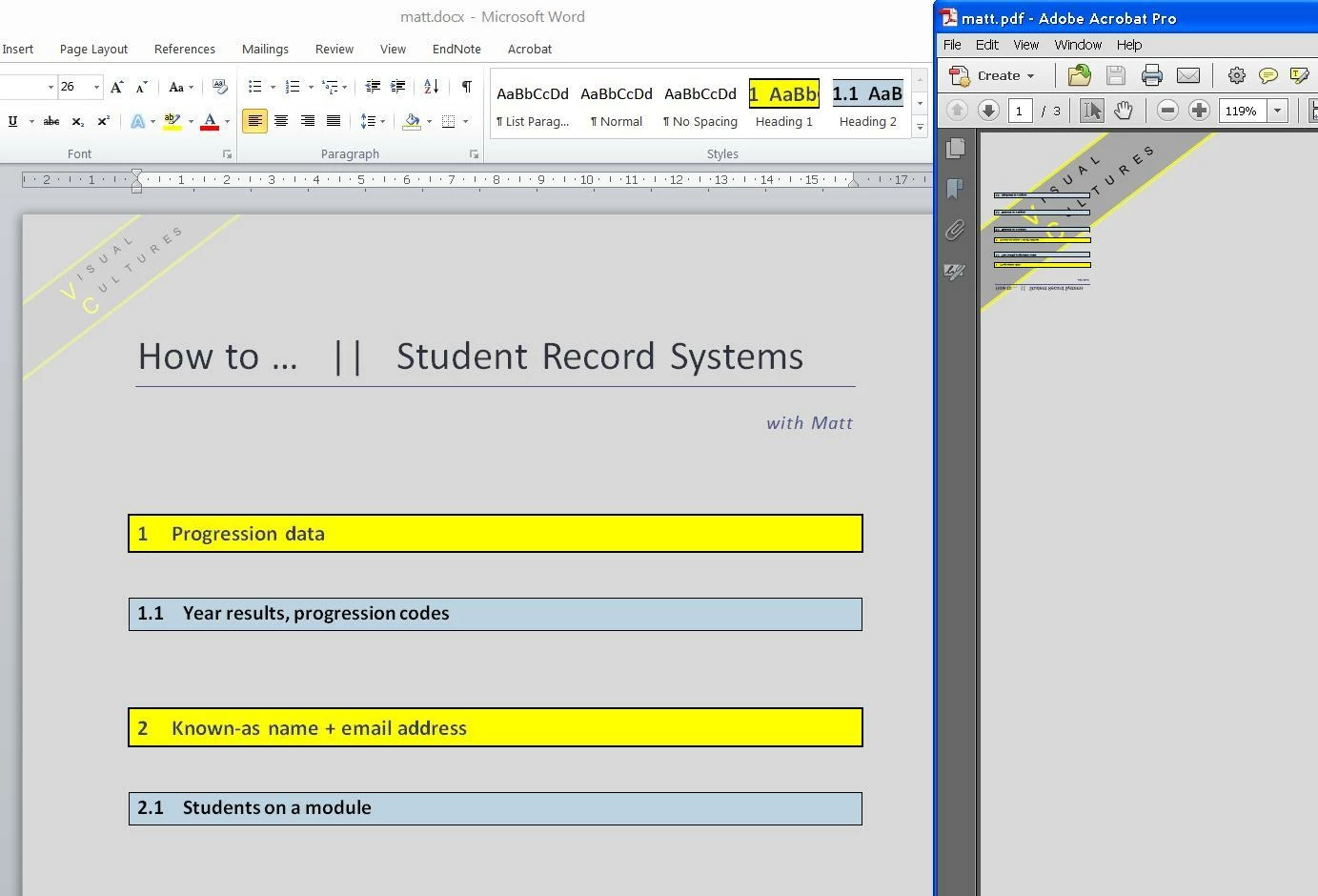
The word file on the left is how it should look. The pdf on the right features the front page flipped over, and squashed into a corner.

Any advice on how to fix, not just workaround?

This topic has been closed for replies.

2 replies

Participant
January 6, 2020

Hi Tom, I've had people experiencing this issue in work, the fix i found is when saving the word document

click file>save a copy>change the dropdown to .PDF and save in the relevent folder

Is you select "Save as Adobe PDF" when in the File ribbon in word, for some reason this causes the issue. Hope this works for you or is at least a little useful


MichaelKazlow
Legend
August 17, 2014

Please describe the method you are using to create the pdf. There are two main methods that use Acrobat and one or more that use Microsoft technology.  If you describe the steps in detail we can figure out what technology you are using and where the problem may lie. What Distiller job options file you are using?

Tom_Chivers_Goldsmiths
Participant
August 18, 2014

Michael thanks. I am just using the various options in Word and Acrobat Pro, not Distiller.

I just tried distiller (for the first time) and got this error message:

%%[ Error: undefined; OffendingCommand: PK    ]%%

%%[ Flushing: rest of job (to end-of-file) will be ignored ]%%

%%[ Warning: PostScript error. No PDF file produced. ] %%

I think I need to convert the word file to a .ps file first, but don't seem to have this option in word 'save as'.

Here is a screenshot of what happens with the Word and Pro options for saving as pdf (xsave as in word, right click the word doc, create in pro) - the result is the same:

All advice much appreciated....

PS. Could the problem be that I am using Windows XP? My employer said acrobat pro would work fine with windows xp, but I am wondering if they might be mistaken.

Vikrantt Singh
Adobe Employee
Adobe Employee
September 15, 2014

Hi Tom.Chivers.Goldsmiths,


Kindly try the steps mentione below and then try the conversion.

  1. Open Acrobat>Edit>Preferences
  2. Go to Convert from PDF under categories and select Word document from the right hand side menu
  3. Click on Edit settings>select “Retain Page Layout
  4. Click OK
  5. Restart Acrobat and retry to export the PDF

Thanks,

Vikrantt Singh