


2 bugs related to MIP plug-in for adobe PDF reader
Hi, I'm testing Microsoft Information Protection plug-in below for Adobe Acrobat Reader which allows users to open AIP protected PDF documents, assuming business use.
https://helpx.adobe.com/acrobat/kb/mip-plugin-download.html
But I have 2 bugs related to this plug-in, so I'd like to report these for hoping that someone in Adobe will fix these. I'm testing the newest plug-in at this moment.
MIP plug-in version: 20.006.20034.
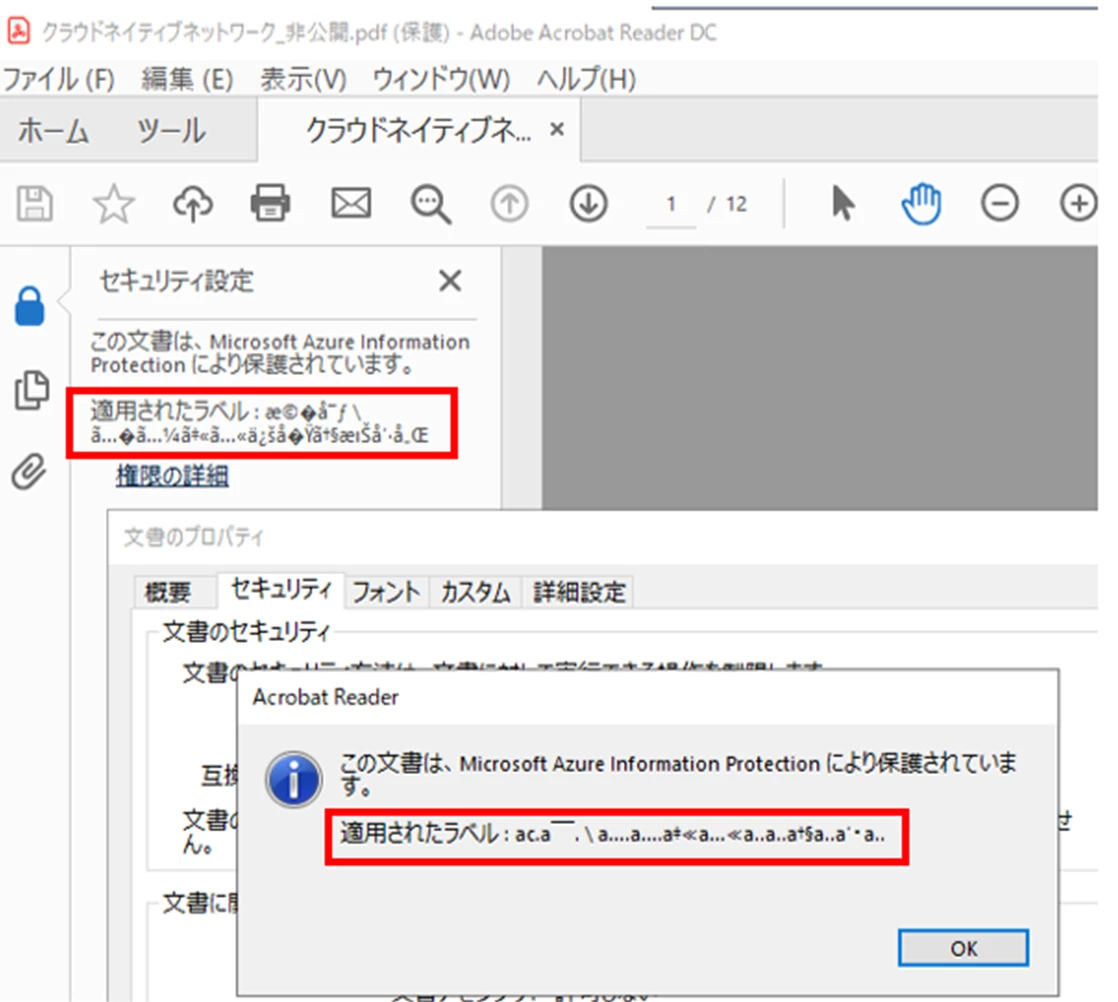
Issue 1. A label name in double bytes is not correctly displayed in Acrobat Reader.
A label below should be “機密 \ 機密(社内)”. This seems a bug of MIP plug-in when it retrieves and displays label names in Japanese.
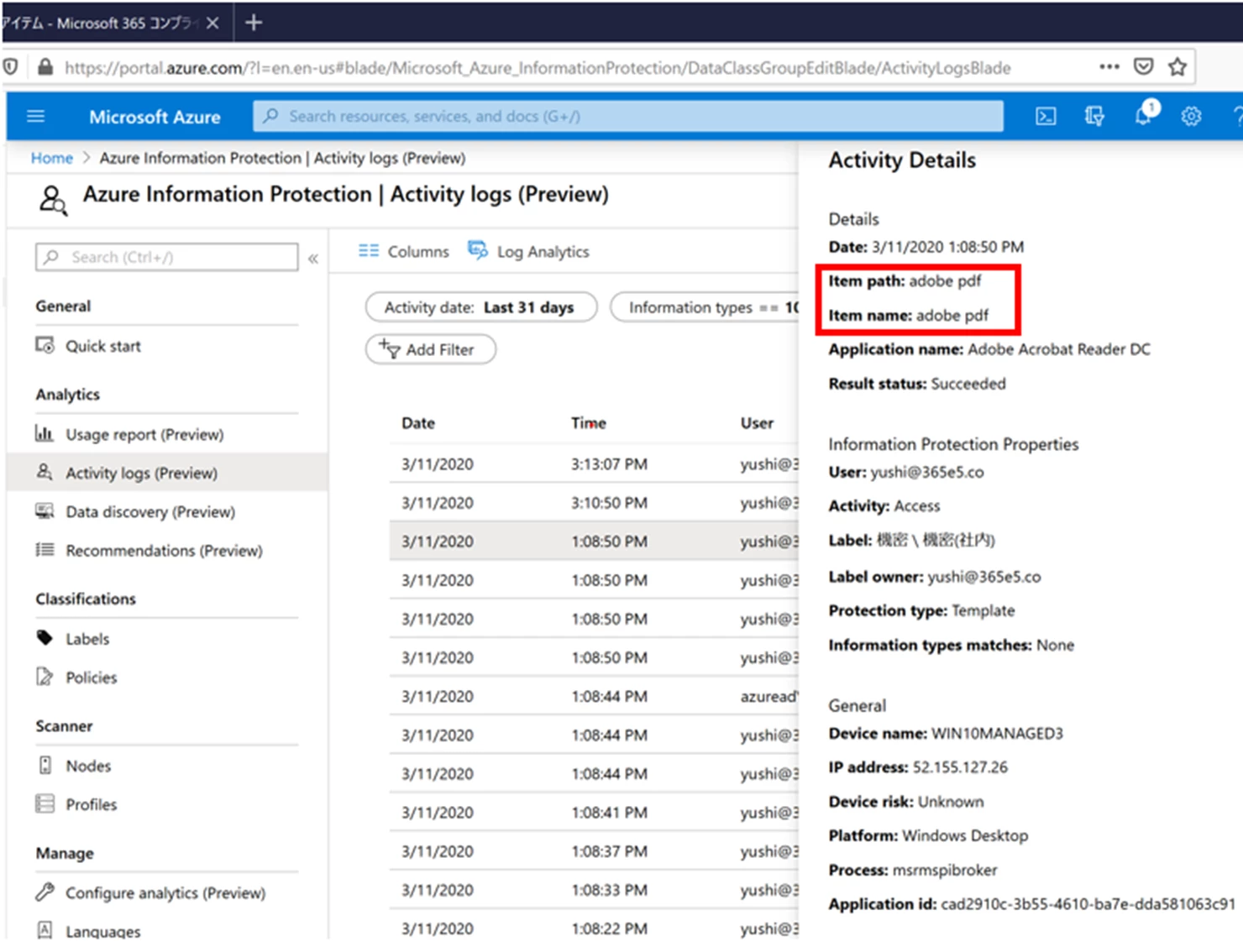
Issue 2. When I access protected PDF files, "Item path" and "Item name" are not correctly recorded at the AIP central reporting sites which are managed by Microsoft for tacking every access to protected files. Just "adobe pdf" is recorded in both fields. And two entries were recorded per a access. This seems MIP plug-in is not using correctly MIP SDK for decrypting AIP protected PDF documents and not reporting correctly required document information to Microsoft.
About Central Reporting
https://docs.microsoft.com/en-us/azure/information-protection/reports-aip
What I'm seeing in my AIP central reporting site. "Item path" and "Item name" fields were not showing information about actual accessed PDF files.
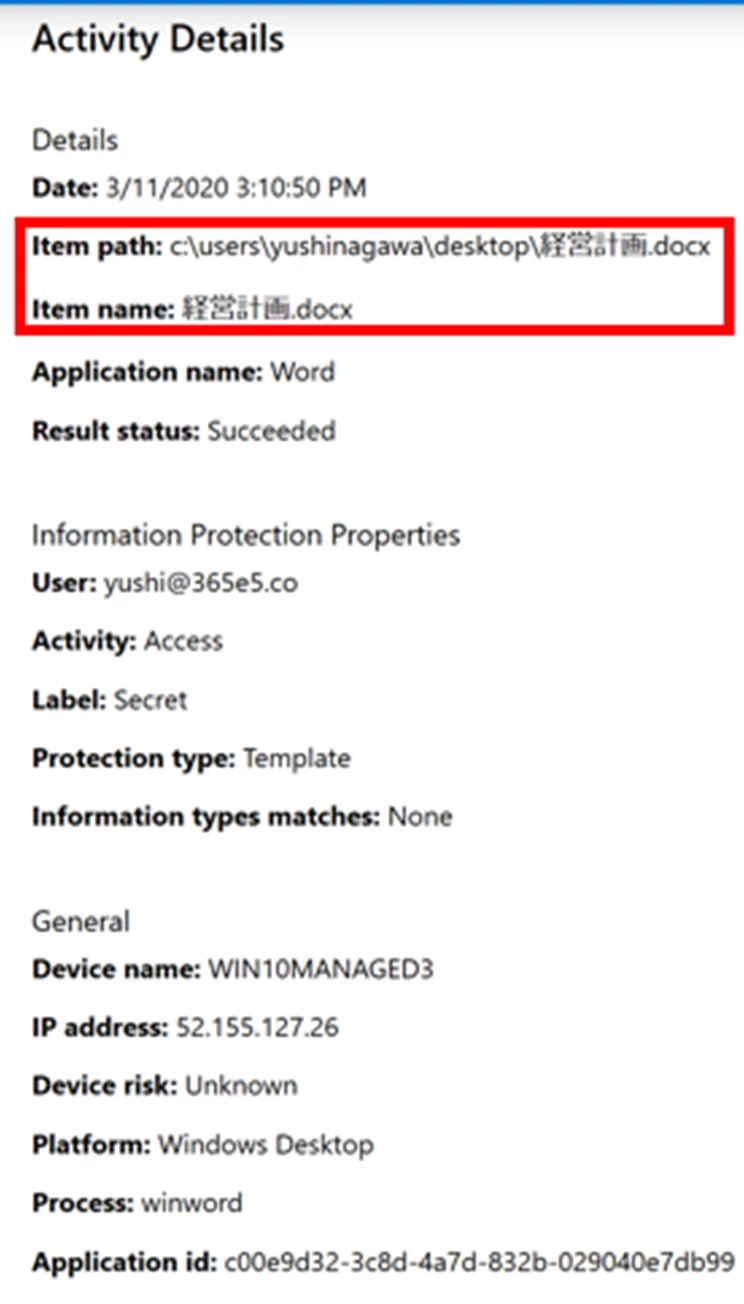
When I accessed Word files, “Item path” and “Item name” were recoded expectedly.
 AdChoices