


New Participant
June 18, 2020
Question

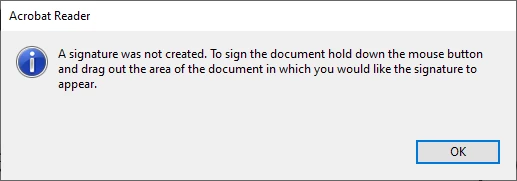
A signature was not created message

  • June 18, 2020
  • 2 replies
  • 9625 views

Hi,

it apeared an message while I want to pdf file sign digitaly. I choose tool Digitally sign, with cross cursor I want to click and move mouse and this message appears. Certificate is valid.

I reinstalled Adobe reader to the last version

Some months ago was it OK. 

Please advise me, thank you, Ales


2 replies

New Participant
April 10, 2023

Go to Tools and Remove the Certificate Option. Close the Acrobat Application, re-open, go back to Tools and add the Certificates module. You should be able to sign now. 

Amal.
Community Manager
Community Manager
June 20, 2020

Hi there


We are sorry for  the touble. AS described yoiu are unable to sign the PDF file.


Would you mind sharing the steps you are doing to sign the PDF?


Also what is the version of the Adobe Acrobat Reader DC you are using? To check the version go to Help > About Adobe Acrobat Reader and make sure you have the latest version 20.009.20067 installled. Go to Help > Check for Updates.


Is this a behavior with aparticular PDF file or with all the PDFs? Please try to sign a different PDF file and check.


you may also refer to the help page Sign PDFs in Adobe Acrobat Reader. and see if that helps.


Let us know how it goes


Regards

Amal

New Participant
June 20, 2020

Hi there,

I found out interesting thing: I can digitaly sign any pdf document for the first time I open Adobe reader after loging to my account. For the second time I cannot sign it or other documents. Message see above in my first post. I am using the last adobe acrobat reader 2020.009.20067. I used czech version and tried reinstall to english version. Cannot sign with the same message.

Thank you for respopnse

Ales


Amal.
Community Manager
Community Manager
June 25, 2020

Hi Ales,


We are sorry to hear that.


Please try to repair the installation (For Windows Only) and see if that makes any difference. Go to Help > Repair Installation.


If it still doesn't work, please create a new test  user profile with full admin rights in Windows or enable the root account in Mac and try using the application there and check.


If it still doesn't work, please remove the application using the Acrobat Cleaner Tool  https://labs.adobe.com/downloads/acrobatcleaner.html , reboot the compouter and reinstall the application using the link https://helpx.adobe.com/in/download-install/kb/acrobat-downloads.html


Regards

Amal