


Participant
June 5, 2023
Question

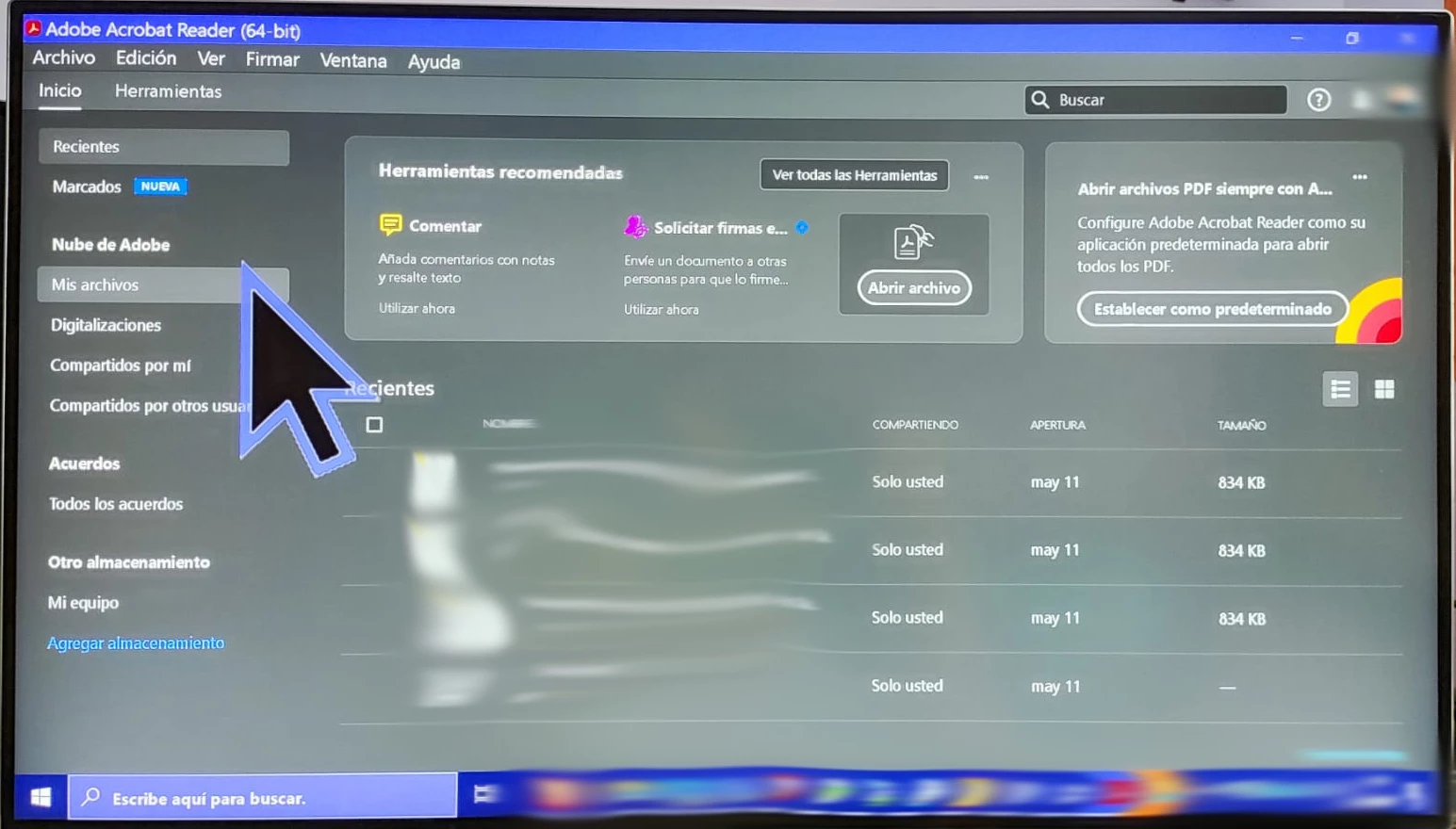
Accesibility problems: Mouse cursor too big
  • June 5, 2023
  • 1 reply
  • 1385 views

 I have visual impairment and I use ZoomText 2023. All the PC works perfectly, but Adobe. Please, I beg you, add an option to leave the current cursor size intact.I cannot work with this big arrow in the screen and disabling ZoomText makes me force my eyes too much to work.

This topic has been closed for replies.

1 reply

AkanchhaS8194121
Legend
June 6, 2023

Hi @Daniel30296557bbfy 


Sorry to hear about the trouble caused.

Does this cursor show this big only in Acrobat Reader with ZoomText? In ZoomText, there's an option to resize the pointer size. Could you try setting it up-to some other size and see if that stays intact?


We are unsure about the ZoomText compatibility with the Acrobat/Reader desktop app. It might not be compatible with it. Acrobat uses its inbuilt cursor/select tool and Hand tool, not the system one.

Try switching Select Tool to Hand Tool in Acrobat and see if that also zoomed this much or not. 


As a suggestion, double-check whether you have updated ZoomText and Acrobat versions.

Go to Acrobat> Help > Check for updates and reboot the computer once (you must save all the work before restarting)

and 

Navigate to Acrobat>Edit>Preferences>Security (Enhanced)>disable  "Protected View" and "Enhanced Security">OK>close and reopen Acrobat

Note: these changes are only for testing purposes. Once tested, please change it back to the previous setting. 


Thanks,

Akanchha

Participant
June 7, 2023

Hi. Thanks for the answer. I'm afraid it's the program itself. When I use the program, even disabling ZoomText, the mouse cursor changes when is above the Adobe Windows and only above it. When I move the cursor down, to the taskbar, I see my original cursor as pretended. All the programs I use leave the mouse cursor untouched but Adobe. I change the color and size because I literally loose it all the time.


When I activate Zoomtext and the cursor is in another window or the taskbar, it's normal size. When is above the Adobe window, tue cursor becomes this big, the arrow, the hand and all of them. Forcing mouse cursor changes is a problem for us people with visual impairment. Please, ask an option to leave it with the Windows profile.


Thanks

haglerud
Participant
October 18, 2023

Was thus ever resolved? I'm having the exact same problem?