


matteob495
New Participant
August 2, 2018
Answered

Acrobat Reader DC requires a font package to correctly display a .pdf file

  • August 2, 2018
  • 2 replies
  • 167654 views

Hi everybody,

I have a problem with Adobe Acrobat Reader DC. When I try to open a .pdf file Acrobat says that is required a font package to correctly display the document.

The screenshot of the pop-up is here:
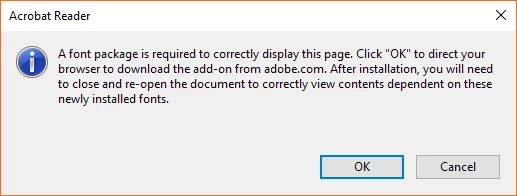
When I click "OK", my browser says that is impossible to load the Internet page (the internet page is corrupted?).

So...What can I do with this issue? How can I download this required font package?

P.S. I look into my .pdf document's proprieties and the font that it uses are these:
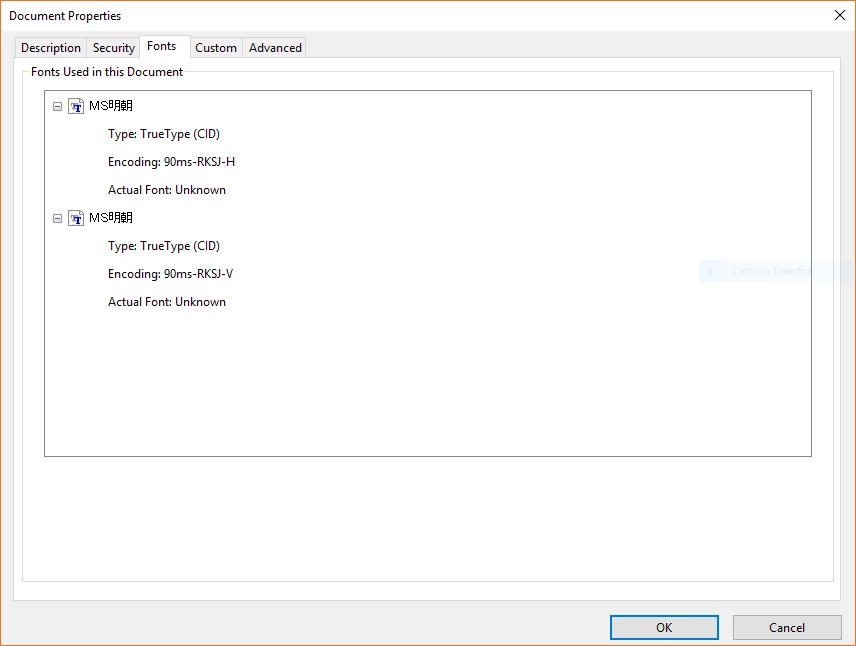
I'm Italian and normaly I use the italian version of Adobe Reader DC on my Windows 10 PC.

This topic has been closed for replies.
Correct answer Test Screen Name

I think this is what you need: Adobe - Adobe Reader : For Windows : Adobe Acrobat Reader DC Font Pack (Continuous)  You might find the document is all in Japanese.

2 replies

New Participant
March 16, 2021

I've gotten this message twice in our office all from outside scanned documents attched to emails.  We are getting them through Outlook which gives us a normal preview of the scan within email, and also allows us to print with a the quick print option but prints a blank page.  Adobe reader DC wont open them, the docs aren't using any fonts what so ever, yet prompts for a the font package update. 

Test Screen NameCorrect answer
Brainiac
August 2, 2018

I think this is what you need: Adobe - Adobe Reader : For Windows : Adobe Acrobat Reader DC Font Pack (Continuous)  You might find the document is all in Japanese.

New Participant
February 28, 2020

I am having the same issue.  The .pdf was emailed to me.  I attempted the solution above but I have a newer version of Adobe Acrobat Reader DC - I have 2020.006.20034 version.  Any suggestions to enable me to fix this?

ChuckFee
New Participant
May 19, 2020

Open the document in a web browser (like Chrome).  If the document displays correctly then print it to PDF and save another copy.  That resolved this for me.