


Acrobat Reader Sign in Issue
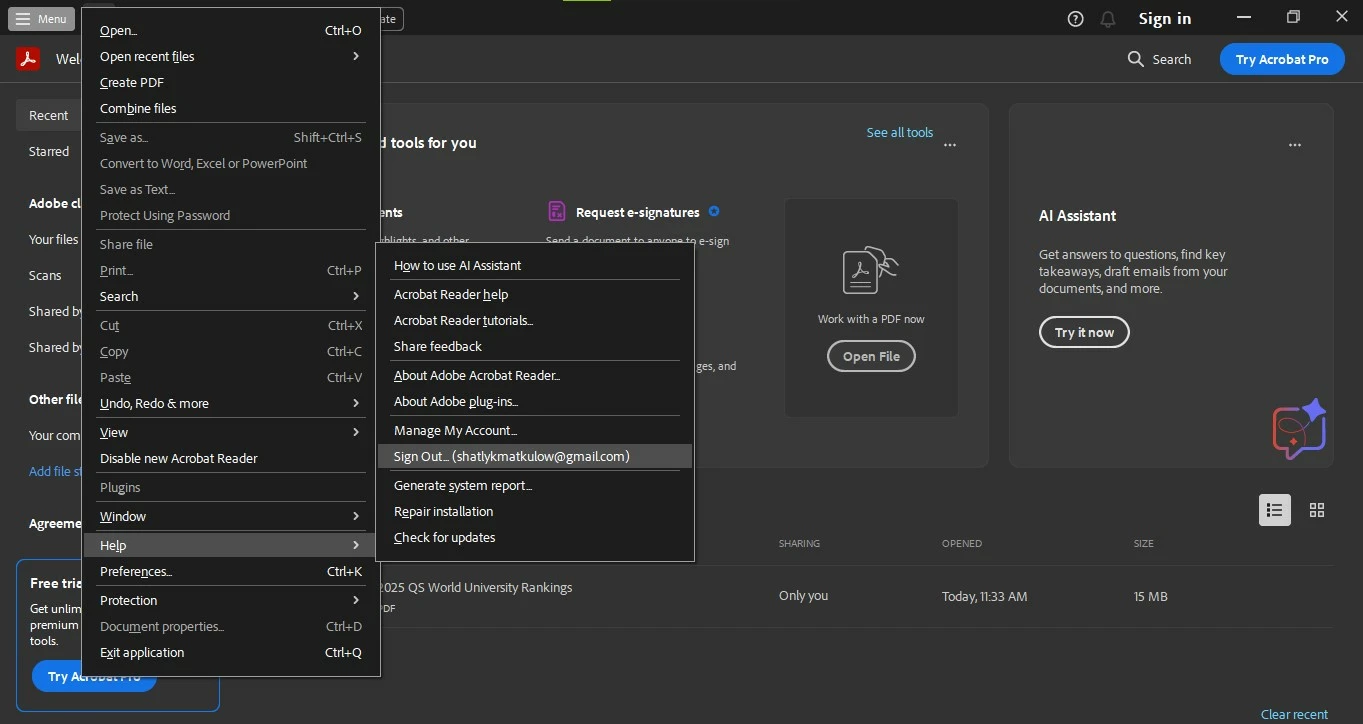
I was trying to use some tools in Acrobat Reader on my Windows 10 PC, but it required me to sign in. However, I noticed that I was already signed in, as shown in Menu > Help > Sign Out (Moderator: Email address removed due to security and privacy concerns). Despite this, the "Sign in" option is still displayed in the top right corner of the screen, and clicking on it does nothing. I’m still unable to use the tools because it says I’m "signed out," whatever that means.
I’ve already tried the Help > Repair Installation and Help > Check for Updates options as recommended in similar posts. I also tried signing out and signing back in, but the "Sign in" button still appears in the top right corner.
Any help would be greatly appreciated. Thank you!
 AdChoices