


Participant
January 15, 2019
Answered

Adobe Acrobat Reader DC: Blank Error Message

  • January 15, 2019
  • 1 reply
  • 4356 views

Hi,

I downloaded Adobe Acrobat Reader DC from this link: Adobe Acrobat Reader DC Install for all versions

Once I've successfully installed and launched the Adobe Reader, it shows blank error message and blank message on its features except for its menu. However, I'm unable to access 'Edit > Preference' as well. As shown below is the display of my Adobe Acrobat Reader.
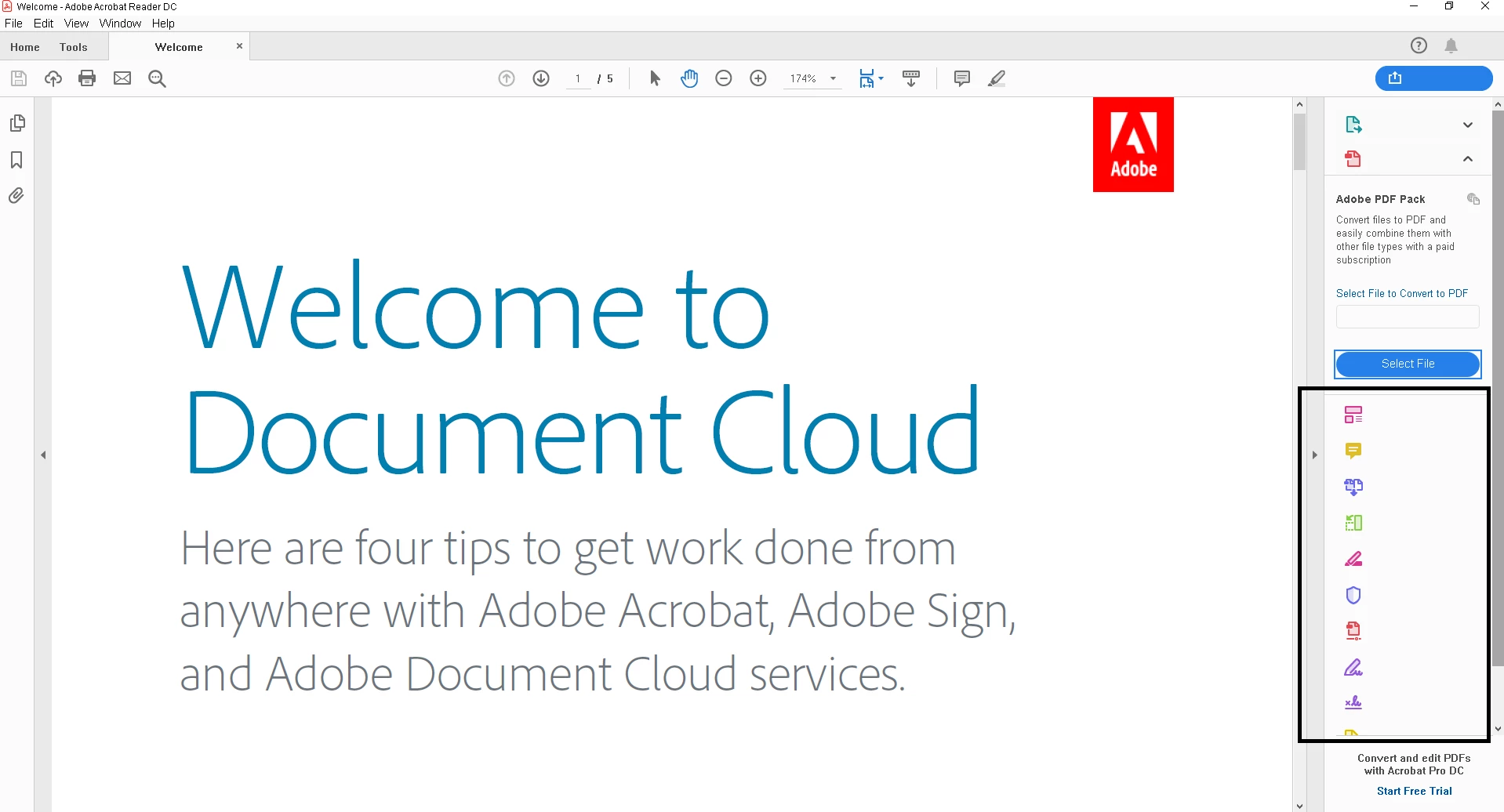
I tried 1) Uninstall and Reinstall Adobe Acrobat Reader DC, 2) Repair Installation 3) Check for Updates. It does not work at all!

I hope there's alternative options that will be able to fix this issue.

[mod: moved to Acrobat Reader forum]

This topic has been closed for replies.
Correct answer Tariq Ahmad

Hi Mizah22,

Sorry for the inconvenience caused.

I am guessing this might be related to fonts. Please check the suggestions from this link Blank dialog boxes and missing text from Acrobat interface and let us know if that helps any.

Also, to go to Preference, you can try keyboard shortcut = Ctrl + K.

Let us know if that helps.

-Tariq Dar

1 reply

Tariq AhmadCommunity ManagerCorrect answer
Community Manager
January 15, 2019

Hi Mizah22,

Sorry for the inconvenience caused.

I am guessing this might be related to fonts. Please check the suggestions from this link Blank dialog boxes and missing text from Acrobat interface and let us know if that helps any.

Also, to go to Preference, you can try keyboard shortcut = Ctrl + K.

Let us know if that helps.

-Tariq Dar

mizah22Author
Participant
January 17, 2019

Thank you so much for your help! It worked!

Community Manager
January 18, 2019

Thank you for the confirmation. Happy to help