


Exit
  • Global community
    • Language:
      • Deutsch
      • English
      • Español
      • Français
      • Português
  • 日本語コミュニティ
  • 한국 커뮤니티
0

Adobe Acrobat Reader DC Stops Working

New Here ,
Feb 05, 2020 Feb 05, 2020

Our Adobe Acrobat Reader DC Installations Crash when opening the Program.

Version: 19.21.20058Crash.jpg
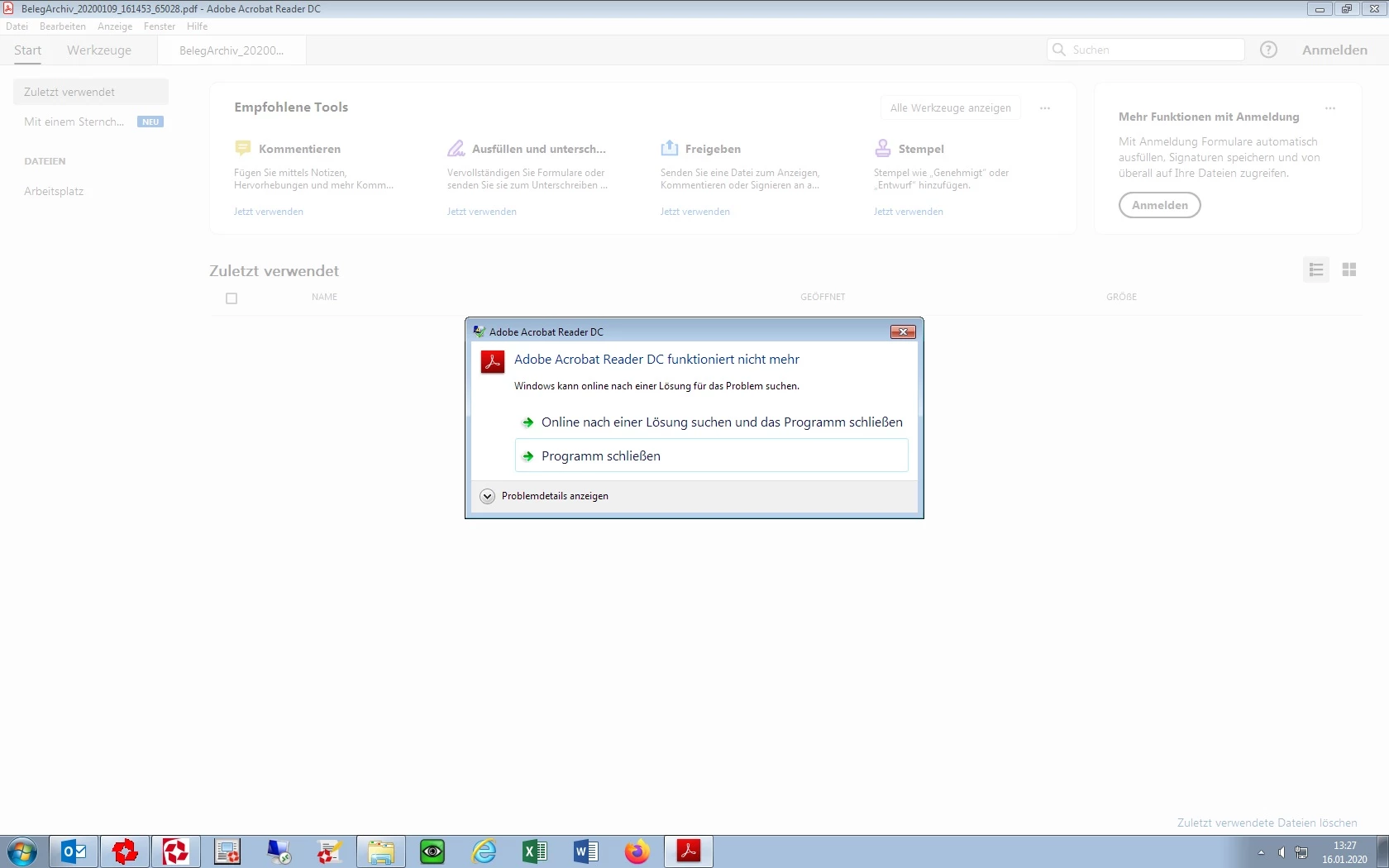
The Event Viewer shows this:

Name der fehlerhaften Anwendung: AcroRd32.exe, Version: 19.21.20058.31925, Zeitstempel: 0x5de57e8f

Name des fehlerhaften Moduls: AcroRd32.dll, Version: 19.21.20058.31925, Zeitstempel: 0x5de57e80

Ausnahmecode: 0xc0000005

Fehleroffset: 0x001fbc49

ID des fehlerhaften Prozesses: 0x218

Startzeit der fehlerhaften Anwendung: 0x01d5cad815371d44

Pfad der fehlerhaften Anwendung: C:\Program Files (x86)\Adobe\Acrobat Reader DC\Reader\AcroRd32.exe

Pfad des fehlerhaften Moduls: C:\Program Files (x86)\Adobe\Acrobat Reader DC\Reader\AcroRd32.dll

Berichtskennung: 54203f04-36cb-11ea-ad99-64006a8d715a


What we found out is that the Problem always apperas when the Start Page of the Program is shown.

If a Document is opened the Program is working. But a Document with Password also don't work because the Start Page is shown in Background when the Passwort Prompt is shown.


Anyone in this Community who can Help?

Thanks

TOPICS
Crash or freeze
1.3K
Translate
Report
Community guidelines
Be kind and respectful, give credit to the original source of content, and search for duplicates before posting. Learn more
community guidelines

correct answers 1 Correct answer

Adobe Employee , Feb 07, 2020 Feb 07, 2020

Hey there,


Thanks for reaching out to Acrobat Community. 

I see that Adobe Acrobat Reader is freezing upon launching it, and the version you have got is 19.21.20058. Its not  quite old, but yes there's further patch was released in Dec2019. We'd recommend to install that as well 19.021.20061

...
Translate
Adobe Employee ,
Feb 07, 2020 Feb 07, 2020

Hey there,


Thanks for reaching out to Acrobat Community. 

I see that Adobe Acrobat Reader is freezing upon launching it, and the version you have got is 19.21.20058. Its not  quite old, but yes there's further patch was released in Dec2019. We'd recommend to install that as well 19.021.20061

Note: Changing the above security settings could pose security risks. We suggest you to turn it back On once you are done with testing.


Thanks,

Akanchha


Translate
Report
Community guidelines
Be kind and respectful, give credit to the original source of content, and search for duplicates before posting. Learn more
community guidelines
New Here ,
Feb 13, 2020 Feb 13, 2020

Hi Akanchha,


Thanks the Patch is working.


Greetings

Michael

Translate
Report
Community guidelines
Be kind and respectful, give credit to the original source of content, and search for duplicates before posting. Learn more
community guidelines
Adobe Employee ,
Feb 14, 2020 Feb 14, 2020
LATEST

Awesome!!

Thanks for confirming Michael. Glad to hear it worked for you.


Let us know if there's any further assistance is required. 


Thanks,

Akanchha


Translate
Report
Community guidelines
Be kind and respectful, give credit to the original source of content, and search for duplicates before posting. Learn more
community guidelines