
Copy link to clipboard
Copied
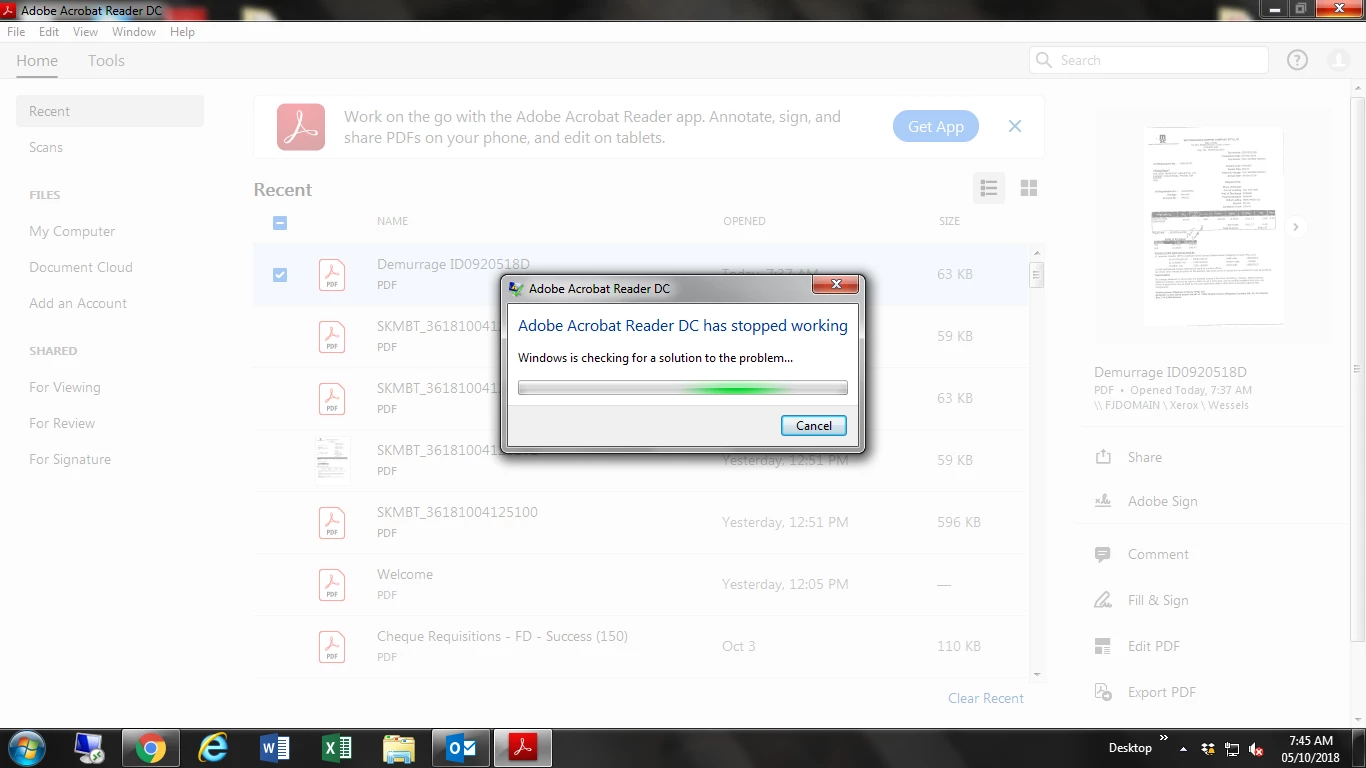
My Adobe DC updated to version 2019.008.20071 yesterday, and now it keeps crashing.
I open a pdf file, and before I can even view or read it, never mind print it, Adobe crashes!
I have tried uninstalling and reinstalling. Same thing.
I have tried repairing the installation. Same thing.
I have tried editing preferences as suggested in the help sections.... this took about 4 tries as it keeps crashing. Still crashes!
I have tried every single solution I can find, and Adobe is still crashing!
Someone please help me fix this!
There's no actual error code, all it says is it has stopped working... and it only takes a few seconds after opening before it crashes.
Copy link to clipboard
Copied
Does anyone have a fix or suggestion??
I can't even install an older version, as it only gives me the option for this version that just keeps crashing.
I am using this at work, and it is now affecting my ability to work as I can't even get ADOBE Reader to stay open long enough to print a document!
Very Frustrated right now!
Copy link to clipboard
Copied
Seriously! This 'bug' is unacceptable and should have been caught with basic testing before release. Also, my campus is having a faculty-wide workshop with Adobe Acrobat Professionals for training in a couple of days. It's going to be embarrassing when everyone can't keep the application from crashing.
Copy link to clipboard
Copied
Hi All,
We acknowledge the issue and Adobe Acrobat and Reader official update (19.008.20074) containing the fix for this issue is now available. This update will be automatically pushed to all existing installations of Acrobat and Reader. If you want, you may also manually trigger the update early by opening the application and going to Help > Check for Updates.
More information about this release is here: 19.008.20074 Optional update, October 08, 2018 — Release Notes for Acrobat DC Products
Please try it out and let us know your feedback.
Thanks for your patience and support!
Regards
Ayush Jain
Copy link to clipboard
Copied
I Have installed the fix, and will keep an eye on it.
Hoping this does solve the issue as you have said.
Thank you for responding!
Copy link to clipboard
Copied
My application is still crashing in a few seconds on both Windows and MacOS. Nothing changed in regards to stability.
Copy link to clipboard
Copied
Hi ,
Sorry for the issue that you are facing while using Adobe Acrobat/Reader.
I would request you to kindly share the Crash dumps when Reader Crashes for you.
Here is how you can collect the crash dump :
When Reader Crashes (If you get this error message "Adobe Reader has stopped working") , Can you please share with us the Crash Logs .
For Getting the Crash Logs:
a. When Acrobat Reader Crashes , Open Windows Task Manager
b. -> Got To Processes, There you can see a process "Adobe Acrobat Reader DC" / AcroRd32.exe
c. Right Click on this process and click "Create Dump File"
d. Dump file will be created in the Temp folder of the user (as specified on the dialog you get after creating dump files).
e. Save this DMP file on any Cloud Storage and Share the link for that with us on mail at [Moderator: Personal information removed, try private messaging: How Do I Send Private Message ]
For Mac:
When Application crashes for you, Share the "Crash Report" that appears in the Dialog once application crashes for you.

We will try to analyze your issue on priority once you share this information with us.
Thanks,
Ayush Jain
Copy link to clipboard
Copied
19.008.20074 has not fixed the crashing issues.
Worse I get no error when the program crashes. This is happening to me when scanning from my Brother MFC machine. After a scan, the program just exits. Only once has it offered to recover the file and every other time all scans from my last save were lost and have to be scanned again.
This is a workflow killer! All monthly subscription fees should be refunded and subsequently waived until Adobe can deliver a stable and working Adobe Acrobat DC to its paying customers!
If you think a crash dump report will still help, I will try and send you one the next time the program quits... which seems to be all the time when I have a lot of scanning to do.
If you want to see if customer service can do something for me in the meantime, it would be appreciated!
There have been a lot of undesirable "updates" to the program interface lately it seems. The Recent files list on the home screen now including Send For Signature sign files being one of them which cannot be cleared. Why!? Some of these are 2-3 years old, certainly not recent!
Copy link to clipboard
Copied
So true to my word the program just crashed again (check time stamp between my posts), it took 7 minutes and I lost 4 more scans - I was living dangerous by not saving the file each scan. I had to come back to post hence why there is more time in between than stated.
There is no message "*program* has stopped working" it just shuts down instantly.
A quick look at task manager and I cannot find acrobat still running. I had to reopen the program in order to list it under apps and create the dump file. As promised I am emailing the link to this file from my OneDrive. I do hope it has anything useful. Please see my requests on the shared file and kindly get back to me here.
Thanks for the help Ayush, and anyone else that helps out with this issue! Appreciate it so very much.
Copy link to clipboard
Copied
Hi
Might be there is some issues in your hardware and software. So check it on regular basis to avoid such situations. Also see whether your system requirement is compatible.
Copy link to clipboard
Copied
I cannot speak for the OP but my hardware and software are updated and issue free prior to this latest Acrobat DC update and subsequent hotfix. My system requirement is more than compatible. Thank you.
Copy link to clipboard
Copied
This has been one month ago why isn't there a solution yet. It's unbelievable.
Copy link to clipboard
Copied
I've experienced similar problems. For some forms created in LiveCycle ES4 I've found that loadXML method triggers the shutdown when code reaches the line xfa.datasets.data.loadXML(xmlData,1,1). For others, I've no idea since Reader doesn't provide any info on error. It just closes. All I can do is suggest users to download earlier versions (e.g. 18) from this site: ftp://ftp.adobe.com/pub/adobe/reader/win/AcrobatDC/ There is obviously some serious bug in version 19 and I hope Adobe team will solve this soon.
Copy link to clipboard
Copied
I am having this problem and then some.. Adobe DC crashes:
- when I try to extract pages
- when I try to open a pdf when there is already one open
- it was also giving me error messages that it couldn't connect to my server or my scan drives*
- it preveted me from printing any pdf files *
- I couldn't open a pdf unless I went through the Adobe menus. *
My IT guy fixed all the ones with "*" at the end but this is insane to me that Adobe is having these issues and NOTHING has been done about it.... It seems to be an issue with the latest update and windows 10 if that helps anyone. He also said something about chaning Admin settings (i think..)
I really wish Adobe would fix these problems especially considering we're all paying to use a program that is cutting our production down.
Copy link to clipboard
Copied
I have the same problem. Adobe Reader DC crashes about 15 seconds after opening. This has only happened after the Windows October update was installed. I checked the error log and show it below -
Faulting application name: AcroRd32.exe, version: 19.10.20064.48846, time stamp: 0x5c06cd7c
Faulting module name: ucrtbase.dll, version: 10.0.17763.1, time stamp: 0xc3ae1887
Exception code: 0xc0000409
Fault offset: 0x000a5d0b
Faulting process ID: 0x14fc
Faulting application start time: 0x01d4992f728f624a
Faulting application path: C:\Program Files (x86)\Adobe\Acrobat Reader DC\Reader\AcroRd32.exe
Faulting module path: C:\WINDOWS\System32\ucrtbase.dll
Report ID: 4d711a4e-bef7-4f90-9847-36bd3db27bcd
Faulting package full name:
Faulting package-relative application ID:
I have tried reinstalling, cleaning etc but nothing works
Copy link to clipboard
Copied
Hi All,
I've experienced the problem with Reader DC crashing that is very similar to the problems described by others on this thread. Fortunately, I've discovered what seems to be a bit of a workaround, which I share below in the hope that it might help others.
Description of the problem
Adobe Software: Adobe Acrobat Reader DC, Continuous Release, Version 2019.010.20064
Operating system: Windows 10, version 1803
Most recent quality update: 20 Dec 2018, KB4483234)
After launching Reader DC, the program shuts down after about 10-20 seconds. I get no error message.
I have uninstalled Reader DC using the Cleaner and then re-installed Reader DC. This did not help.
I have checked for updates (Help \ Check for updates). This did not help as there were no updates available (which is not surprising since I had just downloaded the most recent version).
Workaround
Disconnect your computer from the internet.
Launch Adobe Acrobat Reader DC
Wait about 30-60 seconds
Reconnect to the internet
Use the instance of Reader DC that you launched above while disconnected from the internet as normal. HOWEVER, do not close this instance of Reader DC because if you close it and then relaunch a fresh instance of Reader DC while connected to the internet, Reader DC will crash as before.
If you feel the need, you can manually check for updates with Reader DC via the drop down Help menu ("Check for updates").
Workflow example: If you use Reader DC periodically throughout the day, you can launch Reader DC following the protocol described above in the morning, and then just be careful not to close that instance of Reader DC during the day. Of course, if you shut down your computer every night, then you will have to follow the steps above on those days when you use Reader DC.
Copy link to clipboard
Copied
Solved for me in this thread https://forums.adobe.com/thread/2542639 by vdobhal. Involves replacing the PPKLite plug in.
Worked for me.
Copy link to clipboard
Copied
Somerledthesecond,
Thank you so much for your post. I tried the solution involving the PPKLite file proposed by vdobhal in the other thread (see the link in Somerledthesecond's email above), and it also worked for me.
Copy link to clipboard
Copied
I work on a Mac. I cannot find any PPKLite file on my computer to replace. Where is it on a Mac? I even did a search but to no avail.
Copy link to clipboard
Copied
sorry - don't know anything about Macs. You'll need somebody familiar with them.
Copy link to clipboard
Copied
Any luck on the Mac fix as yet?
It keeps happening to me..
Copy link to clipboard
Copied
I finally found a fix for the issue I was having with Adobe crashing all the time. I had Ctrl + Shift + S bound to a key for a screenshot program that conflicted with the shortcut for Save As within Adobe. It never crashed at same time that I used the shortcut so I never put two and two together. But it was causing daily crashes for me. I suggest checking to see if you bind any programs within Windows to a keyboard shortcut that may be shared within Adobe. I had one year of frustration dealing with IT and Adobe with no fixes ever for it, but finally we figured out the shortcut issue when I changed screenshot programs.
Copy link to clipboard
Copied
I have just resolved seemingly the same issue on a PC that one of our users was having. The difference (possibly) is that when I logged in as myself I didn't have the issue so it was profile specific. I tried updating to the very latest version of DC and I tried repairing the install etc to no avail. I eventually resolved the issue by closing Reader DC and browsing to:
C:\Users\%USER%\AppData\Local\Adobe\Acrobat\ and deleting the "DC" folder from there completely. When I re-opened Acrobat DC it recreated the DC folder but this time it didn't crash.
I hope this helps some of you.
Get ready! An upgraded Adobe Community experience is coming in January.
Learn more