


Participating Frequently
April 17, 2024
Question

Adobe Reader has stopped working

  • April 17, 2024
  • 11 replies
  • 22484 views

Log Name:      Application

Adobe Reader keeps crashing after an update on 04/12/2024.
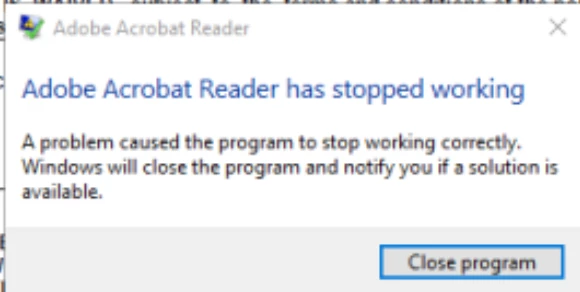
 

How can I resolve this issue?


Source:        Application Error

Date:          4/16/2024 4:54:23 PM

Event ID:      1000

Task Category: (100)

Level:         Error

Keywords:      Classic

User:          N/A

Computer:      RDS.domain.com

Description:

Faulting application name: AcroRd32.exe, version: 24.2.20687.0, time stamp: 0x66171c08

Faulting module name: AcroRd32.dll, version: 24.2.20687.0, time stamp: 0x66171c02

Exception code: 0xc000041d

Fault offset: 0x00404d8c

Faulting process id: 0x8074

Faulting application start time: 0x01da904038013197

Faulting application path: C:\Program Files (x86)\Adobe\Acrobat Reader DC\Reader\AcroRd32.exe

Faulting module path: C:\Program Files (x86)\Adobe\Acrobat Reader DC\Reader\AcroRd32.dll

Report Id: 9ece0810-29e2-467c-942d-390c34d91fac

Faulting package full name:

Faulting package-relative application ID:

Event Xml:

<Event xmlns="http://schemas.microsoft.com/win/2004/08/events/event">

  <System>

    <Provider Name="Application Error" />

    <EventID Qualifiers="0">1000</EventID>

    <Level>2</Level>

    <Task>100</Task>

    <Keywords>0x80000000000000</Keywords>

    <TimeCreated SystemTime="2024-04-16T20:54:23.487735300Z" />

    <EventRecordID>1382329</EventRecordID>

    <Channel>Application</Channel>

    <Computer>RDS.domain.com</Computer>

    <Security />

  </System>

  <EventData>

    <Data>AcroRd32.exe</Data>

    <Data>24.2.20687.0</Data>

    <Data>66171c08</Data>

    <Data>AcroRd32.dll</Data>

    <Data>24.2.20687.0</Data>

    <Data>66171c02</Data>

This topic has been closed for replies.

11 replies

Participating Frequently
May 8, 2024

Looking through the logs today and now I see a new error:

Faulting application name: AcroCEF.exe, version: 24.2.20736.0, time stamp: 0x66363e51
Faulting module name: libcef.dll, version: 112.5.0.0, time stamp: 0x631bae2d
Exception code: 0xc0000005
Fault offset: 0x00000000012c8289
Faulting process id: 0xb010
Faulting application start time: 0x01daa09389a69390
Faulting application path: C:\Program Files\Adobe\Acrobat DC\Acrobat\acrocef_1\AcroCEF.exe
Faulting module path: C:\Program Files\Adobe\Acrobat DC\Acrobat\acrocef_1\libcef.dll
Report Id: fd07eb30-cab6-48dc-8583-3fa20033c68a
Faulting package full name:
Faulting package-relative application ID:

Participating Frequently
May 8, 2024

I can confirm version: 24.2.20736.0 has the same exact issue

Crashes with the same error


Faulting application name: Acrobat.exe, version: 24.2.20736.0, time stamp: 0x66365a08
Faulting module name: Acrobat.dll, version: 24.2.20736.0, time stamp: 0x66365a01
Exception code: 0xc0000005
Fault offset: 0x00000000008fbeeb
Faulting process id: 0xae6c
Faulting application start time: 0x01daa14dd4cb3dca
Faulting application path: C:\Program Files\Adobe\Acrobat DC\Acrobat\Acrobat.exe
Faulting module path: C:\Program Files\Adobe\Acrobat DC\Acrobat\Acrobat.dll
Report Id: 2fac1377-7503-43b6-9754-2111b697be60
Faulting package full name:
Faulting package-relative application ID


Participating Frequently
May 21, 2024

Here is my resolution to this.

Install FOXIT reader on the RDS and that is what users will use when they need to view a PDF

Adobe PRO license for those that need to edit PDF deployed through GPO

or

Adobe PRO license for everyone and call it a day

Participating Frequently
May 7, 2024

a recent optional update to Adobe Reader has just came out on May 5 - version 24.002.20736.
download & test this new update from here as to whether or not the crashing problem is fixed with this update.

Participating Frequently
May 7, 2024

Unfortunately we're still seeing the same crashes with this latest version. This really needs to be fixed ASAP.

Participant
May 2, 2024

Probable you all found this allready:

The work a round on here worked for us. Solved: Re: after closing adobe reader comes "Not Respond... - Adobe Community - 14560640

It is a manual solution for who is using adobe reader on the RDS servers:

The problem is the ad on the left  and I had also a problem with the wizard that was not finished.

It takes some time to load the ad and when I tried to close adobe before it was loaded there is a crash.

When I wait till it is visible adobe reader works fine.

To solve this go to Menu and click on Disable new Acrobat Reader.  It was fixed for me.

If there is an option to set this as default for all the RDS users that would be nice.


ewaldb45115194
Participant
May 6, 2024

I'll post the workaround also here:

Manual Workaround:
After opening Adobe Reader
Klick on "Menu"->"Disable new Acrobat Reader"
After Adobe Reader restarted, the issue should be solved.

Multiuser-Rollout of the Workaround:

In the registry this is the following setting:

[HKEY_CURRENT_USER\Software\Adobe\Acrobat Reader\DC\AVGeneral]
"bEnableAV2"=dword:00000000

Value 00000000 = old UI

Value 00000001 = new UI


You can roll this out to all affected users on the RDS servers through Group Policy Preferences.

Participant
August 9, 2024

Update - Sent out emails to 30 users to try work around - Only 1 confirmed they applied the fix. 
Waiting on others > Will monitor. 

Participant
April 26, 2024

Bump! Glad I'm not alone! 

Event Viewer:

- <Event xmlns="http://schemas.microsoft.com/win/2004/08/events/event">
- <System>
<Provider Name="Application Error" Guid="{a0e9b465-b939-57d7-b27d-95d8e925ff57}" />
<EventID>1000</EventID>
<Version>0</Version>
<Level>2</Level>
<Task>100</Task>
<Opcode>0</Opcode>
<Keywords>0x8000000000000000</Keywords>
<TimeCreated SystemTime="2024-04-26T16:53:41.4725380Z" />
<EventRecordID>22455</EventRecordID>
<Correlation />
<Execution ProcessID="26456" ThreadID="21332" />
<Channel>Application</Channel>
<Computer>X</Computer>
<Security UserID="S-1-12-1-X" />
</System>
- <EventData>
<Data Name="AppName">Acrobat.exe</Data>
<Data Name="AppVersion">24.2.20687.0</Data>
<Data Name="AppTimeStamp">66172090</Data>
<Data Name="ModuleName">Acrobat.dll</Data>
<Data Name="ModuleVersion">24.2.20687.0</Data>
<Data Name="ModuleTimeStamp">6617208a</Data>
<Data Name="ExceptionCode">c000041d</Data>
<Data Name="FaultingOffset">00000000008fd107</Data>
<Data Name="ProcessId">0x5fac</Data>
<Data Name="ProcessCreationTime">0x1da97fa47940aac</Data>
<Data Name="AppPath">C:\Program Files\Adobe\Acrobat DC\Acrobat\Acrobat.exe</Data>
<Data Name="ModulePath">C:\Program Files\Adobe\Acrobat DC\Acrobat\Acrobat.dll</Data>
<Data Name="IntegratorReportId">d666fd47-10b0-4070-aa18-a0d0fa081aa6</Data>
<Data Name="PackageFullName" />
<Data Name="PackageRelativeAppId" />
</EventData>
</Event>

Participant
April 29, 2024

Is there an update to this? We have deployed Adobe Reader auto update through Intune and the latest update causes app crashing unexpectedly. We need a automated permanent fix to 200+ machines currently experiencing the issue. We cant connect individually to each machine as the number of infected machine is huge. Thank you.

Meenakshi Negi
Community Manager
Community Manager
April 30, 2024

Hi April28456197f72w


Thank you for reaching out and reporting this.


The team is working on this. However, to investigate further, the team requires the logs to find the root cause. Please share the logs using the steps suggested in the following help document: https://helpx.adobe.com/acrobat/kb/collect-logs-crash-freeze.html


Thanks,

Meenakshi

Participating Frequently
April 25, 2024

For further context on this issue.


What does not work:

Reinstalling Adobe to an older

Reinstalling Adobe to a new version

Making changes to the registry

tonyt77930250
Participant
April 24, 2024

Same issue as
https://community.adobe.com/t5/acrobat-reader-discussions/after-closing-adobe-reader-comes-quot-not-responding-quot/td-p/14560640

Cause:
The issue is related to the box "Free 7-day trial" at bottom-left corner. If waiting long enough for the box to prompt out, reader should not be crashed. If closing reader before it prompt, reader will crash.
Adding the key bDontShowMsgWhenViewingDoc=0 in registry will not help fixing the issue. Thus, it is something backend related to that box caused the issue.
This issue only happen in 24.002.20687, rolling back to 24.001.20643 and adding bUpdater=0 in registry can be one of the temporary solutions

Workaround to solve issue without rolling back to previous version of Adobe Reader:
After opening Adobe Reader
Press "Menu"->"Disable new Acrobat"
After Adobe Reader restarted, the issue should be solved.
But this setting does not apply to all users in the same PC, you need to set it if another new user login to the same PC.

If you want to change back the UI some days later (after Adobe fixed the bug)
You can find "Enable new Acrobat Reader" in "View"

Participant
April 24, 2024

Thanks, we have the same problem on our server with Server 2016 (RDP). Hope this solution helps us.

Meenakshi Negi
Community Manager
Community Manager
April 23, 2024

Hi All,


Thank you for reaching out.


We are trying to get this checked. Could you please share the process dumps so we can share them with the team for investigation? You may collect the process dumps using the steps suggested here: https://adobe.ly/3xSl7OA.


Thanks,

Meenakshi

Participating Frequently
April 25, 2024

Where should I send the results of diagnostic?

Participating Frequently
April 25, 2024

Disregard previous message.  Log has been sent to Adobe for review.

Participant
April 23, 2024

Подтверждаю проблему.


Participant
April 22, 2024

We are struggling with the same problem here. We operate 10 RDS servers and distribute the applications via Citrix. For some time now, users have been reporting crashes when closing PDF documents. Does anyone have an idea? Latest Adobe version and Windows Server 2016

Participant
April 19, 2024

I just wanted to bump this, so that hopefully someone from Adobe can assist or at least bring this to the development teams attention. Thanks for the reddit post!