


New Participant
January 16, 2018
Answered

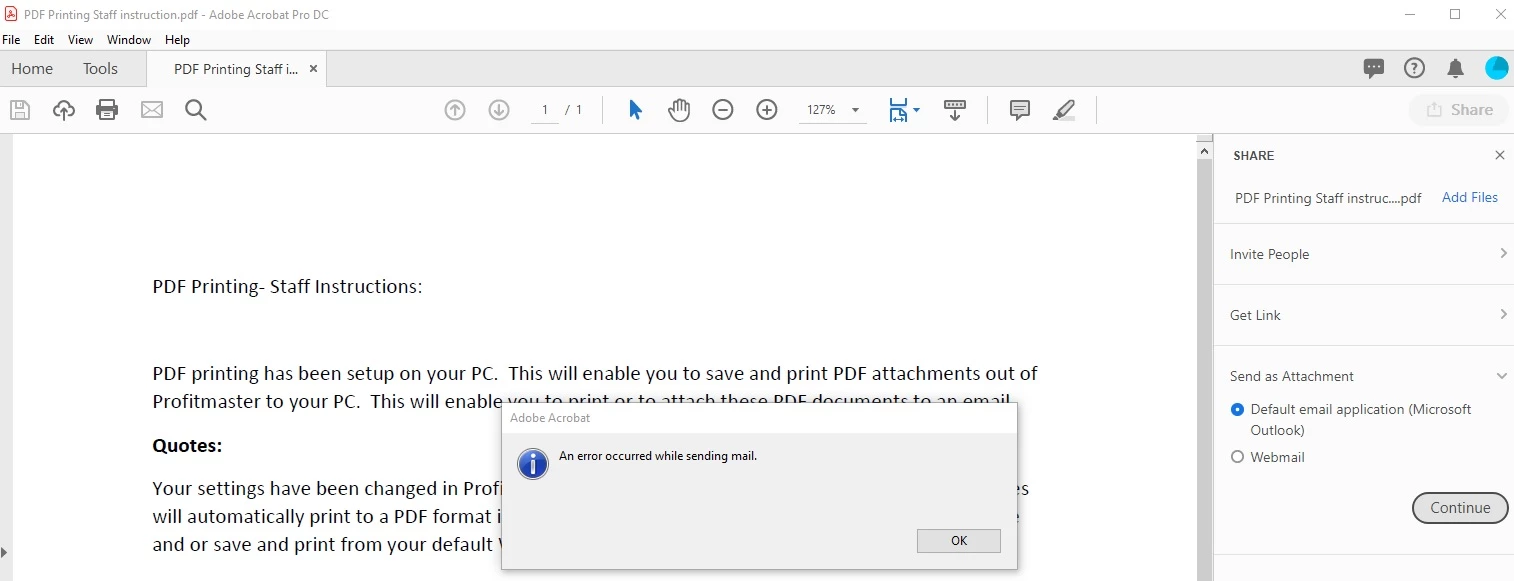
an error occurred while sending mail

  • January 16, 2018
  • 11 replies
  • 66831 views

Hello.

I get an issue when I press button "Send file as email attachment". An error says  "an error occurred while sending mail".

I want to attach into Outlook. Unfortunately, I have not found a solution on the Internet.

I tried:

1.Checked if outlook is setted as default email. Yes, it is setted.

2.Checked it if is true ( checked in regedit )

3.Checked if the file is not so big(size).

4.Un-ticked the check-box "Enable Enhanced Security" . Still didnt help

5.Checked if in preferences>Email account outlook is setted as default. It is.

I use outlook 2016.

Versions of my Adobe is 11.0.22

Please, really need your help. Trying to find a solution about 1 week.

Thank you.
    This topic has been closed for replies.
    Correct answer Tariq Ahmad

    This should not be marked assumed answered.

    Same problem, upgraded several of my users to Acrobat Pro DC today, we had the issue with the redirected with Reader DC and added the registry dword to fix it.

    With Acrobat Pro the new share feature is nice, but when selecting Send As Attachment getting this error.

    Windows 10. Pro Version 1809

    1. Restarted Computer,
    2. Uninstalled Reader DC - restarted PC.
    3. Checked Outlook 365 is default, in Registry and in Settings. Outlook Version: 1811 (Build11029.20079 Click to Run).
    4. Disabled Enhanced Security and Enabled Enhanced Security - not working for either.
    5. Tested with another User Profile and on another Computer - Windows 10 -1803 - same Outlook version - same error.

    One user reported new install worked, but the PDF was showing as "Windows" in the attachment and the subject was the name of the PDF file.  Checked and they hadn't signed in - once they had signed into Adobe, the pdf attached correctly.  Same Outlook version.

    Any other recommendations? Not too thrilled at making this purchase for our Team at this moment.


    Hi all,

    For the benefit of future visitors, if anyone is experiencing this issue, you may try to use the classic workflow of sending PDF as an attachment: How to use the email icon to directly send file as attachment to get the job done. While we discuss the symptoms of the issue with the other method.

    Feel free to update the discussion if you have further questions.

    -Tariq Dar

    11 replies

    exaimingAuthor
    New Participant
    January 21, 2018

    up