


New Participant
September 25, 2023
Question

Annoying Pop ups in Adobe Pro - Get Started

  • September 25, 2023
  • 2 replies
  • 2963 views

I am running Adobe pro:

Build: 23.6.20320.0

On Mac OS Ventura 13.6 (22G120)

I keep getting this pop up:
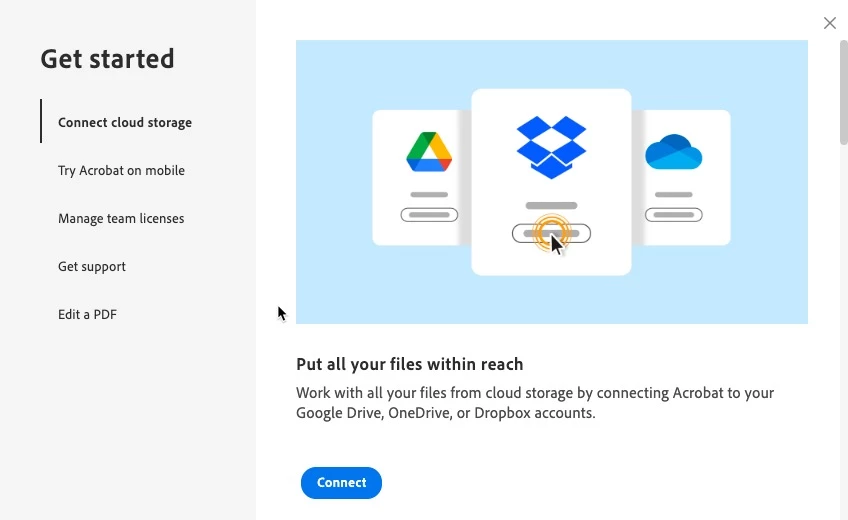
I can not get it to stop, it opens EVERY TIME I open any PDF.  I have unselected "Show me messages from Adobe when I launch Adobe Acrobat."  I can find no other information.  Please help, this is annoying enough I am considering other options.

This topic has been closed for replies.

2 replies

Meenakshi Negi
Community Manager
Community Manager
October 17, 2023

Hi All,


The latest Adobe Acrobat version (23.06.20360) released today addresses this issue. Please update the application to the newest version using the following steps:

- In Acrobat, go to Menu > Help
- Select "Check for Updates."


For more information about the new release, refer to the following link: Adobe Acrobat Release Notes.


Let us know how it goes.


Thanks,
Meenakshi

New Participant
January 17, 2024

Same issue please - Update to new release has not stopped Adobe trying to pop up dialog boxes for varying stuff, and seems to be assuming:

I am a schoolkid

That I have never used Adobe before

That I am incapable of teaching myself or have no experience


Even if that were the case, would it not be likely that after a few uses, that I would have learned that and the boxes could automatically stop popping up ?  Really bad idea - but please advise how to make them stop

Meenakshi Negi
Community Manager
Community Manager
September 28, 2023

Hi Ryan32521107bgk0,


Thank you for reaching out, and sorry about the trouble caused.


I have shared some information with you in a private message in the community.

Please check your inbox and try the steps suggested. You may check the message via the envelope icon on this community window at the top right. 

Let us know if that helps.


Thanks,

Meenakshi


New Participant
September 28, 2023

Experiencing the same issue in windows. Please help

New Participant
October 3, 2023

I am also having this issue in Windows, I have been unable to get rid of these popups.


Thank you,

Eric


FWIW disabling the New Acrobat experience in the general tab of preferences fixed this for me, and also put me back to the prior user interface, which to me is a bonus all the way around.